How to Build a Drone Step-by-Step
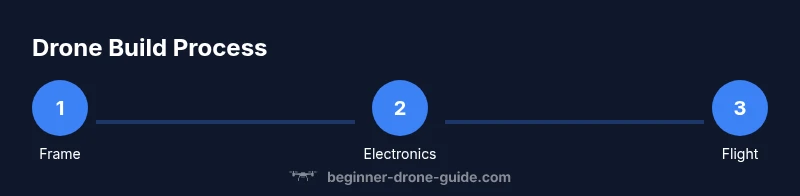
Practical, beginner-friendly guide to building a drone from frame to flight, covering parts selection, assembly steps, calibration, and essential safety checks.


Learn how to build a drone step-by-step, from choosing a frame and motors to wiring the electronics and testing flight safely. This beginner-friendly guide emphasizes essential safety, correct tools, and avoiding common mistakes. According to Beginner Drone Guide, with careful planning and quality components you can assemble a reliable hobby drone.
Why building a drone is a great learning project
Building a drone from scratch is a hands-on way to learn about aerodynamics, electronics, and safety that no textbook can fully replicate. For beginners, the process demystifies how each component contributes to flight, from frame stiffness to motor torque and the precision of the flight controller. Working through a build teaches problem-solving: you’ll design around weight, power budgets, and cooling, then adjust as you go. A successful build also cultivates careful planning and patience—skills that transfer to many other hobbies and careers. As you gather parts, you’ll gain confidence in reading datasheets, spotting compatibility issues, and valuing quality over cheapest cost. The exercise of aligning prop sizes with motor kv, understanding battery voltage limits, and wiring with clean, color-coded harnesses makes future upgrades easier. This kind of project is especially friendly to beginners because it breaks a complex system into manageable subsystems, each with clear goals. Whether you want a camera drone for photography or a nimble FPV flyer, the fundamentals stay the same.
Core components and how they fit together
The core of any drone is a handful of subsystems that must communicate smoothly: the frame, propulsion, power, and control software. A typical beginner quad uses four identical motors, four ESCs, a power distribution method, a flight controller, a receiver, a battery, and propellers. The frame provides stiffness and holds everything in place; the motors provide thrust; ESCs regulate motor speed; the flight controller processes sensor data and translates pilot input into motion; the receiver accepts commands from the radio. Beginner Drone Guide analysis shows that starting with a proven 180–210 mm frame simplifies wiring, weight distribution, and CG management. You’ll also learn to plan for a simple power path: battery to ESCs, ESCs to motors, and a clean return path to the reciever/FC. Keep your wires organized with color-coding and zip ties to minimize interference and errors during assembly.
Planning your build: choosing parts and layout
Before your build, sketch a bill of materials that matches your goals, weight targets, and budget. Frame size influences CG, propeller efficiency, and battery choice, so pick 180–210 mm for a beginner-friendly balance of stability and agility. Motors should pair with propellers of compatible diameter and pitch, and you’ll need ESCs rated for the motor current. The flight controller should support your firmware of choice, offer good sensor calibration, and be compatible with your radio receiver. Plan your layout to minimize wire length, route power wires away from signal lines, and keep the battery center of gravity inside the frame’s envelope. Don’t underestimate the value of a well-labeled wiring plan and a simple color-coding scheme. With a clear BOM and layout, you’ll save time on assembly and reduce troubleshooting later.
Tools, workspace, and safety basics
Create a clean, organized workspace with a non-static mat, good lighting, and a small parts tray. Essential tools include a set of precision screwdrivers, a hobby knife, a soldering iron, flux, solder, and a multimeter. A power supply or dedicated bench supply can help test ESCs before committing a LiPo battery. Store LiPo cells in a fireproof bag and never charge unattended. Use eye protection when soldering and avoid short circuits by double-checking polarity before connecting anything. A good habit is to perform a quick, written checklist before each assembly session to ensure you won’t miss a connection or torque spec.
Step-by-step build overview (high-level)
- Frame and mount: assemble the frame, install top and bottom plates, and ensure all mounting points are aligned. Validate that motors align with the propeller plane and that there is clearance for prop wash.
- Mount propulsion: attach motors to the frame, tighten screws to the manufacturer’s recommended torque, and check for smooth rotation without binding.
- Power and signal routing: install the power distribution path, connect ESCs to the motors, and route signal wires to the flight controller, avoiding sharp bends.
- Controller and receiver setup: mount the flight controller in a stable orientation, attach the receiver, and ensure the boot order and firmware settings match your build goals.
- Testing and first power-up: perform a bench test with no propellers, verify motor directions, and confirm the flight controller reads stick input correctly.
- Final assembly and go-time: install propellers, run a basic static test, and prepare for a tethered hover in a safe outdoor area.
Electrical system: wiring and configuration basics
The electrical system is the nerve center of your drone. Start with a clean power path: battery to power distribution board or BEC, then to ESCs, then to motors. Ensure you know the polarity of every connector and use the correct gauge wire for current demands. Mount the flight controller so its sensors have an unobstructed view of gravity and yaw axes, and connect the receiver to a dedicated channel map.
Calibrate ESCs according to your firmware’s guidelines, then configure the flight controller’s PID and sensor fusion settings. Use a bench test to verify motor directions before any propeller attachment. The goal is a predictable, linear response to stick input with stable hover characteristics. Plan to test in steps, not all at once, to isolate issues quickly.
Battery choice, charging, and safety considerations
Battery selection affects power, flight time, and handling. LiPo packs come in various cell counts (3S, 4S, etc.). Choose a rating that matches frame weight and motor current; don’t exceed the frame’s maximum thrust-to-weight. Always balance-charge LiPo cells, and never charge unattended. Use a dedicated LiPo charging bag and a fireproof charging area; monitor temperature during charging. After use, store batteries at a safe storage voltage and in a cool, dry place. Routine inspection for swelling or damage is essential before every flight.
Safety and flight-testing basics
Safety first is not just a slogan—it’s a habit. Wear eye protection during initial trials and keep bystanders at a safe distance. Calibrate accelerometers and gyroscopes, set proper failsafe behaviors, and test control directions on a tethered flight before attempting free flight. Start with short, low-altitude hover tests in an open space, gradually increasing throttle while watching for wobble, vibration, or motor overheating. If you detect odd behavior, land immediately and re-check wiring and firmware. Always have a plan for emergency cutoffs and return-to-home behavior if your controller supports it.
Maintenance, upgrades, and next steps
After the first test flight, perform a thorough post-flight inspection: check screws, nuts, wiring insulation, prop balance, and motor heat. Keep a maintenance log to track component wear and replacement schedules. Upgrades are easier when you’ve designed with modular parts and common mounting patterns in mind. Consider upgrading one subsystem at a time—frame stiffeners, higher- efficiency props, or a more capable flight controller—then re-tune. As you gain experience, you can branch into FPV, longer flight times, or payload-carrying capabilities, always respecting local laws and safety practices.
Tools & Materials
- Frame kit (180–210 mm quad layout)(Choose based on target size and CG stability)
- Four motors(Select motors with compatible KV and mounting holes)
- Four ESCs(Current rating should match motor draw)
- Flight controller(Support for your firmware and sensors)
- Receiver(Compatibile with your radio transmitter)
- Propellers(Match size to motors; balanced props recommended)
- LiPo battery (3S/4S)(Choose capacity and C-rating for flight goals)
- Power distribution board or wiring harness(Avoids messy power routing)
- Soldering iron and solder(Essential for reliable connections)
- Multimeter(Check continuity and polarity)
- Screwdrivers (precision set)(For frame and components)
- Heat shrink tubing and zip ties(Keep wiring tidy and protected)
- Fireproof LiPo bag(Safer battery charging/storage)
- Safety gear (eye protection)(Soldering and physical assembly safety)
Steps
Estimated time: 2-4 hours
- 1
Choose a frame and propulsion
Select a frame size in the beginner range (commonly 180–210 mm). Pick motors and propellers that match the frame’s weight and intended use. Ensure the frame has mounting points for all four motors and a clear center of gravity path.
Tip: Lay out components on a work surface before fastening to confirm clearances. - 2
Mount motors and check rotation
Attach each motor to the frame using the provided screws. Before wiring, test each motor by briefly powering it to confirm it spins in the correct direction and without binding.
Tip: Mark motor direction on the back of the frame to prevent mix-ups during wiring. - 3
Install ESCs and route power
Mount ESCs close to each motor and route power leads cleanly toward a central power distribution path. Keep signal wires separate from power wires to reduce interference.
Tip: Use short, secure harnesses and label key connectors. - 4
Attach flight controller and receiver
Secure the flight controller in a stable, level orientation. Connect the receiver to the FC using the intended channel map and confirm firmware compatibility.
Tip: Double-check the FC orientation (front = nose) before finalizing mounts. - 5
Wiring and harness integration
Connect motor signal leads to ESCs and wire the battery input through the regulator or PDB. Neatly bundle cables and ensure there are no loose strands near moving parts.
Tip: Keep slack minimal to avoid wires catching in propellers. - 6
Firmware setup and calibration
Install the firmware on the FC, configure arming, channel mappings, and initial flight parameters. Calibrate accelerometers, gyroscopes, and any sensors per the guide.
Tip: Follow a staged calibration, starting with level ground. - 7
Prop installation and safety check
Attach balanced propellers in the correct orientation. Recheck all fasteners, insulation, and wiring. Perform a bench test with no propellers attached to verify control inputs.
Tip: If anything feels loose, stop and re-tighten before power-up. - 8
First power-up and hover test
Power the system with propellers removed and verify yaw, pitch, and roll respond correctly. Progress to a tethered hover in a safe area, watching for vibration and drift.
Tip: Have an emergency cut-off ready and a safe landing zone identified.
Frequently Asked Questions
Do I need to license or register a DIY drone I build at home?
Drone licensing and registration depend on your country. In many places, hobbyists must follow airspace rules and register if required. Check local regulations before flying, even a DIY drone.
Regulatory requirements vary by country; check local aviation authority rules before your first flight.
Is soldering required for all builds?
Not all builds require soldering, especially if you’re using pre-wired ESCs and plug-and-play components. Some connections may still need soldering for reliability.
Soldering may be needed for solid connections, especially on power lines.
Can I reuse parts from an old drone for a new build?
Yes, many parts are reusable if they’re compatible with your new frame and electronics. Check mounting points, frame load, and current ratings.
Parts can often be reused, but compatibility matters.
What’s the safest place to test a DIY drone for the first flight?
Choose a wide, open area away from people, buildings, and trees. A controlled environment reduces risk during initial tests.
Find a safe, open area away from people for first flights.
How long does it take to build a drone from scratch?
Time varies by complexity and prior experience. Plan several hours for a first build and allow extra time for calibrations and troubleshooting.
It usually takes several hours for a first build depending on parts and familiarity.
Watch Video
Quick Summary
- Plan parts around weight balance
- Label and organize wiring for easier debugging
- Calibrate and test in stages before any flight
- Keep safety top of mind during every step
- Upgrade components gradually to avoid destabilizing the build