Phone-Free Drone Flying: A Practical Guide
Learn to fly a drone without a phone using a built-in remote. This educational guide covers setup, safety, and practical tips for phone-free flight, ideal for beginners seeking confidence and control.


You can fly a drone without a phone by using the drone’s built‑in remote and stable, dedicated controls. With a charged battery, a compliant controller, and a safe, open space, you can take off, fly, and land without relying on a smartphone app. This guide walks you through setup, calibration, and safe operation for phone-free flight.
Understanding the concept of a drone without phone
According to Beginner Drone Guide, flying a drone without a phone means relying on built-in remote controls and dedicated flight modes rather than app-based commands. This approach, often called phone-free or standalone operation, emphasizes a physical controller, robust telemetry, and a straightforward preflight routine. The result is a more predictable flying experience, especially for beginners who want immediate tactile feedback from the sticks and meters on the controller. This section sets the foundation by explaining how a typical phone-free setup differs from app-driven flight, what telemetry you should expect, and how to assess your comfort level with a dedicated remote. Throughout, you’ll start to see how a phone-free workflow can improve consistency and safety in real-world scenarios such as park flights, field inspections, and practice sessions.
How a standalone remote works
A standalone remote (the flight controller) communicates with the drone via a direct link, usually on a dedicated radio frequency. The sticks translate your input into motor speed, yaw, pitch, and roll—giving you precise control without a smartphone in the loop. Telemetry such as battery status, GPS lock, altitude, and distance-to-home is streamed to the controller’s screen, if equipped, or to a simple HUD. This direct path reduces latency and avoids potential interference from mobile networks. In many models, you’ll also find built-in safety features like geofencing, automatic return-to-home, and fail-safe modes that kick in if the connection is lost. Knowing these basics helps you plan flights with confidence and ensures you stay within safe operating limits.
Pros and cons of phone-free flight
Pros include consistent control without app delays, immediate tactile feedback, and often simpler preflight checks. You also avoid app compatibility concerns, updates, and possible connectivity issues. On the downside, some advanced features (like live mapping, social sharing, or firmware tools) are easier via a companion app. Battery life and range can vary based on the drone and remote, and learning to read the controller’s telemetry without a phone may require a short adjustment period. For beginners, phone-free flight generally emphasizes safety and simplicity, while still enabling creative practice, photography, and basic videography.
What to look for when buying a phone-free drone
When shopping for a phone-free drone, prioritize a reliable dedicated controller with clear, readable telemetry and responsive sticks. Look for the following features: built‑in GPS with robust hold modes, a Return‑to‑Home function, beginner-friendly modes (hover, altitude hold), and clear on‑screen information. Ensure the drone includes spare propellers, a robust flight battery, and a straightforward binding process with the controller. Wind resistance and stability at typical practice altitudes matter as well. Finally, verify that the manufacturer provides updated firmware for both the drone and controller, and that there are reputable safety notes and user manuals available in your language.
Basic setup and preflight checks
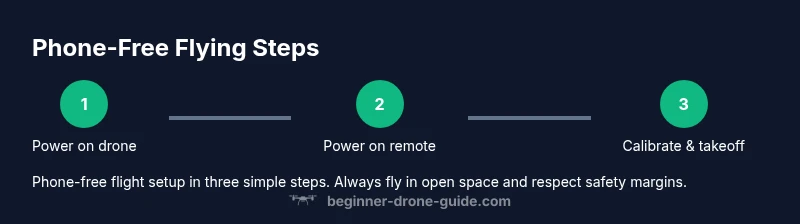
Start by charging all batteries to full and inspecting propellers for damage. Bind the controller to the drone following the manufacturer’s instructions, then power on the controller first and ensure you see a stable link and telemetry. Calibrate the compass and IMU if your model requires it, and check GPS lock before takeoff. Confirm flight mode is set to the intended beginner setting, verify return-to-home altitude, and review geofence boundaries if applicable. Preflight checks should take notes of wind conditions, nearby people, and a clear takeoff area. With a phone-free setup, you rely on the controller’s telemetry and built‑in safety features to guide your decisions during the flight.
Safety and regulatory considerations
Even with a phone-free system, you must respect local laws and airspace rules. The FAA requires pilots to operate the drone within visual line of sight and to follow any altitude restrictions and no-fly zones. Always check weather, wind, and visibility before flying, and avoid flying over crowds or restricted areas. For international readers, refer to your national aviation authority for licensing, registration, and operating rules. Keeping a log of flights can help with safety audits and accountability, especially if you’re practicing for longer sessions or acquiring a certification.
Real-world use cases and best practices
Phone-free flight is ideal for beginners practicing basic maneuvering, park flights, and simple photography sessions where app-connected features aren’t necessary. It’s also valuable for quick field inspections or hobby flights where minimizing setup time matters. Practice in a safe, open space first, gradually increasing altitude and distance as your confidence grows. Use slower speeds, stabilize the drone in hover, and plan your maneuvers as if you were drawing a small pattern in the air. Always maintain line of sight and stay aware of your surroundings to avoid hazards for people and property.
Troubleshooting common issues
If the drone won’t respond to stick inputs, verify the controller is properly bound and the link is active. If telemetry is missing, check the battery on the controller, ensure the drone’s GPS has a lock, and confirm the firmware versions are compatible. A poor compass calibration can cause oscillations or drift; recalibrate according to the manufacturer’s steps. Low battery warnings should prompt a safe return or landing rather than forced flight. For persistent problems, consult the official user manual or reach out to customer support through the manufacturer’s site.
Getting started: a simple 2-week plan
Week 1 focuses on fundamentals: clean environment, basic hover, gentle climbs, and safe landings using the standalone remote. Week 2 introduces more complex maneuvers, longer hover times, and controlled flight paths within a safe perimeter. Document each flight with notes on battery, wind, and time aloft, then review to identify improvements. By the end of two weeks, you should feel comfortable with phone-free controls, basic safety checks, and a consistent preflight routine.
Authority sources
- FAA: https://www.faa.gov/uas/getting_started
- FAA: https://www.faa.gov/uas/getting_started/fly_for_work_and_business/
- EASA: https://www.easa.europa.eu/domains/civil-drones-rpas
Tools & Materials
- Drone with built-in remote/controller(Dedicated controller connected to the drone, no phone required)
- Charged flight batteries(Extra batteries recommended for longer practice sessions)
- Battery charger(Ensure fast charging if you’ll fly back-to-back sessions)
- Spare propellers(In case of wear or damage during practice)
- MicroSD card (if supported)(For local video storage, optional on some models)
- Calibrated surface for takeoff(Flat, dry surface free of debris)
- Remote range test tool (optional)(Helps verify link integrity before the first flight)
Steps
Estimated time: 25-40 minutes
- 1
Inspect and charge
Check the drone and controller for damage, charge all batteries, and inspect propellers for wear. This ensures safe takeoff and prevents mid-flight failures.
Tip: Always start with a full battery and spare parts on hand. - 2
Bind power-on sequence
Power on the controller first, then the drone, and verify a stable link with telemetry displayed on the controller screen.
Tip: If the link fails, power cycle both devices and retry binding according to the manual. - 3
Calibrate compass/IMU
Perform compass and IMU calibration if your model requires it to ensure stable flight in hover and correct directional response.
Tip: Calibrate away from metal surfaces and high magnetic interference. - 4
Set flight mode and geofence
Choose a beginner mode (stability/hover) and confirm altitude limits and geofence boundaries before takeoff.
Tip: Keep geofence a safe margin from people and obstacles. - 5
Arm and hover
Arm the motors and lift to a gentle hover at a low altitude to confirm control responsiveness and stability.
Tip: If the drone drifts, pause, re-stabilize, and adjust trim. - 6
Practice basic maneuvers
Gently move the sticks to perform straight climbs, descents, and small lateral cues while maintaining line of sight.
Tip: Keep movements slow and deliberate to avoid sudden jerks. - 7
Return-to-Home and land
Test the Return-to-Home feature in a safe area and land smoothly, pausing if wind shifts demand adjusting altitude.
Tip: Have a clear landing zone with no people or obstacles.
Frequently Asked Questions
Can every drone fly without a phone via its own remote?
Not all drones support full phone-free operation. Some rely on mobile apps for key features like advanced live mapping or firmware updates. Check your model’s manual to confirm compatibility with a dedicated controller.
Not all drones can fly without a phone. Check your model’s manual to confirm compatibility with a dedicated controller.
What are the main limitations of phone-free flight?
Phone-free flight emphasizes safety and simplicity, with limits on apps-based features like in-depth mapping or social sharing. You may have fewer real-time configuration options during flight.
Phone-free flight focuses on safety and simplicity with fewer real-time app features.
Do I need to register my drone if I fly without a phone?
Drone registration requirements depend on your country’s regulations, not on whether you use a phone. Check your local aviation authority for thresholds and processes.
Registration depends on local rules, not on phone use. Check with your aviation authority.
Which brands offer reliable phone-free flight options for beginners?
Several beginner-friendly drones headline standalone controllers with stable GPS and user-friendly modes. Look for models with strong safety features, easy binding, and robust customer support.
Many beginner-friendly models offer solid phone-free control with good safety features.
Is it safer to fly with a phone or without?
Both can be safe when you follow preflight checks and local regulations. Phone-free flight reduces app-related distractions but relies on the controller’s telemetry. Choose the mode that best fits your comfort and the flight scenario.
Safety depends on discipline, not the device. Follow checks and rules in either method.
How do I update firmware on a phone-free drone?
Use the manufacturer’s official updater through the drone’s own system or the controller’s menu. Do not attempt updates from third-party sources, and ensure both drone and controller are connected during the process.
Update via the official updater in the device menus; keep both drone and controller current.
Watch Video
Quick Summary
- Fly with the built-in remote for predictable control.
- Always perform preflight checks and calibrations.
- Use beginner modes and geofencing to stay safe.
- Maintain line-of-sight and follow local regulations.
- Keep a flight log for ongoing improvement.