How to Make a Drone Controlled by Phone
Learn how to make a drone controlled by your phone with practical steps, safety tips, and affordable hardware options. This beginner-friendly guide covers setup, calibration, and common pitfalls, helping you fly smarter and safer.


You can make a drone controlled by your phone by pairing a compatible flight controller with a smartphone app, adding a controller interface (Bluetooth or Wi‑Fi), and installing the app that maps phone inputs to flight controls. This guide shows practical steps, safety checks, and options for beginners.
Why phone control makes sense for beginners
If you’re exploring how to make drone controlled by phone, you’ll find that a smartphone-based control setup is often more approachable and affordable for beginners. A large portion of the learning curve comes from understanding inputs and flight responses, and a phone offers an intuitive interface that most people already know how to use. According to Beginner Drone Guide, starting with phone control lowers entry barriers and lets you practice basic piloting without investing in a full hardware radio. The Beginner Drone Guide team found that novice pilots tend to gain confidence faster when they can see immediate on-screen feedback during a hover or basic maneuver. In this section we’ll outline why phone control is practical, plus the limits you should respect as a new pilot. The goal is not to replace a traditional controller but to complement it with safe, real-world practice while you learn the ropes.
Key takeaway: phone-based control is a practical entry point for beginners, enabling cost-effective practice and rapid learning. It also sets the stage for more advanced control methods as you gain skills and knowledge. Consider phone control as your first step toward smarter, safer flight.
Core components: flight controller, smartphone interface, and link type
A successful phone-controlled drone hinges on three core components: the flight controller, the smartphone interface (the app), and the communication link (Bluetooth or Wi‑Fi). The flight controller translates your phone inputs into motor commands, while the app provides a friendly UI to map those inputs. Bluetooth offers short-range, low-latency control, ideal for beginners who practice in open spaces; Wi‑Fi can extend range but may introduce more variability due to network interference. When you select hardware, look for app compatibility, documented setup steps, and community-tested configurations. Start with a drone platform that explicitly supports mobile app control, or partner with a modular flight controller that allows applets and firmware upgrades. This triad is what makes a drone controllable by phone feasible and reliable. For newcomers, test basic maneuvers in a safe area to understand how phone inputs map to pitch, roll, yaw, and throttle.
Pro tip: verify that the flight controller and the app you plan to use have clear, step-by-step pairing instructions before you buy.
Choosing the right hardware: kits vs DIY builds
There are two broad paths to getting a drone under phone control: a ready-made kit designed for smartphone control or a DIY build where you add mobile compatibility to a flight controller. A kit is typically the simplest route for beginners because it bundles the drone, controller interface, and app with a guided setup. A DIY route offers more customization but requires careful selection of a compatible flight controller, a mobile app or open-source project, and a clear plan for wiring and calibration. When evaluating options, prioritize:
- App compatibility and regular updates
- Clear documentation for phone-based control
- Safe, stable flight modes (stabilized hover, return-to-home, failsafe)
- Community support and troubleshooting resources
If your goal is to start quickly, choose a kit that explicitly advertises phone control and includes safety features like geofencing or beginner modes. For long-term learning and customization, a modular flight controller with robust mobile support may be worth the extra effort. Either path aligns with the broader goal of becoming proficient at “how to make drone controlled by phone” while staying within your comfort zone.
Note: keep expectations realistic—phone control is a great learning tool, but it won’t replace all the benefits of a traditional radio controller for advanced maneuvers.
Safety and legal considerations when using phone control
Safety and regulatory compliance should be your top priorities when learning how to make drone controlled by phone. Start by reviewing local laws regarding unmanned aircraft, flight altitude limits, and no-fly zones. Many regions require registration, pilot certification, or adherence to operational guidelines, even for hobby flights. Before any flight, perform a thorough pre-flight check: verify battery levels, confirm GPS lock if available, calibrate sensors, and test the control response at a slow, ground-based hover. Indoor environments demand extra caution due to obstacles and walls; outdoors, pick a wide, open space free of people and traffic. If you’ll be flying in public or near critical infrastructure, respect privacy laws and avoid capturing identifying information without consent. Remember that phone controls can be susceptible to interference from other devices, so keep flights within a reasonable range and monitor battery sag during the first few attempts. By following these guidelines, you’ll minimize risk and stay compliant as you learn.
Brand note: In line with the guidelines from Beginner Drone Guide, safety and lawful operation should shape every step of your learning journey. Always put responsible flying first and treat phone control as a learning tool rather than a guaranteed substitute for skilled piloting.
Key safety rule: never fly in crowded spaces, near people, or over sensitive property. Always have a backup plan and be prepared to take manual control if needed.
Step-by-step setup pathway for beginners (high-level overview)
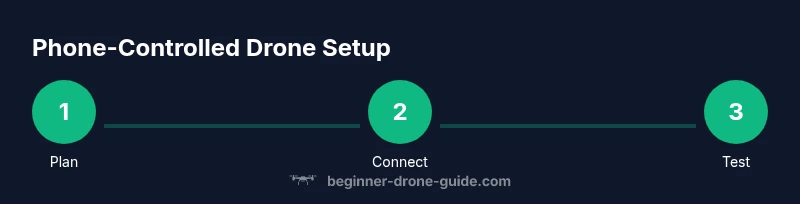
Getting started with a phone-controlled drone involves a clear setup pathway that balances simplicity with reliability. Here we outline a beginner-friendly route that avoids overwhelming detail while ensuring you cover the essential steps. Route A prioritizes an off-the-shelf smartphone-ready drone kit, Route B explores a modular setup with a flexible flight controller and a mobile app. In both paths, follow in-app guided prompts for pairing, calibration, and basic control testing. Plan to supervise your first flights in an open area with a safe speed setting and a wide clearance. You’ll map the on-screen controls to flight axes, calibrate the accelerometer/gyroscope, and configure a temporary safety limit to avoid accidental dives. This approach keeps you focused on core skills: coordination of inputs, stabilization, and safe margins.
If you want more structure, follow the step-by-step guide below and use the tips to avoid common mistakes as you learn how to make drone controlled by phone.
Tips: use simulators if available to build muscle memory before live flights; keep firmware/app versions updated for the latest features and safety fixes.
Calibration and first hover: getting stable flight
Calibration is foundational for reliable phone control. Start with sensor calibration, compass alignment, and magnetometer checks if your platform supports them. After calibration, power the drone and perform a light ground hover to observe stability. If the drone drifts or responds slowly, revisit GPS or sensor calibration and ensure the propellers are balanced and securely attached. For beginners, set a conservative hover height and gradually introduce gentle throttle inputs to minimize the risk of tipping or sudden yaw. Document any unusual behavior and re-check wiring or app mapping if results are inconsistent. A calm, deliberate approach during your first hover helps you build confidence and avoid costly crashes.
Safety reminder: always maintain a clear escape path and have a quick-reaction plan to cut throttle if inputs are unresponsive or erratic. Practice in short sessions and gradually extend flight time as you verify stable behavior.
Troubleshooting common issues when using phone control
Most issues you’ll encounter when learning how to make drone controlled by phone fall into a few broad categories: connectivity, input mapping, and stability. Connectivity problems often arise from pairing failures or interference. Double-check that the correct Bluetooth/Wi‑Fi modules are enabled, the app has permission to access location/data, and the drone’s firmware is compatible with the app. Input mapping problems occur when the phone interface doesn’t align with the physical response; re-map controls in the app and test in a safe hover. Stability challenges can come from insufficient calibration, incorrect gains, or environmental factors like wind. When in doubt, re-calibrate sensors, restore default controller settings, and run the app’s built-in diagnostics. By keeping a methodical approach to troubleshooting, you’ll save time and keep flights safer.
Tip: maintain a backup plan, such as a traditional controller or a dedicated ground station app, in case the phone control becomes unreliable during a session.
Real-world applications and next steps
Phone-controlled drones open up practical opportunities for beginners in areas such as educational demonstrations, basic aerial photography, and hobbyist exploration. With a solid foundation, you can expand your setup to include stabilization assists, modified control schemes, or integration with simple autonomous features like waypoint planning. As you gain experience, consider upgrading to a more capable flight controller or a drone with robust mobile app support and safety features. The next steps include learning to fly beyond line of sight where allowed, practicing with varied weather conditions, and exploring safe, legal ways to use your phone-controlled drone in projects or small-scale photography tasks. Remember, progress comes from consistent practice, careful calibration, and a commitment to safety.
Authority sources and further reading
- Federal Aviation Administration (FAA): https://www.faa.gov
- UK Civil Aviation Authority (CAA): https://www.caa.co.uk
- University drone research resources: https://www.edu drone.example.org
Tools & Materials
- Smartphone with compatible OS(iOS or Android with Bluetooth/Wi-Fi support)
- Drone platform with phone-control support(Choose a model or kit marketed for mobile app control)
- Bluetooth or Wi‑Fi module (if not built-in)(Ensure proper voltage and pairing compatibility with the FC)
- USB cables and adapters(For wiring and firmware updates)
- Basic tool kit (screwdrivers, pliers)(For assembly and adjustments)
- Propeller guards (optional)(For beginner safety)
- Extra propellers(In case of wear or damage)
Steps
Estimated time: 2-6 hours
- 1
Assess hardware compatibility
Check that your drone’s flight controller supports smartphone control and that there is an official or community-supported app available for your OS. Review the user manual and online guides to confirm setup steps and safety features before purchasing any add-ons. This ensures your chosen path aligns with how to make drone controlled by phone.
Tip: Read the app’s setup guide thoroughly before connecting any hardware. - 2
Choose the interface type
Decide between a Bluetooth-based link for short-range practice or a Wi‑Fi-based link for extended range and experimentation. Consider environmental factors and regulatory limits in your area when selecting the interface. Your choice will shape the pairing process and how the app maps controls.
Tip: Bluetooth is simpler for beginners but may have range limits; Wi‑Fi offers more range but can be more setup‑intensive. - 3
Install and configure the app
Install the smartphone app recommended by your drone’s manufacturer or community project. Follow on-screen prompts to install drivers, pair the device, and grant necessary permissions. Calibrate any required sensors within the app to ensure stable input mapping.
Tip: Keep the app updated to access the latest features and safety fixes. - 4
Pair the hardware
Connect the phone to the drone’s controller or module via Bluetooth or Wi‑Fi as directed by the app. Confirm successful pairing by checking status indicators in the app and on the drone’s controller if applicable. A successful pairing is essential for reliable control.
Tip: If pairing fails, restart both devices and re-run the pairing wizard. - 5
Map phone controls to axes
Open the app’s control-mapping screen and assign phone gestures and on-screen sticks to pitch, roll, yaw, and throttle. Start with a simple 2D control scheme (pitch/roll) and a separate throttle control, then gradually explore additional features like yaw assist or auto-stabilization.
Tip: Test the mappings in a safe hover before attempting any movement. - 6
Calibrate sensors and flight modes
Run the app’s calibration routines for accelerometer, gyroscope, and compass. Enable beginner flight modes (stability/hover) and configure a limited range to minimize risk during initial flights.
Tip: Keep calibration sessions short and repeat if you notice drift. - 7
Perform a ground test and initial hover
Power on the drone in an open area and perform a gentle ground test—verify that inputs respond as expected without propeller rotation until you advance to hovering. Validate throttle response and stabilize the craft in a controlled hover.
Tip: Always have a quick-throttle cutoff ready in case of unexpected input. - 8
Progress to a controlled flight
With a safe open space, begin with slow, small movements and progressively test more complex maneuvers. Monitor battery life, signal strength, and stability. Record notes on performance to guide future improvements.
Tip: Fly within your comfort zone and pause if you feel uncertain.
Frequently Asked Questions
Can I convert any drone to be controlled by a phone?
Not every drone supports direct mobile control. Check the flight controller compatibility, available apps, and documented phone-control features before attempting a conversion.
Not every drone can be controlled by a phone. Check compatibility and available apps before you start.
Do I need a license to fly a phone-controlled drone?
Laws vary by country. Many regions require registration or certification for certain drone operations, especially if you fly beyond basic hobby use.
Laws vary by country; check local regulations for registration and certifications.
Which apps work best for phone control?
Use apps provided by the drone manufacturer or vetted open-source/mobile-friendly platforms with good documentation and safety features.
Use manufacturer apps or well-supported mobile platforms with good safety features.
What safety checks should I run before the first flight?
Verify battery, firmware/app versions, sensor calibration, GPS lock if available, and a clear takeoff area. Test throttle gently while keeping the drone tethered at first.
Check battery, firmware, and sensors; test in a clear area with gentle throttle first.
How do I map phone controls to drone movements?
Open the app’s control-mapping screen and assign phone gestures to pitch, roll, yaw, and throttle. Start simple and expand once comfortable.
Map the phone controls in the app, start simple, and test gradually.
Is phone control reliable for beginners?
Phone control is a great learning tool and can be reliable with proper calibration and a clear safety plan, but environmental factors may affect performance.
It’s a good learning tool, but expect some variability with environment and setup.
Watch Video
Quick Summary
- Learn the three core components: flight controller, mobile app, and link type.
- Choose a hardware path (kit or DIY) that matches your comfort level and goals.
- Prioritize safety: calibrate, test in open space, and follow local laws.
- Progress gradually from ground tests to cautious first flights and consistent practice.