What to Do If Your Drone Flies Away: A Practical Guide for Beginners
Learn practical, beginner-friendly steps to recover a drone that flies away, prevent losses, and stay safe. This guide covers pre-flight checks, real-time actions, and post-flight recovery.


Goal: If your drone flies away, stay calm, locate it visually, and use the Return-to-Home (RTH) or GPS guidance if safe. Do not chase on foot, which could put you at risk. This guide walks you through immediate actions, safe retrieval, and how to prevent future losses. It covers preflight prep, in-flight responses, and post-flight steps.
Understanding why a drone might fly away
According to Beginner Drone Guide, drones can drift away due to wind gusts, GPS glitches, interference, pilot error, or calibration issues. For beginners, the most important thing is to maintain visual contact and implement safety features you tested in training. Before you even take off, ensure the firmware is updated, GPS lock is strong, and the Return-to-Home altitude is set high enough to clear obstacles. You should also know your local airspace rules and have a plan if the drone becomes hard to track. Being proactive about these factors reduces the odds of a loss and makes recovery faster when it happens.
Pre-flight safeguards to reduce the risk of losing a drone
A solid pre-flight routine dramatically lowers the chance of flying away. Start with a firmware update check, calibrate compass and IMU as recommended by the manufacturer, and confirm GPS satellites are locked before takeoff. Set your Return-to-Home (RTH) altitude above trees and buildings, and configure an accessible “last known location” in the app. Choose a flight area with good visibility, daylight, and minimal RF interference. Finally, brief any bystanders and establish a clear flight path so you know where to look if something goes wrong.
Immediate actions the moment you realize it's flying away
The moment you suspect a loss of control, take a deep breath and keep the drone in your field of vision if possible. Open the drone app to view the live map, last-known coordinates, and GPS status. If you have confidence in the risk level, initiate Return-to-Home (RTH) and confirm the altitude is safe. Do not sprint toward the drone or put yourself in harm's way; prioritize safety for people and property nearby.
Using Return-to-Home (RTH) and GPS guidance safely
RTH is a powerful recovery tool when used with care. Verify there are no people, pets, or obstacles in the projected path. Confirm the altitude will clear tall structures and power lines. If the drone encounters interference or GPS instability, you may pause or abort RTH and attempt a controlled manual return when within range.
Navigating GPS failure or weak signal: options and caveats
When GPS drops, stick to line-of-sight as long as possible and avoid relying on smart-dash-map guidance. If you can re-establish a connection, command the drone to hover and scan for GPS lock again, then re-engage RTH at a safe altitude. If the drone travels beyond visual range, it may be necessary to prepare for a visual-assisted search while coordinating with others who can help.
Searching strategy: field by field, weather, and terrain considerations
Plan a methodical search: start with open fields and roads, then expand to trees or water edges where the drone could drift. Use landmarks and take note of wind direction at the time of loss. If a drone is drifting toward a restricted or hazardous area, suspend the search and reassess from a safe location. Always consider weather changes that could alter the drone's path.
Reclaiming control in-range and safe reentry
If the drone returns within range, take control immediately using the sticks and re‑acquire a stable hover. Follow the on-screen prompts to re-calibrate sensors if needed and re-enable all safety features. Ground yourself and ensure the area is safe for a potential landing before descending. After recovery, perform a quick post-flight inspection for damage or loose components.
What to do after you regain control or confirm it's missing
If you recover the drone, conduct a thorough inspection of the frame, propellers, gimbals, and battery for any stress or debris. Review flight logs to identify what caused the loss and adjust your pre-flight checks accordingly. If the drone is not found, report the incident to local authorities if required and share last-known coordinates with the community to improve the chances of recovery.
Prevention and post-flight checks for future flights
Wrap up with a robust post-flight checklist: log the incident, update firmware if needed, and review the flight path against wind forecasts. Add planned RTH routes and set safe landing zones for future flights. Practice controlled responses in a safe area, gradually increasing complexity as your confidence grows. Keeping records helps you identify recurring issues and improve safety over time.
Tools & Materials
- Drone with GPS and Return-to-Home (RTH) capability(RTH should be enabled and tested before flight)
- Controller with charged batteries(Carry spare batteries if available)
- Smartphone or tablet with the drone app(Ensure Bluetooth/Wi-Fi connectivity and flight logs access)
- Bright visibility marker or reflective gear(Helpful for locating a distant drone in low light)
Steps
Estimated time: 60-120 minutes
- 1
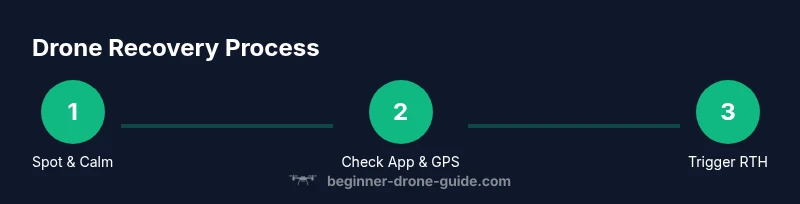
Spot the drone and stay calm
Take a steady breath and use your eyes to locate the drone. Keep your body relaxed and avoid sudden movements that could worsen the situation. This calm start helps you make deliberate, safer decisions.
Tip: A calm mindset improves decision speed and reduces panic-driven mistakes. - 2
Check the flight app for last-known data
Open the drone app and review the live map, GPS status, and last-known coordinates. Confirm if GPS lock is strong and whether the drone signaled a safe Return-to-Home point.
Tip: Make note of coordinates and time for later reference. - 3
Decide if RTH is safe to trigger
Assess obstacles, people, and structures along the RTH path. If clear, initiate RTH and monitor the drone’s path closely.
Tip: Ensure the altitude will clear the tallest obstacle in the path. - 4
Follow the drone’s projected path from a safe position
Move to a location with a clear, safe line of sight and watch the drone’s progress on the map. Do not run toward the drone; your safety comes first.
Tip: Avoid hazards like roads with traffic or water hazards. - 5
Reacquire control if the drone returns within range
As soon as the drone is within reach, take back control using the controller sticks. If needed, rebind the app and aircraft to restore full control.
Tip: If signals drop again, pause and reassess before continuing. - 6
Conduct a quick post-recovery check
Inspect propellers, gimbal, battery, and airframe for damage after landing. Review flight logs for anomalies that might explain the loss.
Tip: Document any issues to refine future flights. - 7
If the drone is not found, report and document
Log last known location and contact local authorities or the manufacturer’s support if required. Share information with local drone communities to widen the search.
Tip: Provide a clear description and photos if available. - 8
Review and update safety practices
Reflect on what caused the loss and adjust pre-flight checks, sUAS rules, and flight planning. Practice the revised routine in a safe environment.
Tip: Consider a longer line-of-sight rehearsal before advanced flights. - 9
Document the incident for future reference
Create a brief incident report including weather, airspace, battery status, and GPS conditions. Use this to prevent recurrence.
Tip: Store logs in your flight journal for trend analysis. - 10
Practice a controlled flight in a safe area
Return to a controlled environment and rehearse the recovery process with a simple flight plan. Increase complexity gradually as confidence grows.
Tip: Consistency builds muscle memory and safer flights.
Frequently Asked Questions
What should I do first if my drone flies away?
Stay calm, locate the drone visually, and open the flight app to review last-known coordinates and GPS status. If safe, trigger Return-to-Home and monitor its path.
First, stay calm, locate your drone, and check the app for last-known coordinates. If safe, start the Return-to-Home function and watch its path.
Can I recover a drone that goes beyond my line of sight?
Recovery is possible if conditions permit: use Return-to-Home and coordinate a safe search with help from others. Do not attempt risky pursuit.
It can be recovered if you can keep it safe with Return-to-Home and help from others, but avoid risky pursuit.
What factors influence successful recovery?
GPS stability, battery level, weather, and proximity to hazards all impact recovery success. A well-practiced pre-flight routine also improves odds.
GPS stability, weather, and a solid pre-flight routine all influence recovery success.
Should I report a lost drone to authorities?
If required by local laws or if the drone poses risk, report the incident to appropriate authorities and the manufacturer. Keep records of last-known data.
Report to authorities if required by local rules and keep your incident records.
How can I prevent drones from flying away in future flights?
Ensure firmware is up to date, calibrate sensors, test RTH, choose safe takeoff zones, and fly in favorable weather with clear line of sight whenever possible.
Keep firmware current, calibrate sensors, test RTH, and fly in good conditions with clear sight.
Watch Video
Quick Summary
- Stay calm to maximize recovery chances.
- Use RTH and GPS guidance safely.
- Maintain visual line-of-sight whenever possible.
- Document incidents and adjust safety practices.
- Pre-flight checks reduce risk of loss.