What If a Drone Goes Out of Range? A Complete Beginner Guide
Learn practical steps for what to do when your drone goes out of range, with safety tips and prevention methods for beginners to regain control and fly smarter.


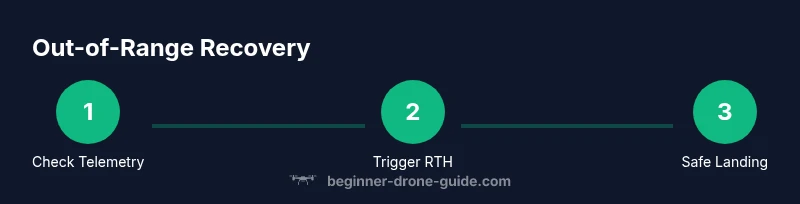
When a drone goes out of range, you must act calmly and execute a clear recovery plan. This quick guide outlines essential steps to check control, trigger Return‑to‑Home safely, and execute a controlled landing, plus preflight habits that minimize future risk. Follow these steps to regain control and keep flying with confidence.
Why range matters and what can go wrong
According to Beginner Drone Guide, range is the practical limit of your controller's signal and the drone's GPS link. What if drone goes out of range? It's not just about distance—interference, battery health, and firmware all influence how your aircraft responds when signal strength falls. Understanding these dynamics helps you plan safer flights, recover control quickly, and reduce risk during beginner flights. In this section, we'll unpack the core ideas behind range, how signals travel, and why even short excursions beyond visual line of sight can create big safety challenges. You'll learn to interpret telemetry, recognize warning signs, and adopt a mindset that prioritizes successful recovery over chasing a drifting drone.
We’ll also cover how different flight modes, such as GPS and ATTI, behave when the link weakens. GPS mode relies on satellite signals to keep the drone stable and to support Return‑to‑Home (RTH). If the link drops, the drone may hold its last position, hover, or initiate RTH depending on the firmware. By understanding these behaviours, you’ll be better prepared to respond quickly and safely when the unexpected happens.
How range varies by drone type and environment
Range is not a single universal number. It varies by drone model, radio frequency, antenna quality, controller design, battery state, and environmental factors like buildings, trees, power lines, and even weather. Beginner drones with simpler radios may show shorter reliable ranges in urban areas due to interference, while higher‑end models with sophisticated antennas and GPS buffering can maintain stable links longer under similar conditions. Environmental factors such as wind, humidity, and altitude also subtly influence signal strength and the drone's ability to hold course. For new pilots, the takeaway is to treat range as a dynamic limit that changes with context rather than a fixed distance.
Another key factor is firmware and calibration. Regularly updating the drone and controller firmware can improve link robustness and RTH behavior. Proper compass calibration is essential in areas with magnetic interference, which can otherwise skew navigation and worsen perceived range issues. By understanding how hardware, software, and environment interact, you can tailor your flight plans to the specific site and drone you are using.
Immediate actions if signal is lost
If you notice a sudden drop in command response or telemetry, act quickly and calmly. First, resist the urge to chase the drone, which often worsens the situation. Check your controller’s display for signal strength, GPS lock, and altitude. If the drone is still responding to basic controls, try a gentle re‑takeoff or hover while you assess. If it stops responding entirely, initiate the built‑in Return‑to‑Home (RTH) as soon as you have a stable telemetry reading. Confirm the RTH altitude setting is high enough to clear obstacles in your area. If you cannot regain the link, prepare for an automatic or manual landing using the safest feasible approach possible.
Safety notes: keep the drone within your line of sight whenever possible, and avoid flying behind large metal structures or near airports and busy corridors. If you must operate where signal loss is possible, set conservative flight limits and always have a plan to land safely.
How to plan a flight to minimize range issues
Preflight planning is your first line of defense against range problems. Start with a full battery check for both the drone and the controller, and ensure the app is up to date. Choose an open, unobstructed area with a clear line of sight, ideally away from dense RF sources like Wi‑Fi routers, stadiums, or dense urban canyons. Map your planned route and set a conservative maximum altitude and RTH altitude to account for terrain and obstacles. Conduct a controlled, low‑risk range test in a safe environment before venturing farther, and note any interference patterns (e.g., near large metal structures). Finally, enable safety features like geofencing, RTH with a defined home point, and low‑battery alarms, and review the manufacturer’s guidelines for your specific model.
By integrating these practices, you’ll reduce the likelihood that the drone drifts into a loss‑of‑signal scenario and improve your ability to recover quickly if it happens.
Return-to-Home and geofence concepts explained
Return‑to‑Home (RTH) is a safety feature designed to guide the drone back to a predefined home point when signal is lost or the battery is critically low. Most modern drones use GPS for a reliable RTH path, with the ability to adjust altitude to clear obstacles as they return. A geofence is a virtual boundary that prevents flights beyond a safe perimeter; in some models, geofencing can be customized or locked to ensure you do not inadvertently fly into restricted airspace. Understanding RTH behavior—whether it uses the current home point, the last known good location, or a user‑set waypoint—helps you plan safer launches and reduces uncertainty during outages. Practice enabling RTH in a controlled area, verify the home point updates correctly when you move, and check that the maximum altitude for RTH is appropriate for your local terrain and obstacle density.
In practice, always verify RTH settings before each flight and be prepared to intervene manually if the drone deviates from the expected path. Conceptually, think of RTH as a safety net rather than a guaranteed replacement for good piloting and situational awareness.
Troubleshooting common range problems
Interference is the most common culprit behind range issues. Nearby Wi‑Fi networks, Bluetooth devices, power lines, and dense buildings can all degrade signal quality. RF shielding, using a higher‑quality controller antenna, or changing the flight location can help. Equipment issues such as loose antenna connections, damaged cables, or a faulty controller battery can mimic signal loss; always inspect hardware and perform a quick range test prior to flight. Firmware glitches occasionally cause inconsistent RTH behavior; a clean re‑install or factory reset (per manufacturer guidance) can restore stable performance. Finally, keep a log of flight conditions, including location, weather, and observed range, to identify patterns and plan future trips accordingly.
Real-world scenarios: examples and lessons
Scenario A: A beginner takes off in a park with several trees and a nearby power corridor. The drone begins to drift beyond line of sight as signal weakens. Lesson: perform a minimum range test in a controlled area and preset a conservative RTH altitude well above obstacles. Scenario B: A user forgets to calibrate the compass after moving to a new city, triggering navigation drift during a routine fence crossing. Lesson: always recalibrate, and validate GPS lock before significant range increases. Scenario C: A student experiences intermittent Wi‑Fi interference from a school campus when flying near buildings. Lesson: choose routes that minimize RF contention and use manual control fallback to maintain safety if telemetry becomes unreliable.
Tools & Materials
- Drone with GPS and Return-to-Home (RTH) capability(Ensure RTH is enabled and tested in safe conditions)
- Fully charged drone battery(Battery health affects power and stability during signal loss)
- Fully charged controller battery(Maintain control link stability)
- Smartphone or tablet with the drone app installed(Used for telemetry, maps, and RTH settings)
- Spare microSD card (optional for logs)(Useful for post-flight analysis and incident review)
- Printed or digital flight manual(Reference for model-specific RTH and safety features)
Steps
Estimated time: 45-60 minutes
- 1
Prepare the controller and drone
Power on both devices and verify battery levels. Confirm GPS lock and ensure firmware is up to date. This foundation reduces the chance of unexpected range loss during flight.
Tip: Do a quick one‑minute preflight check focusing on batteries and GPS indicators. - 2
Set RTH and altitude protections
Configure a safe Return‑to‑Home altitude that clears local obstacles. Confirm home point is current and that RTH will trigger if link is lost.
Tip: Choose an RTH altitude higher than nearby trees, buildings, and towers. - 3
Plan your route with a visual line of sight
Map the flight path in the app, keeping the drone within visible range. Identify potential RF interference zones and select an open, low‑RF area when possible.
Tip: Prefer a route with predictable telemetry and minimal RF clutter. - 4
Perform a controlled range test
In a safe area, gradually extend distance while monitoring feed latency and control responsiveness. Stop if you notice any lag, drift, or disconnection.
Tip: Test at a small fraction of the planned mission distance first. - 5
If signal drops, execute immediate recovery
Lower aircraft altitude if needed, confirm RTH path, and maintain gentle control inputs to guide the drone back. Do not chase aggressively.
Tip: Keep upward and outward orientation to avoid getting lost if the feed glitches. - 6
Land safely if control is doubtful
If you cannot regain stable telemetry, prepare for a controlled landing in a safe open area. Use the emergency stop only if you cannot regain control.
Tip: Always have a landing zone planned before takeoff.
Frequently Asked Questions
What causes a drone to go out of range?
Range loss is usually caused by RF interference, obstacles, battery issues, or factory defaults in RTH behavior. Environmental factors like buildings, trees, and weather can degrade the signal, while firmware problems may affect how the drone responds to loss of link.
Range loss is usually due to interference, obstacles, or battery and firmware issues. Check environment and settings to reduce risk.
How far can a typical beginner drone fly safely?
Safe flight range varies by model and environment. Start with manufacturer‑recommended limits and always stay within visual line of sight, adjusting for site conditions and interference.
Range depends on your drone and surroundings; always stay in sight and follow the manufacturer’s limits.
What should I do first if I lose the link?
Pause control, confirm telemetry, and immediately trigger Return‑to‑Home if possible. Ensure the RTH altitude is set high enough to clear obstacles before the drone begins returning.
Pause, check telemetry, and activate Return‑to‑Home if available; make sure the altitude clears obstacles.
Will changing the RTH altitude help with range problems?
RTH altitude helps avoid trees and buildings during recovery but does not fix the underlying signal issue. Use it as a safety net while you reassess the flight.
RTH height helps avoid obstacles, but it won’t fix a lost signal—use it as a safety backup.
Can weather or interference cause range issues?
Yes. Wind, precipitation, and RF interference from urban areas or other devices can degrade range. Plan flights in calm conditions and away from known interference sources.
Weather and interference can reduce range—fly in calm conditions and avoid busy RF environments.
How can I prevent range problems on future flights?
Regularly update firmware, calibrate sensors, test range in safe spaces, and plan routes to minimize interference. Maintain a conservative flight plan and set up safety features like RTH and geofencing.
Keep firmware updated, calibrate, test ranges, and plan routes to minimize interference. Use RTH and geofencing.
What if I can’t regain control after signal loss?
If you cannot regain control, prepare for a safe landing in an open area. Use the aircraft’s built‑in safety features and avoid attempting to chase the drone beyond sight.
If control is not regained, land safely and avoid chasing beyond sight.
Are there model differences I should know about?
Different models have varying RTH behaviors and antenna configurations. Consult the user manual for specifics and perform model‑specific range tests before expanding your mission distance.
Models differ in RTH behavior and antennas; check your manual for guidance and test before longer flights.
Watch Video
Quick Summary
- Check batteries and GPS before every flight
- Configure a safe RTH altitude and home point
- Plan routes with line of sight and minimal RF interference
- Test range progressively in safe spaces
- Act quickly and safely when signal is lost