How to Make a Drone Without a Remote: DIY Control Options
Learn practical, beginner-friendly ways to control a drone without a traditional remote, including smartphone control, autopilot setups, and safe testing steps. Clear, step-by-step guidance for new pilots in 2026.


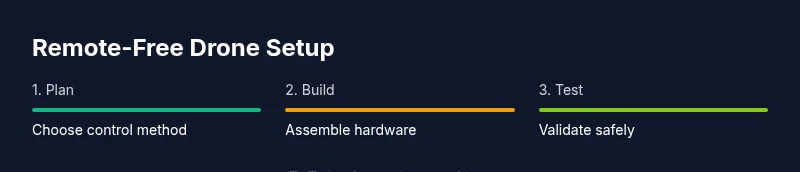
To make a drone that can be controlled without a traditional remote, you’ll use an onboard flight controller paired with a smartphone app or autonomous control system. Typical setups replace the remote with a mobile app, Wi‑Fi or Bluetooth bridge, and a programmable flight plan. This guide walks you through choosing a control method, assembling the kit, and safely testing a remote-free flight.
What it means to fly a drone without a remote
Remote-free flight expands how beginners interact with drones. According to Beginner Drone Guide, learning to operate a drone without a traditional remote opens practical, safer paths for new pilots. In this setup, you’ll rely on an onboard flight controller paired with a smartphone app or a simple autonomous control system. The Beginner Drone Guide team found that beginner-friendly, remote-free configurations focus on predictable control schemes, clear fail-safes, and thorough testing before any outdoor flight.
This approach helps reduce fatigue from long control sessions and can accelerate the learning curve by letting you focus on airworthiness, flight planning, and safety protocols. You’ll often choose between a smartphone-based control interface, a ground station computer, or an autonomous flight plan that executes pre-programmed routes. Each option has trade-offs in speed, precision, and safety, but all share a commitment to safe, repeatable practice for new pilots.
Why you might want remote-free control
Remote-free control offers clarity for beginners who are still learning to judge distance, wind, and drone responsiveness. The Beginner Drone Guide analysis shows that smartphone-based controls, autopilot modes, and programmed routes reduce the cognitive load during initial flights, helping new pilots stay focused on altitude, orientation, and safety checks. In addition, remote-free setups can simplify training regimens by providing predictable behavior and easier diagnostics when something goes wrong. This section will help you weigh the benefits against the trade-offs of speed, maneuverability, and manual override capabilities.
Choosing your remote-free control method
There are several viable paths to remote-free control, and your choice depends on your goals, budget, and local regulations. A smartphone app connected via Wi‑Fi or Bluetooth offers immediate accessibility and is ideal for short-range, indoor, or beginner flights. An onboard autopilot or ground-station computer can execute pre-programmed flight plans and waypoints, which is excellent for surveying, mapping, or learning SITL (software-in-the-loop) simulations. A hybrid approach combines a basic smartphone interface for manual control with autonomous modes for waypoints and return-to-home. In all cases, ensure your selected method supports safe failsafes and easy manual override in an emergency.
Building a remote-free system: hardware and software basics
A remote-free drone typically includes a flight controller capable of running open-source firmware, an onboard bridge or transceiver to communicate with a smartphone or computer, and a reliable power system. The control interface is usually a mobile app or a small ground station program that sends commands or flight plans to the flight controller. Key software considerations include configuring a stable control loop, setting up telemetry data streams, and enabling fail-safes such as RTL (return-to-launch) or land-on-ground when signal is lost. Sensor integration (GPS, IMUs) improves positional awareness, allowing safer autonomous behavior and easier calibration. Finally, keep the frame light and balanced to maximize responsiveness and safety.
Step-by-step approach to a safe test flight
Establish your testing plan with clear safety boundaries before powering anything. Start with bench testing and SITL simulations to validate control logic without risking hardware. Move to a tethered ground test, then a controlled outdoor flight with prop guards and a safety spotter. Document every change to the control parameters and watch for oscillations, latency, or uncommanded movements. Always be prepared to revert to a known-safe configuration if something feels unstable. The step-by-step process below is designed to keep you moving toward a safe, repeatable remote-free flight routine.
Calibration and safety checks
Calibration should be systematic and repeated after any major change to sensors, motors, or control settings. Begin with IMU and compass calibration to align the drone’s internal frame with the world frame. Next, validate ESC timing and motor directions at low throttle, ensuring smooth startup and reliable shutdown. Ground tests should verify GPS lock quality, return-to-home behavior, and proper failsafe triggers when the control link breaks. Maintaining a well-documented log of calibrations and test results helps you track progress and reduces the chance of accidental crashes. Safety gear such as prop guards and a controlled testing area are essential during early trials.
Budget-friendly setups for beginners
Starting with a remote-free configuration doesn’t require top-tier gear. Look for a beginner-friendly flight controller that supports smartphone-based control and autopilot modes, a compact frame with built-in protection, and compatible motors and a balanced propeller set. You’ll also need a flight battery that provides adequate current without excessive weight, plus a simple bridge module to link your phone to the flight controller. Reuse existing components where possible and consider a modular approach so you can upgrade one subsystem at a time as your skills grow. Budget-conscious planning means prioritizing safe hardware, reliable firmware, and a straightforward control interface.
Authority sources
For additional guidance and safety standards, consult authoritative aviation and engineering resources. Catalogued sources include FAA safety guidelines for UAS operations, NASA research on autonomous flight, and university-level firmware and control theory material. These references help validate best practices and keep your project aligned with recognized safety and performance benchmarks. Always verify local regulations before flying in public spaces and keep your project within the limits of your skill level.
Authority sources (continued)
- FAA: https://www.faa.gov
- NASA: https://www.nasa.gov
- MIT: https://mit.edu
Tools & Materials
- Flight controller with open-source firmware support(Choose a board that supports external control interfaces and autopilot modes)
- Autopilot/bridge module for phone or computer connection(Facilitates communication between control device and drone)
- Drone frame with motors and propellers(Ensure frame is intact and balanced; include prop guards for testing)
- Energy source (battery) and charger(Match voltage and current needs of the motors and ESCs)
- Smartphone or tablet with the control app(Install and configure the remote-free control app)
- Soldering iron, wires, and basic wiring hardware(Use for custom wiring harnesses and secure connections)
- Multimeter and basic tools (screwdrivers, pliers)(Test continuity and voltage on critical paths)
- Heat shrink tubing and electrical tape(Insulate exposed connections and prevent shorts)
- 3D-printed parts or mounts (optional)(Useful for mounting devices or custom housings)
Steps
Estimated time: 4-6 hours
- 1
Prepare workspace and components
Clear a clean bench, organize parts, and lay out the components in the order you’ll assemble them. This prevents miswiring and reduces the chance of losing small parts during the build.
Tip: Label cables early and keep a parts bin for screws and connectors. - 2
Mount frame and secure major components
Attach the frame and secure the motors, ensuring all mounting points are tight. Double-check motor direction and rotation to prevent post-assembly issues.
Tip: Use thread-lock on motor screws to avoid loosening during flight. - 3
Install the flight controller and autopilot bridge
Mount the flight controller and connect the autopilot bridge per the wiring diagram. Ensure the board is level and oriented to the drone's front.
Tip: Keep wiring neat and avoid crossing high-current paths near sensitive sensors. - 4
Connect power system and basic wiring
Wire the battery, ESCs, and power distribution to the flight controller. Verify polarity and test continuity before power-up.
Tip: Use a low-current test power source during initial power-on to avoid damage. - 5
Install control app and pair with the drone
Install the chosen smartphone control app and link it to the autopilot bridge. Confirm command channels are active and telemetry is visible.
Tip: Enable a safety screen with a visible “kill switch” for quick shutdown. - 6
Calibrate sensors and ESCs
Follow the calibration sequence for the IMU, compass, GPS (if used), and ESC timing. This ensures accurate orientation and motor response.
Tip: Calibrate away from metal structures and large ferromagnetic objects. - 7
Configure failsafes and safety features
Set RTL, geofence (if available), and signal-loss behavior. Confirm manual override options in the app exist.
Tip: Test failsafes at very low altitude before any real flight. - 8
Bench test and ground run with guards
Power the drone without propellers or with guard rings to verify motors respond to app commands and return-to-home logic.
Tip: Keep hands clear of prop paths during testing and wear eye protection. - 9
Outdoor test under supervision
Move to an open area, start with gentle hover at low altitude, and gradually increase. Watch for drift, latency, and stability.
Tip: Have a spotter and a clear exit path for emergencies. - 10
Refine control settings and document results
Tune control gains, modify flight plan parameters, and record flight data for future reference. Incrementally improve stability.
Tip: Keep a flight log with date, conditions, and parameter changes for traceability.
Frequently Asked Questions
Is it legal to fly a drone without a traditional remote?
Yes, in many places you can operate a drone remotely via a smartphone app or autonomous mode, but legality varies by region. Always check local aviation rules and register if required. Use safe, controlled testing areas and adhere to altitude limits.
In many regions, remote-free flight via a smartphone or autopilot is allowed with proper registration and in designated airspace. Always verify local rules and fly safely.
What control options exist for remote-free drones?
Common options include smartphone apps over Wi‑Fi or Bluetooth, autopilot modes that execute pre-programmed routes, and hybrid systems that combine manual control with waypoint planning. Each option has trade-offs in latency, precision, and safety.
You can use a phone app, an autopilot system, or a hybrid setup. Each has its own pros and cons depending on your goals.
Do I need a license or registration for remote-free flight?
Many jurisdictions require registration and compliance with airspace rules regardless of how you control the drone. Licensing requirements vary by country and drone weight. Check your local aviation authority for specifics.
Most places require registration and adherence to airspace rules, regardless of control method. Check your local authority for details.
What are the main safety considerations when testing a remote-free setup?
Work in a clear area, use prop guards during early tests, have a spotter, and practice with low-altitude flights. Ensure failsafes are tested and that you can take manual control if needed.
Test in a clear area with guards, have a spotter, and confirm you can override controls in an emergency.
Can I use a remote-free setup for real estate or mapping work?
Remote-free setups can be used for basic surveying or mapping, but ensure you meet regulatory constraints for commercial operations and have appropriate permissions. Autopilot modes are helpful for consistent, planned shoots.
They can be used for basic shoots, but confirm regulations and permissions for commercial work.
What are common mistakes when starting remote-free drone builds?
Overlooking calibration, neglecting safety procedures, and skipping bench testing are frequent errors. Take time to validate each subsystem and keep thorough documentation to avoid regression.
Common mistakes include skipping calibration and failing to test safely. Always bench-test and document your steps.
Watch Video
Quick Summary
- Define your remote-free method up front.
- Test in safe environments before outdoor flights.
- Calibrate sensors and practice failsafes diligently.
- Document changes and start with budget-friendly components.
- Prioritize safety and comply with local rules.