Drone Made Easy: A Practical Beginner's Guide
A practical, beginner-friendly guide to drone flying, covering model selection, setup, safety, airspace basics, and maintenance to keep flying simple and enjoyable for new pilots.


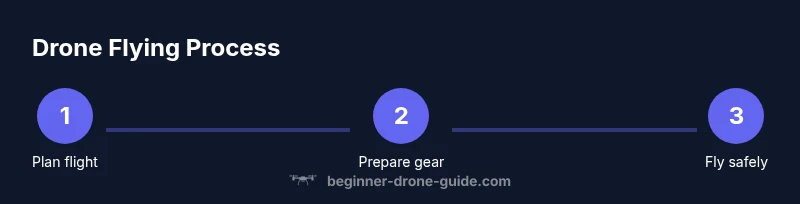
With this guide you'll learn how to get started with a beginner-friendly drone quickly and safely. You’ll narrow down models, understand essential setup, master basic controls, and practice safe flying practices. By the end you’ll know how to plan flights, respect airspace rules, and maintain your drone for reliable performance.
Why safety and reliability matter
Learning to fly a drone isn’t just about moving sticks. It’s about building habits that keep people safe, protect property, and extend your enjoyment of the hobby. According to Beginner Drone Guide, safety and reliability are the foundation of successful beginner flights. When you start with a solid safety routine, you reduce the chance of frustration, equipment damage, and unintended intrusions into others’ space. In practical terms, this means performing a simple preflight checklist, selecting a calm, open area, and flying at a conservative altitude until you gain confidence. Beginner Drone Guide analysis shows that many early incidents stem from skipping checks or rushing takeoffs, not a lack of skill. By framing flying as a sequence of safe, repeatable steps, you’ll create a reliable habit that scales as you grow.
How to choose a beginner-friendly drone
Choosing a drone for the first season is about accessibility, forgiving controls, and practical safety features. Look for models with stabilized flight, beginner modes (often labeled with gentle altitude limits and automatic hover), propeller guards for protection, and a compact, light frame that’s easier to manage. Weight, build quality, and battery life matter because they influence how forgiving the craft is after a lapse in concentration. The Beginner Drone Guide team recommends prioritizing three things: intuitive controls, reliable GPS-based stabilization, and straightforward calibration. Begin with a model that feels approachable in your hands and offers a clear upgrade path as you improve. For new pilots, simplicity beats complexity every time, and a shorter learning curve means more time enjoying the skies rather than wrestling with the gear.
Basic setup and preflight checks
Preparation sets the tone for every flight. Start by unboxing in a clear area, inspecting the airframe for damage, and ensuring prop guards are attached if included. Charge the battery fully and verify the controller or mobile device pairs smoothly with the drone’s app. Update firmware if prompted, then connect to a stable Wi‑Fi or Bluetooth signal and check for any safety configurations. A structured preflight routine proactively catches misconfigurations before you take off. In this stage, you’ll also ensure there’s enough memory on the microSD card or internal storage for video clips you may capture during practice. A calm, methodical approach now prevents chaos later and makes flying feel intuitive from the very first hover.
Core flight controls and maneuvers
Understand the four fundamental axes: throttle (up/down), pitch (forward/backward), roll (left/right), and yaw (rotation). Start with hovering at a low altitude to get a sense of how gentle inputs translate to motion. Practice gentle forward and backward movements, then side-to-side strafing to build spatial awareness. As you gain steadiness, introduce small yaw turns to reorient yourself without losing altitude. Keep movements slow and deliberate; fast, abrupt inputs increase the risk of tip-overs and unstable footage. The goal is to move smoothly, then progressively layer on more complex maneuvers as confidence grows.
Safe flying practices and airspace basics
Safety doesn’t stop at the drone; it extends to where you fly. Always respect local laws and airspace restrictions, and plan flights away from crowded events, roads, and sensitive wildlife habitats. Geofencing and automatic return-to-home features are valuable safety nets; learn how to enable them and understand their limitations. Even when flying in a permissive area, maintain line-of-sight, avoid distractions, and keep a margin around other people and objects. If you’re near any airport or controlled airspace, verify requirements in advance and follow any posted advisories. Educational resources from reputable sources emphasize building safe routines, complying with rules, and practicing in open spaces before attempting more ambitious flights.
Maintenance and care to keep drone easy to fly
To keep drone handling predictable, establish a simple maintenance cadence: inspect propellers for nicks or cracks, clean visible debris after each session, and store the drone in a dry place away from extreme temperatures. Regularly check battery health and calibrate sensors as recommended by the manufacturer. Firmware updates should be installed when available, but only after you’ve completed a full preflight and confirmed compatibility with your app. A well-kept drone not only lasts longer but also flies more stably, making the experience easier for beginners. The routine itself becomes second nature with use, reducing anxiety and increasing confidence during flight sessions.
Authority sources
For further study and official guidance, refer to these sources:
- https://www.faa.gov/uas/
- https://www.nps.gov/subjects/drones/index.htm
- https://www.nasa.gov/aeroresearch/drones
Tools & Materials
- Beginner-friendly drone with safety features(Prefer models with prop guards and beginner modes to simplify learning)
- Controller or smartphone with flight app(Ensure it can pair with the drone and displays telemetry)
- MicroSD card(Optional for storing flight footage)
- Spare propellers(Useful if a prop breaks during practice)
- Simple landing pad(Helps create a stable takeoff/landing surface)
Steps
Estimated time: 60-90 minutes
- 1
Unbox and inspect
Open the box in a clear space. Check for damage to the airframe, prop guards, and propellers. Remove any protective films and ensure components are present before powering on.
Tip: Take a quick photo of the drone condition for your records. - 2
Charge and prepare
Fully charge the battery and ensure the controller is charged. Attach any guards if included and verify the landing gear is stable on the ground.
Tip: Charge both the drone and the controller together to avoid mid-flight power loss. - 3
Install app and connect
Install the official flight app and pair it with the controller. Confirm linkage by performing a short calibration prompt if shown.
Tip: Do not skip the pairing step; an interrupted link can cause control delays. - 4
Update firmware
Check for firmware updates and apply them if available. This aligns the drone’s software with the latest safety features.
Tip: Back up any custom settings before updating if your model supports it. - 5
Calibrate sensors
Calibrate the compass and IMU as directed by the manufacturer. This helps stabilize hover and improve navigation.
Tip: Do calibration on a level surface away from metal objects and strong magnetic fields. - 6
Preflight checks
Check control responsiveness, verify GPS lock, confirm home point, and ensure no geofenced areas are active in your vicinity.
Tip: Perform a gentle hover to confirm stability before a full ascent. - 7
Hover and test basic controls
Lift off slowly and hover at a low altitude. Practice gentle forward, backward, left, and right movements, keeping eyes on the aircraft at all times.
Tip: Keep inputs slow and deliberate; rapid moves can destabilize a new pilot’s confidence. - 8
Return-to-home and landing
Test the return-to-home function in a safe area at low altitude. Land smoothly, then perform a post-flight check.
Tip: Only test RTH in a wide-open space to reduce the chance of an unexpected obstacle.
Frequently Asked Questions
What does 'drone made easy' mean for a new pilot?
It means breaking the learning process into small, repeatable steps that emphasize safety, simple controls, and gradual skill-building. The goal is to reduce confusion and increase confidence quickly.
It means learning in small safe steps so beginners can fly with confidence.
Do I need a license to fly a drone in the first year?
Licensing needs vary by country. In many places, hobby flyers can operate under basic rules, but commercial flying or operation in controlled airspace may require a permit or registration.
Licensing depends on your location and how you plan to fly. Check local regulations.
What features should a beginner look for in their first drone?
Look for stable GPS stabilization, simple takeoff/landing modes, prop guards, and beginner-friendly safety features like return-to-home. A light, easily controllable model reduces the learning curve.
Stable GPS, easy takeoff and landing, and safety guards help beginners the most.
How long does it typically take to learn to fly safely?
Most newcomers reach a comfortable hover and basic maneuvers within a few sessions, with steady improvements over a few weeks of consistent practice.
With regular practice, you’ll become comfortable with basic flying in a few weeks.
Is indoor flying feasible for beginners?
Indoor flight is possible with small, lightweight models and proper safety measures, but beginners should start outdoors in open space to minimize collision risks.
Indoor flying is possible with care, but start outdoors to practice safely.
What maintenance habits support easier flying long-term?
Regularly inspect props, calibrate sensors, update firmware, and clean the airframe. A well-maintained drone behaves more predictably and remains enjoyable to fly.
Keep the drone clean, calibrated, and updated for reliable flying.
Watch Video
Quick Summary
- Start simple and stay within sight at all times.
- Choose a forgiving drone with safety features for faster learning.
- Follow a repeatable preflight routine every time.