How to Make a Drone Easy: Step-by-Step Guide for Beginners
A practical, beginner-friendly guide that shows how to make flying a drone easy by choosing the right gear, enabling safety features, and following a simple practice routine. Learn practical steps, safety tips, and maintenance routines for confident flights.


This guide shows how to make a drone easy steps by selecting a beginner-friendly model, enabling safety features like geofencing and return-to-home, and following a simple, repeatable practice routine. You’ll learn a clear setup, a beginner flight sequence, and a progression plan to build confidence quickly.
Why Simple, Structured Steps Make Drones Easier
When you're learning to fly, complexity is the enemy. The question many beginners ask is how to make a drone easy steps. The answer is to break the process into repeatable actions and practice drills. Start with a small, stable model and enable beginner-friendly safety features. With a calm, methodical approach, you reduce surprises and build confidence.
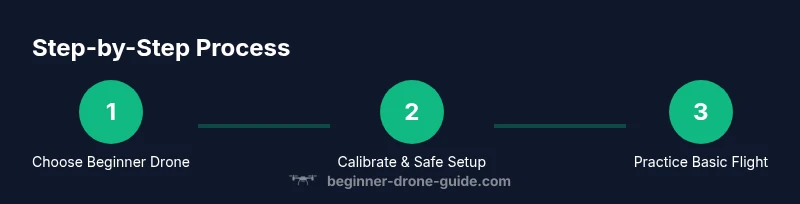
In this guide, you'll learn how to map skills to three core areas: preparation, practice, and maintenance. Preparation includes choosing the right gear and checking it; practice covers hover, straight-line flight, and turning; maintenance keeps your drone reliable and safe to fly. The steps are designed to be approachable, with checklists you can print or save on your phone.
According to Beginner Drone Guide, starting simple and following a structured routine yields more consistent progress. Their analysis emphasizes the value of automatic takeoff/landing and GPS safety features for new pilots. By adopting these principles, you can shorten the learning curve and reduce mishaps.
Next, you’ll see how to select gear, set up safely, and practice in a progression that builds skill without overwhelming you. The key is to keep expectations realistic and celebrate small wins.
Choosing the Right Starter Drone for Easy Steps
Choosing a starter drone isn't about the fanciest features; it's about reliability, stability, and a sane learning curve. Look for a model with GPS positioning, stable hover, beginner mode or altitude hold, and automatic takeoff/landing. A drone with propeller guards can be helpful for indoor practice or tight spaces. Avoid high-speed, aggressive drones at first—steadiness matters more than speed when building confidence.
Consider factors like weight, battery life, and ease of access to replacement parts. A lighter drone with durable, safe props is more forgiving for new pilots. Remember that the simplest option that supports your learning goals is often the best choice. Your goal is steady, predictable flight that reinforces good habits and reduces frustration.
Essential Safety Features You Need Before Flying
Safety features are not optional extras; they are the backbone of beginner-friendly flying. Enable geofencing to limit you to legal airspace, use return-to-home in case of signal loss, and activate altitude hold to maintain a stable height with minimal input. A beginner-friendly drone should also offer beginner or slow-flight modes, LED indicators, and clear battery warnings. Always perform a pre-flight checklist: battery status, prop guards (if used), compass calibration, and visible GPS signal strength.
Safety first means setting boundaries: practice away from people, pets, and buildings. If you are ever unsure, defer to a slower flight mode and practice shorter sessions. By incorporating these features, you create a safe, repeatable learning loop that translates into longer, more enjoyable flights.
Basic Setup and Calibration You Must Do
The setup phase is where you turn a new drone into a predictable learning tool. Start by charging batteries fully and updating firmware if available. Attach propellers correctly, ensuring orientation matches the manual. Power on the controller and drone, connect them, and check live telemetry. Calibrate compass in an open area away from metal objects or large buildings, then perform a soft shake test to confirm sensors respond.
Keep your pilot orientation clear: know which stick controls axes and how to revert to center. If the drone auto-calibrates, allow it to finish without interruption. A calm setup routine reduces drift and improves the reliability of the first flight.
A Simple Practice Routine to Build Confidence
A structured practice routine helps beginners progress without overwhelm. Start with a gentle hover in a small, open space to observe stability. Move the drone forward, backward, left, and right in slow, controlled increments. Add gentle yaw rotations to understand turning dynamics. Increase altitude gradually and practice gentle landings. Record flights to review later and note areas for improvement.
Consistency compounds quickly: short, regular sessions beat long, sporadic ones. Use a checklist to ensure you repeat essential steps every time, and celebrate small gains to stay motivated.
Common Mistakes and How to Avoid Them
New pilots often over-control the drone, fly in windy conditions, or ignore pre-flight checks. Avoid overcorrection by keeping inputs smooth and deliberate. Practice in calm weather and stable lighting, and always start with altitude hold enabled. Don’t chase immediate results; aim for consistent, clean hover and accurate basic movements. If you drift, pause, correct the course, and reattempt from a stable position.
Another frequent misstep is flying beyond visual line of sight. Stay within sight, use return-to-home as a safety net, and gradually extend your practice area as confidence grows.
Upgrading Skills with Real-World Scenarios
As you gain control, translate your skills into real-world tasks. Practice filming from a fixed altitude with smooth pathing to avoid jerky footage. Try a simple square or triangle pattern to develop exactly timed movements. Explore routine maintenance like prop replacement, battery care, and lens cleaning. Real-world practice should still prioritize safety and legality, with ongoing risk assessment for each flight.
Document your flights and reflect on what went well and what could improve. Use a practice plan that grows with you, not one that overwhelms you with complexity.
Maintenance, Storage, and Travel Basics
A drone that’s well-maintained lasts longer and performs more predictably. After flights, inspect propellers for nicks or cracks and secure all screws. Store batteries separately in a cool, dry place and avoid deep discharge. Clean the case and gimbal area if present. When traveling, protect the drone in a padded case and keep it away from extreme temperatures. Regularly review firmware and calibration to maintain reliability over time.
Good maintenance habits preserve flight performance, reduce downtime, and extend the life of your drone.
Tools & Materials
- drone (beginner-friendly with GPS)(Choose a stable model with altitude hold)
- remote controller(Ensure compatibility and up-to-date firmware)
- charged batteries(Bring at least one spare battery for practice)
- propeller guards(Helpful for indoor or tight-space practice)
- microSD card(For recording practice flights)
- calibration surface(Open area, metal-free to calibrate compass)
- pre-flight checklist sheet(Track steps like battery, GPS, and sensors)
Steps
Estimated time: 45-60 minutes
- 1
Unbox and inspect components
Unbox the drone, controller, batteries, and accessories. Check for any visible damage and verify all pieces are present. This initial check prevents surprises during setup.
Tip: If you notice any damaged parts, do not proceed; contact support before powering on. - 2
Charge batteries and assemble safely
Charge all batteries fully before the first flight. Attach the battery to the drone securely and ensure the propellers are not touching anything. Power off the controller before connecting to the drone.
Tip: Use the manufacturer-recommended charging method to avoid battery damage. - 3
Install propellers and check orientation
Install propellers in the correct orientation as indicated on the drone or manual. Double-check each propeller’s direction to avoid immediate throttle issues during takeoff.
Tip: A misoriented propeller can cause violent spins—verify markings before flight. - 4
Calibrate compass and sensors
Find a calm, open area free from metal objects. Calibrate the compass and gyro per the manual, and perform a quick shake test to confirm sensor responsiveness.
Tip: Avoid calibration near metal structures or power lines for accurate readings. - 5
Power on and perform a hover test
Turn on the controller and drone. Allow GPS lock if available, then perform a gentle hover at a safe height to verify stability and control responsiveness.
Tip: If drift occurs, pause, re-center the sticks, and reign in the throttle gradually. - 6
Practice basic maneuvers
Move in four directions, practice gentle yaw turns, and land smoothly in a clear area. Repeat until the drone responds predictably to stick input.
Tip: Keep sessions short and frequent to build muscle memory.
Frequently Asked Questions
What is the first thing I should do to start flying safely?
Begin with a clear, outdoor space and perform a pre-flight safety check. Enable safety features like geofencing and altitude hold before your first flight.
Start in a safe outdoor area and run the pre-flight check, then enable safety features before lifting off.
Do I need a license to fly a drone for hobby use?
License requirements vary by country. In many places, hobby flying does not require a license, but you must follow local laws and register where required.
License needs vary by location; check your local regulations and register if required.
What’s the best starter drone for beginners?
Look for GPS stabilization, beginner mode, and easy replacement parts. A lightweight, stable model with safety features is ideal for building confidence.
Choose a beginner-friendly, GPS-stabilized drone with easy parts to replace.
How should I practice to avoid crashes?
Practice basic hover, straight-line flight, and gentle turns in a calm area. Use short, focused sessions and gradually increase difficulty as control improves.
Start with hover and simple maneuvers in a safe space, then slowly add complexity.
How often should I calibrate my drone?
Calibrate before the first flight and after firmware updates or compass changes. Regular checks reduce drift and improve responsiveness.
Calibrate at the start and after updates to keep sensors accurate.
Watch Video
Quick Summary
- Choose a beginner-friendly drone with GPS and safety features.
- Follow a simple setup and calibration routine before every flight.
- Practice in short, regular sessions with a progression path.
- Maintain your gear to ensure safe, reliable flights.