Getting Started in Drone Photography: A Beginner's Guide
Learn how to get started in drone photography with step-by-step guidance from Beginner Drone Guide. Gear, safety, shot planning, and editing tips to begin capturing stunning aerial photos today.


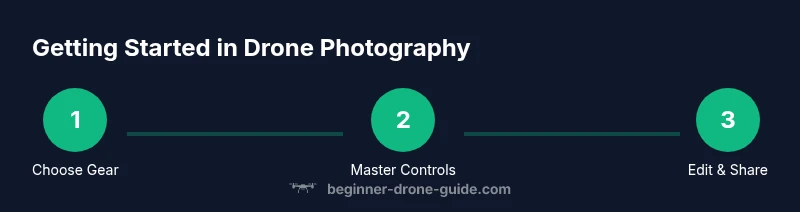
You will learn how to get started in drone photography by choosing a beginner-friendly drone, mastering basic flight controls, planning shots, and editing your images. Start with a safe, open space, invest in essential batteries and memory, and practice regularly to build confidence before attempting complex compositions. This plan helps you gain steady progress while staying within safety rules.
Why Drone Photography Is Accessible for Beginners
Drone photography has opened up powerful storytelling angles for people at every budget. According to Beginner Drone Guide, gear is more affordable and entry-level flight controls are approachable after a few practice sessions. The Beginner Drone Guide team found that beginners who start with a simple, low-pressure kit and a focused practice plan see faster progress than those who chase sophisticated gear from day one. In this first look, we explore how a beginner can move from curiosity to confident flights and plan their initial project with clarity.
- Accessibility through affordable hardware: consumer drones with stabilized cameras are common, and many offer auto-takeoff, return-to-home, and beginner modes that reduce risk during early days.
- Learning curve and safety first: most pilots pick up the basics in a few sessions, especially when they start in wide-open spaces with clear sightlines.
- Realistic expectations: you don’t need cinema-quality cameras to tell a story; a well-composed still or short video can convey mood and scale.
As you begin, prioritize practice over perfect footage. Focus on controlling altitude, keeping the drone within line of sight, and understanding how light, wind, and weather affect performance. By the end of this journey, you’ll be able to plan what to shoot, not just how to fly.
Top Gear and Budgeting for Beginners
Choosing the right gear is the first step. For newcomers, a beginner-friendly drone with a stabilized camera and reasonable obstacle avoidance provides the safest path toward good results without overwhelming complexity. In general, plan for a kit that includes the drone with camera, at least two spare batteries, a microSD card, a charger, and a protective carry case. Optional items like ND filters, propeller guards, and a tablet holder can improve image quality and comfort as you improve.
- Drone categories by cost: entry-level kits under a few hundred dollars, mid-range bundles around the lower thousand range, and growing upgrades for more demanding shoots.
- Camera capabilities to prioritize: 12–20 MP stills and 2.7K–4K video are perfectly adequate for learning and social sharing.
- Accessories that pay off: extra batteries, an ND filter set, and a compact stand for stable ground shots.
Budgeting tip: start with the minimum viable setup and reinvest as you learn what subjects you love to shoot. Avoid chasing a slick body and advanced features if you’re still mastering basic flight and framing.
By focusing on a practical, scalable setup, you’ll reduce risk and maximize learning in your early flights.
Mastering Flight Basics and Safety
Before you lift off, run a thorough preflight routine: check battery levels, ensure firmware is up to date, confirm return-to-home settings, and inspect propellers for chips or cracks. Practice in open spaces away from people and property, respecting local regulations and geofenced areas. This is where your safety mindset becomes part of your creative process.
- Learn the control sticks in Safe Mode and practice smooth takeoffs, hovering, and landings.
- Understand wind effects: even light gusts can push a drone off its intended path, so adjust altitude and direction slowly.
- Review local rules: registration requirements, altitude limits, and no-fly zones; many regions require registration for certain sizes or purposes.
Flight practice compounds with each session, building hand-eye coordination and situational awareness. If you’re unsure, pause, reassess, and recheck your setup. A solid grounding in safety pays off with more time spent capturing, not repairing.
Planning, Composition, and Real-World Shots
Once you’ve got basic flight down, shift focus to how you compose aerial images. Use the rule of thirds to place interest off-center and align horizons carefully to avoid tilting traps. Plan your shot around light: early morning or late afternoon light adds warmth and texture to landscapes, while overcast skies can deliver even tones for architecture.
- Create shot lists: think about subject, vantage point, and desired mood before you fly.
- Use simple presets and manual tweaks: set ISO low for daylight, adjust shutter speed to balance motion, and experiment with RAW vs JPEG to preserve editing flexibility.
- Real-world subjects: scenic landscapes, building exteriors, agricultural fields, and event venues.
Beginner Drone Guide Analysis, 2026 shows that structured practice improves control, punchier composition, and more consistent results. Track progress by saving before/after edits and repeating the same shot under different lighting to learn the impact of time of day.
Editing, File Management, and Sharing
Post-processing is where your best images emerge. Start by organizing your files with a simple naming convention and a predictable folder structure (year/month/project). Shoot RAW when possible to maximize dynamic range, and keep a non-destructive editing workflow so you can revert changes. A lightweight editing pipeline can handle exposure, color balance, and sharpness, with more advanced work reserved for later as you gain confidence.
- Suggested software tiers: free editors for learning, mid-range apps for frequent use, and premium options for advanced color grading.
- Systematic steps: import, cull, adjust exposure, correct white balance, apply color grading, export variants for different platforms.
- File backup: maintain at least two separate copies (cloud and local) to avoid data loss.
Practical tip: establish a consistent export size and watermark policy for sharing with clients or online communities. Build a simple but repeatable workflow to speed up future shoots.
Building a Practice Schedule and Learning Path
A practical plan keeps you moving forward. Start with a weekly cadence: two short flight sessions and one editing session. Gradually increase flight duration and complexity by adding new subjects, more challenging lighting, and longer flight paths. Track your improvements with a simple journal or a log in your preferred note app.
- Week 1–2: basic controls, hovering, and safe field practice; Week 3–4: simple landscapes and basic real estate shots; Week 5–6: mid-range shoot planning; Week 7–8: editing refinement and portfolio building.
- Focus areas for each session: flight control, photo composition, and post-processing.
- Common stumbling blocks: fatigue, automation reliance, and inconsistent framing; address them with deliberate, shorter sessions and review.
Remember to incorporate safety pauses and weather checks before every flight, and gradually increase your comfort with longer flights and more complex subject matter.
Next Steps and Getting Real-World Projects
With fundamentals in place, start seeking real-world opportunities: local real estate listings, community events, or scenic spots that benefit from aerial perspective. Build a simple portfolio of 6–12 pieces that show your range, from wide landscapes to architectural details. Consider a gentle outreach plan to potential clients or collaborators, and stay engaged with the local drone community to learn and share.
The Beginner Drone Guide team recommends documenting your learning journey and sharing it with peers to accelerate feedback. Over time, you’ll discover your preferred niches, whether it’s real estate photography, event videography, or nature landscapes.
Tools & Materials
- Beginner-friendly drone with camera (stabilized)(Prioritize stabilized footage and reliable firmware support)
- Extra batteries(2-3 spares recommended)
- microSD card (32GB or larger)(Class 10 or better for smooth recording)
- Charger and charging hub(Keep multiple packs ready for sessions)
- Spare propellers(2-4 sets for quick replacements)
- ND filters (optional)(Helps control exposure in bright light)
- Propeller guards (optional)(Useful for indoor practice or windy days)
- Tablet or smartphone for live view (optional)(Larger screen aids framing)
- Carrying case(Protects gear during transport)
Steps
Estimated time: 60-120 minutes
- 1
Choose a starter drone
Select a beginner-friendly model with a stabilized camera and simple safety modes. Prioritize a reputable brand and good firmware support so you can rely on updates.
Tip: Look for beginner modes and automatic return-to-home to reduce risk. - 2
Learn the controls
Familiarize yourself with the throttle, pitch, yaw, and roll. Practice in a safe, open area with the drone powered off to build muscle memory before flight.
Tip: Use a simulator app if available to practice without risk. - 3
Do a preflight check
Inspect propellers, verify battery levels, check GPS lock, and ensure firmware is current. A quick checklist prevents many common issues.
Tip: Double-check memory card insertion and recording status. - 4
Practice takeoff, hover, land
Initiate gentle takeoffs, hover steadily at a safe altitude, and practice controlled landings. Build confidence with consistent altitude control.
Tip: Keep a steady thumb on the sticks; small inputs reduce wobble. - 5
Experiment with camera settings
Start with ISO low, shutter speed balanced to motion, and white balance at daylight presets. Shoot RAW if possible to maximize editing flexibility.
Tip: Use auto exposure bracketing sparingly for tricky lighting. - 6
Plan your first shot
Choose a simple subject and a clean background. Visualize the composition, horizon line, and time of day before you fly.
Tip: Create a mental or written shot list for faster capture. - 7
Fly, capture, and review
Record a small batch, review the footage, and note what to improve next time. Iterate on framing and flight path.
Tip: Mark successful frames for quick reference later. - 8
Edit and organize
Import files, cull the weak clips, adjust exposure and color, and export for sharing. Keep a consistent naming scheme.
Tip: Back up your originals before editing.
Frequently Asked Questions
What is the best beginner drone for photography?
A beginner-friendly drone with a stabilized camera and simple safety modes is ideal. Prioritize reliable firmware updates and accessible customer support. You don’t need the most expensive model to start capturing good aerial photos.
For beginners, a drone with a stabilized camera and simple safety features is best. Look for reliable firmware and support.
Do I need a license to fly a drone for photography?
Regulations vary by country and drone weight. Many places require registration for certain sizes and altitudes, and a knowledge test for commercial use. Check your local aviation authority rules.
Regulations depend on size and use; check your local aviation rules and registration requirements.
What camera settings should I start with?
Begin with low ISO, a moderate shutter speed to avoid motion blur, and shoot in RAW when possible for the best editing latitude. Use consistent white balance for easier editing.
Keep ISO low, shutter speed steady, and shoot RAW when you can.
How can I avoid crashing while learning?
Practice in open spaces, use beginner modes, and gradually increase flight complexity. Keep a safe distance from people and structures and follow a preflight checklist.
Fly in open spaces, start in beginners mode, and use a preflight checklist.
What are common beginner mistakes?
Overreliance on auto modes, poor framing, and skipping preflight checks lead to poor results. Build a routine to check controls, wind, and battery before each flight.
Common mistakes include overreliance on auto modes and skipping checks.
How should I edit drone photos?
Develop a simple workflow: organize, adjust exposure, balance color, and sharpen, then export variants for different platforms. Save a copy of the original RAWs.
Have a simple edit flow: organize, adjust, and export.
Watch Video
Quick Summary
- Start with a simple, scalable gear setup.
- Master basic flight controls before complex shots.
- Plan shots and review footage to learn quickly.
- Develop a repeatable editing workflow for consistency.
- The Beginner Drone Guide team recommends documenting progress and staying within safety guidelines.