How to Use a Drone: A Beginner's Guide
A thorough, beginner-friendly guide to using a drone—from preflight checks and safety to first flights and real-world applications. Learn practical steps, safety rules, and tips to fly with confidence.


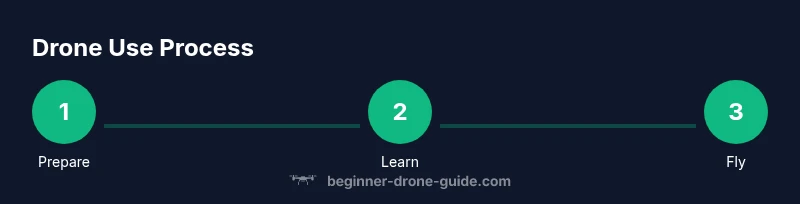
According to Beginner Drone Guide, you can safely learn how to use a drone by following a simple, beginner-friendly sequence: preflight checks, proper power-on and binding, controlled hover, gentle navigation, and a safe landing. This quick answer outlines the essential steps, safety rules, and gear you’ll need to start with confidence and avoid common beginner mistakes.
What you need before you fly
Before you learn how do you use a drone, set up a safe, controlled learning environment. The first step is to establish a plain, open space free of people, pets, and overhead obstacles. Review local regulations on registration and minimum age requirements, because rules differ by country and region. Choose a beginner-friendly model with stable GPS, altitude hold, and automatic return-to-home features; these tools reduce the risk for new pilots. Check the weather: light winds (below about 15 mph) and dry conditions help your drone respond predictably. Inspect the drone’s frame, propellers, battery, and landing gear for cracks or looseness. Confirm the firmware on both drone and controller is up to date, and verify that the radio link is strong. Have a charged spare battery and a safe charging plan. Finally, read the user manual and map out a simple flight area with visible boundaries and a clear landing zone.
How drones work: a quick primer
Drones bring together mechanical parts, sensors, and software that work in concert to keep you in control. The core idea behind how drones fly is balance between lift, thrust, drag, and weight, but most consumer models simplify this with automatic stabilization. Global Positioning System (GPS) data keeps the aircraft anchored in space, while barometers and accelerometers measure altitude and motion. The radio link between controller and drone carries your commands in real time, and a lightweight onboard computer translates those into motor speeds. Gimbal-stabilized cameras add a layer of complexity, but even without professional gear, you can capture smooth video when you understand gentle yaw, pitch, and roll movements. For beginners, rely on assisted modes such as altitude hold and hover to reduce the cognitive load while you learn the feel of the controls. Remember, understanding these basics will help you answer the question, how do you use a drone safely and effectively?
Preflight checklist you should run every time
Before each flight, run this concise ritual: ensure both devices are charged, update firmware if needed, and verify the drone communicates with the controller. Confirm propellers are intact and correctly oriented, and verify GPS lock and a valid home point. Calibrate the compass in an open area away from metal structures and avoid strong magnetic influences. Check the battery level for both drone and controller, and ensure a safe landing zone is clear of obstacles. Review airspace restrictions and set a conservative altitude limit. Finally, perform a short ground test with sticks centered to confirm input responsiveness. Maintaining a consistent preflight routine builds muscle memory and reduces chances of surprises mid-flight.
Safety best practices and regulations
Safety isn’t just a feature—it’s a habit. Always fly in open spaces away from people, vehicles, and airports, and keep the drone within line of sight. Adhere to local regulations on registration, licensing, and maximum altitude; rules vary by country and region. Use wind and weather awareness to decide if a flight is appropriate. Enable safety features like Return-to-Home and geofencing when available, and avoid flying near sensitive locations such as schools or prisons. Remember to respect privacy and obtain consent before capturing imagery. The Beginner Drone Guide team emphasizes building a routine that prioritizes safety to foster long-term confidence in every flight.
Real-world beginner-friendly uses and next steps
For beginners, drones offer practical opportunities to learn geography, photography, and mapping basics. Start with simple tasks like surveying your yard, monitoring a garden, or filming a friend’s aerial shot in a safe backlot. As you gain experience, explore more deliberate framing, basic terrain scanning, and simple video workflows. Use on-screen tips and flight logs to track progress, batteries, and weather conditions. By documenting flights and gradually expanding your practice area, you’ll build a solid foundation for more ambitious projects such as real-estate photography or small-area surveying. The journey from first flight to confident operation is incremental—practice, reflect, and iterate.
Troubleshooting common issues
If the drone drifts or fails to respond, verify the control input mapping and radio connection. A stale compass or GPS loss can lead to erratic behavior; recalibrate in an open area and re-check satellites. If the drone won’t lift off, check propeller health, motor function, and battery status. In case of a sudden drop in power, land immediately in a safe spot and inspect the battery and connectors. For camera or stabilization problems, inspect the gimbal settings and ensure firmware compatibility with the app. Routine debugging reduces frustration and keeps learning on track.
Tools & Materials
- Drone (ready-to-fly kit)(Ensure GPS and beginner-friendly modes are present)
- Controller/remote(Fully charged; check pairing with drone)
- Spare batteries(At least one spare with charging hub)
- Battery charger & cables(Have safe charging setup; monitor during charge)
- Propeller wrench or screwdriver(For installation or replacement)
- Propeller guards (optional)(Helpful for learning in tight spaces)
- MicroSD card (if applicable)(For onboard footage)
- Phone/tablet for app control (if needed)(Ensure compatibility with the drone app)
Steps
Estimated time: 45-60 minutes
- 1
Power up the drone and controller
Turn on the controller first, then power on the drone. Wait for boot indicators and ensure binding completes, establishing a reliable control link. This initial step is crucial to prevent input lag and miscommunication during the flight.
Tip: Confirm firmware versions are current on both devices before flight. - 2
Inspect propellers and orientation
Check each propeller for damage and ensure they are mounted in the correct orientation. Replace any damaged blades before attempting flight to avoid in-flight failures. A wrong orientation can cause unstable flight right from liftoff.
Tip: Use the propeller guard during initial flights to reduce risk of tip-overs. - 3
Calibrate compass
Perform compass calibration in an open area free of magnetic interference. Follow on-screen prompts or manufacturer instructions to rotate the drone as instructed. Proper calibration helps maintain stable hover and accurate navigation.
Tip: Avoid calibration near metal objects or power lines. - 4
Enable GPS and set home point
Ensure GPS satellites are locked and the home point is established. This allows a safe Return-to-Home if control is lost. Verify you have a clear landing zone within reach before liftoff.
Tip: Choose a home point that’s easy to return to in a natural, unobstructed area. - 5
Low-hover test at 1–2 meters
Lift off slowly to a low hover at about 1–2 meters. Check stability and responsiveness to stick input while maintaining level flight. This test ensures you’re comfortable with basic hover control before moving farther.
Tip: Keep fingers light on the sticks; small nudges go a long way. - 6
Practice gentle directional controls
Move forward, backward, and side-to-side with smooth, gradual inputs. Avoid sharp or sudden moves that can throw off balance. This practice builds a steady feel for flight and reduces abrupt transitions.
Tip: Pause between direction changes to assess how the drone responds. - 7
Takeoff and maintain a safe altitude
Ascend slowly to a conservative altitude and maintain a steady hover. If wind increases, lower the altitude and reduce throttle gradually. Consistent altitude helps you learn precise control and reduces drift.
Tip: If wind gusts are present, land and reassess conditions before continuing. - 8
Execute a simple flight pattern
Perform a small square or triangle pattern to practice cornering and yaw control. Return to a safe approach path while keeping the drone within line of sight. This step introduces planning and spatial awareness.
Tip: Use gentle yaw to keep footage smooth and avoid abrupt turnings. - 9
Land safely and power down
Descend slowly and land in a clear area. Power down the drone and controller, then store equipment securely. Review any issues from the session and log notes for future improvement.
Tip: Inspect the hardware after landing for any signs of wear or damage.
Frequently Asked Questions
Do I need a license to fly a drone?
Requirements vary by country. Some places require registration or a basic license for certain weights or uses; always check local aviation authority rules before your first flight.
Whether you need a license depends on where you are. Check your local rules before flying.
What is the best beginner drone to buy?
Look for beginner-friendly features like stable GPS, altitude hold, and obstacle avoidance. Consider cost, battery life, and local service options when choosing your first drone.
Choose a drone with GPS and altitude hold to simplify your first flights.
How high can I fly safely as a beginner?
Always follow local altitude restrictions and keep the drone within line of sight. Start low and gradually increase height as you gain confidence.
Keep within legal altitude limits and stay within sight.
How can I improve my videography with a drone?
Plan shots with smooth transitions, use slower yaw and forward motion, and keep the camera steady with a gimbal if available. Practice framing and motion to get cinematic results.
Plan shots, move slowly, and stabilize the camera for better videos.
What should I do if the drone loses connection?
If the connection drops, rely on the Return-to-Home feature if available, or land manually in a safe area. Check for interference and rebind once clear.
If it loses connection, use Return-to-Home or land safely.
Watch Video
Quick Summary
- Prepare gear and environment before every flight.
- Follow a strict preflight checklist each time.
- Fly in open space with clear line of sight and safe altitude.
- Calibrate compass and GPS before each takeoff.
- Practice gradual, controlled movements for stability.