Can You Buy a DJI Drone Without a Controller? A Practical Guide
Explore if you can buy DJI drones without a controller, how to fly with smartphone apps, licensing considerations, and practical buying tips from Beginner Drone Guide.


Yes—it's possible to buy certain DJI drones without a dedicated controller, but not all models. Many DJI drones can be flown using a smartphone app or an optional third‑party controller, depending on model and region. Availability varies by release and retailer. This quick guide from Beginner Drone Guide explains what to expect, how to buy, and practical considerations.
Understanding Controller-Free Flying
Controller-free flying describes operating a drone primarily through software, sensors, and a mobile app rather than a physical handheld transmitter. For many DJI models, the smartphone or tablet app constitutes a primary control interface, especially for beginners who are learning the basics. According to Beginner Drone Guide, app-based control can lower barriers to entry, but it also shifts the responsibility for maintaining line of sight, keeping distance from people, and monitoring airspace to the pilot.
In practice, controller-free control uses the drone's internal flight controller, vision sensors, GPS, obstacle avoidance, and telemetry streaming to your device. When you pair the drone with the official app, you typically access flight modes, camera controls, and return-to-home features through on-screen controls. The hardware still sits on the drone, and any physical joystick sensations are mapped to touch input. The results are similar to using a traditional controller, but the feel and latency can vary by model and device.
Can You Buy a DJI Drone Without a Controller?
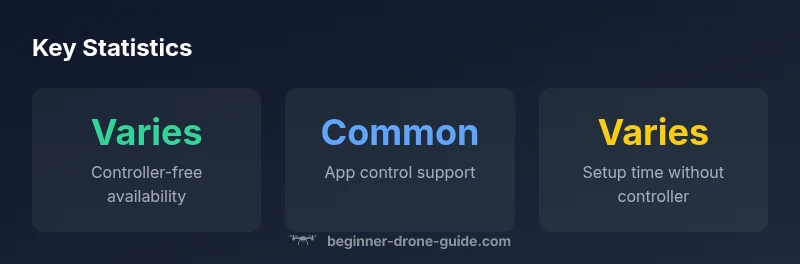
Yes, you can find DJI drones that are sold without a dedicated controller, but this is not universal across all lines. Some bundles emphasize app-based control and rely on your smartphone as the primary input, while others still ship with a standard handheld controller. Availability often depends on the model generation, regional packaging, and retailer options. For new pilots, this can represent a significant upfront saving, but you should confirm what is included in the exact package you purchase. Begin with a clear checklist: confirm what is in the box, verify app compatibility, and check any return or warranty terms before finalizing a purchase. This approach aligns with guidance from the Beginner Drone Guide team.
- If a controller is not included, verify that the drone supports app-based control via the official app.
- Check if a third-party controller is recommended or officially supported by the model.
- Read the product listing carefully to avoid missing essential items like charging cables, spare props, or adapter cables.
How to Fly Using a Mobile App or Remote App
Most DJI consumer drones can be controlled through an official mobile app such as DJI Fly or DJI GO, depending on the model. Start by ensuring your phone is up to date and the app version is compatible with the drone. Pairing typically involves powering on the drone, launching the app, and following on-screen pairing prompts. In app mode, you’ll access flight controls, camera settings, and safety features like geofencing and return-to-home. Practice in a safe, open area before attempting more complex flights. If you are new to drone piloting, enable beginner modes and practice with slow speeds to build confidence before attempting advanced maneuvers.
Practical Buying Scenarios and Accessories
When shopping for a controller-free option, consider your typical flying environment and learning goals. If you primarily fly in parks or urban settings, app-based control can simplify initial flights; however, you may want a physical controller for more precise handling during fast maneuvers or in gusty wind. Budget for essential accessories even when no controller is included: spare batteries, a good charging hub, extra propellers, and a portable storage case. Compare bundles carefully—some retailers offer controller-free configurations with discounted app features or extended warranties. Always verify regional restrictions and warranty terms, and read user reviews to gauge how well the app-based control performs in real-world conditions.
Safety, Licensing, and Compliance When Flying Without a Controller
Regulatory rules vary by country and even by region within a country. In many jurisdictions, you must follow standard aviation rules, register your drone if required, and adhere to local flight restrictions regardless of whether you use a physical or app-based controller. insurance options and liability considerations should be reviewed, especially for controller-free configurations where immediate manual intervention might be less intuitive for new pilots. Always fly in open spaces, maintain line of sight, and use safety features such as geofencing, altitude limits, and wind warnings provided by the app. The Beginner Drone Guide team emphasizes staying informed about the latest rules and obtaining any necessary permits before your first flights.
Price, Availability, and Warranty Considerations
Controller-free configurations can influence the overall price by removing the standalone controller from the package. Since model lines and regional packaging vary, price ranges are best described as broad bands rather than fixed numbers. When evaluating deals, compare total cost of ownership, including charging gear, extra batteries, and potential shipping charges. Warranty coverage for controller-free setups typically follows the drone unit and its official accessories; if you use nonstandard input devices, review the manufacturer policy on compatibility and service eligibility. The key is to confirm what is covered and what may have limited support in your region.
Best Practices for Beginners
- Start with the officially supported app and flight modes designed for beginners.
- Enable safety features such as geofencing, return-to-home, and automatic altitude caps.
- Practice in a distraction-free outdoor space with clear lines of sight.
- Plan for battery management and safe landing procedures before your first real flight.
- Keep firmware up to date and verify compatibility with any third-party accessories.
- Document your learning progress and adjust risk accordingly as you gain experience.
Controller requirements vs app control
| Model Type | Controller Required | App Control Support | Typical Price Range |
|---|---|---|---|
| Standard DJI Bundle | Yes | Yes (DJI Fly app) | Varies by bundle |
| Controllerless/Phone-Only Options | No | Yes via mobile app | Varies widely |
Frequently Asked Questions
Can you legally fly a DJI drone without a controller?
Regulations vary by country and region. You may fly using a controller or app in some areas, but always verify local licensing, registration, and airspace rules before flying.
Regulations differ by location; check local rules and register if required before flying with an app.
Which DJI models support app-based control?
Many recent DJI consumer drones support app-based control via the official app, though exact model support can depend on firmware and regional availability.
Most modern DJI drones support app control, but confirm model-specific compatibility.
Do I need a license if I fly with a phone as controller?
Licensing requirements depend on your country and the purpose of flight. In many places, you must register and follow rules regardless of control method.
Licensing varies by location; in most cases, follow local rules and registrations.
Can I use a third-party controller with DJI drones?
Some third-party controllers are compatible with certain DJI models, but compatibility isn't universal and may affect firmware or warranty.
Some third-party controllers work, but check compatibility and warranty terms first.
What about warranty if I fly controller-less?
Warranty terms cover the drone and official accessories; using nonstandard input methods can complicate service in some cases.
Warranty depends on policy; nonstandard controllers may affect service.
Are there beginner modes for safe app-based flight?
Yes. The DJI app ecosystem typically includes beginner modes, geofencing, and return-to-home to help new pilots practice safely.
Enable beginner modes and safety features in the app for safer flying.
“Choosing a controller-free option can lower upfront costs and simplify setup, but ensure reliable app control and stay informed about local rules.”
Quick Summary
- Evaluate if controller-free flight fits your goals
- Verify app compatibility before buying
- Check region- and model-specific features and restrictions
- Budget for essential accessories alongside the drone
- Prioritize safety features and legal compliance