How to Check Drone Serial Numbers: A Practical Beginner Guide
Learn how to locate, verify, and cross-check your drone’s serial number across hardware, manuals, receipts, and manufacturer databases. A practical, beginner-friendly approach to ownership, warranty, and regulatory compliance.


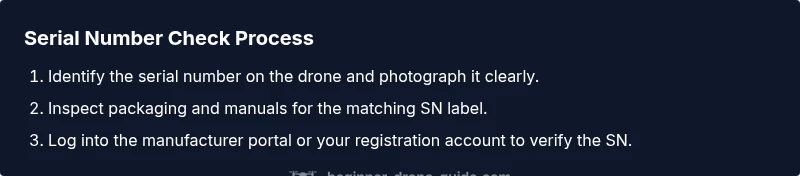
How to check drone serial number: You will locate the serial on the chassis, frame, or battery compartment, then verify it against the manual, box label, and the manufacturer’s online database. This quick, repeatable process helps confirm authenticity, warranty eligibility, and regulatory compliance. According to Beginner Drone Guide, start with the drone label, then cross-check documentation, and finally verify in official records for a complete check.
What is a drone serial number and why it matters
A drone serial number is a unique, alphanumeric identifier assigned by the manufacturer that labels that specific unit. It’s often a sticker or engraved into the frame, somewhere on the body, under a cover, or inside a battery compartment. The number serves as your aircraft’s fingerprint for ownership, warranty history, and regulatory records. For beginners wondering how to check drone serial number, understanding the basics helps you confirm authenticity, monitor service history, and support smooth returns or transfers. Serial numbers also aid insurers, retailers, and authorities in verifying identity during troubleshooting, theft recovery, and compliance checks when required in your jurisdiction. The Beginner Drone Guide team stresses that a reliable serial-number check is foundational to safe flying and proper record-keeping. Keep a clear log that ties the SN to purchase date, firmware updates, and repair notes. This foundation makes future checks faster and more trustworthy. The steps below expand on this groundwork and keep you organized as you learn to fly.
Where to find the serial number on your drone
Serial numbers appear in a few common places depending on the design, but there are reliable locations to check first. Look for a sticker on the bottom plate, inside a battery compartment, or along the frame near the motor arms. Some models engrave the SN on an internal frame component or under a removable panel. If you can’t see a label, scan a QR code often printed near the SN label; the encoded data usually points you to the same serial. Photograph each potential SN location with good lighting to avoid misreading characters. Always cross-reference what you find with the manual and any stickers on the original packaging. For beginners, having a consistent habit—check, photograph, and record—reduces confusion when you need to prove ownership or log maintenance. If you recently replaced parts, ensure the SN you note corresponds to the entire aircraft, not a component. These steps keep your records aligned with real hardware.
Reading and recording the serial number accurately
Once you locate a serial number, read it carefully and copy it exactly as printed. Distinguish between zero and letter O, one and letter I, and hyphen or space separators if present. Capture high-resolution photos of the SN label from multiple angles and store them in a dedicated folder. Record the SN in a simple log with the date, location, and any relevant notes (e.g., label damaged, panel opened). If the SN is engraved, use good lighting to reduce glare and strings. Cross-check the readback against the manual and packaging to ensure there’s no mismatch. Keeping a precise, organized record will help you verify the drone during service, resale, or regulatory checks. The habit of documenting SNs early saves time later, especially when inventorying several drones or components. If you share a drone with someone, request their SN copy too so both sides have matching records.
Verifying against packaging and documentation
Your manufacturer box typically carries a label with the serial number, along with the user manual and warranty card that reference the same SN. Check the packaging code, model name, and SN side-by-side with what you read on the drone. Any discrepancy—such as a different SN on the box versus the drone label—needs investigation before flight. If you purchased used or refurbished gear, retain the receipt and verify that the SN on the bill matches the SN on the device. Scanning the QR code or entering the SN into the manual’s referenced areas can uncover inconsistencies or confirm legitimacy. Keeping all related documents with the SN documented helps with returns, insurance, and tech support. The practice also reduces frustration when you need to prove ownership or register the drone with authorities or insurers in the future.
Checking serial numbers with manufacturer portals and accounts
Many manufacturers offer a dedicated serial-number verification page in their support portal. Create or log into your account and enter the SN exactly as printed. The portal may confirm the SN, indicate warranty status, show production date, or reveal any recalls. This is often the most reliable source since it ties the hardware to official records. If your SN doesn’t show up, double-check for typographical errors and try alternative codes found on related packaging. Some portals return slightly different formats based on region, so ensure you select the correct country or locale. For better confidence, save a screenshot of the portal result and attach it to your device record. This practice is especially helpful if you own multiple drones or plan to sell later. Based on Beginner Drone Guide analysis, cross-checking with the manufacturer portal reduces the risk of counterfeit or misidentified units.
Serial numbers and licensing or registration: what to know
Serial-number verification often intersects with licensing and registration requirements in many regions. In some places, you must provide the SN when registering a drone or renewing credentials, especially for higher-risk categories or commercial use. Even if registration isn’t mandatory where you fly, having an accurate SN on file supports theft recovery and warranty claims. If you’re unsure about local rules, refer to official regulatory resources and your country’s aviation authority guidance. The SN becomes the anchor for your records: ownership proof, flight logs, maintenance notes, and regulatory compliance history. By maintaining a clean SN record, you simplify future licensing steps and demonstrate responsible drone ownership to regulating bodies, insurers, and service providers.
What to do if a serial number doesn’t match
If the SN on the drone doesn’t align with the packaging, manual, or manufacturer portal results, pause all use and initiate a support inquiry. Contact the seller if the drone is pre-owned, and request documentation that proves origin and transfer of ownership. Collect photos, receipts, and any correspondence, and share them with the brand’s support team. If you purchased a used drone, verify the SN against the original buyer’s information and check for any reports of theft or recalls associated with that SN. Do not fly a drone with an unresolved SN mismatch, as it may violate local regulations or void warranties. Following up promptly helps protect your investment and keeps you within the safety and legal framework of drone operation.
Best practices for protecting serial numbers
Preserve serial-number integrity by avoiding removal or damage to SN labels. Use protective labels or clear tape if the label is prone to wear, and store photos and notes in a cloud-backed folder linked to the drone’s model and SN. Create a simple “drone inventory” with fields for SN, purchase date, seller, warranty dates, and last service. Regularly verify SNs after firmware updates or hardware replacements, as some components can carry their own identifiers. When traveling, carry documentation that verifies your SN and ownership. These proactive steps help prevent loss of data during repairs and reduce confusion during inspections or audits. Staying organized with SN records is a key habit for long-term drone ownership.
Common mistakes to avoid when checking serial numbers
Avoid misreading the SN by not relying on a single photo. Always cross-check multiple sources (drone label, packaging, manual, portal). Don’t assume the SN on one component represents the whole aircraft—some accessories or spare parts have their own numbers. Never use a damaged or faded label to record the SN; replace or request a replacement label from the manufacturer if possible. Don’t discount regional variations in serial formats; ensure you’re using the correct format for your country. Finally, don’t delay verification—save time by staging a quick SN audit whenever you unbox a new drone or purchase a used unit. This reduces confusion and protects your investment.
Quick-reference checklist for beginners
- Locate SN on drone and capture photos
- Check packaging and manual SN labels
- Record the SN in a dedicated log
- Verify SN in manufacturer portal or registration account
- Cross-check against receipts and warranty information
- Keep SN records organized and up-to-date
- If mismatches occur, contact support immediately
Tools & Materials
- Drone manual(Contains official SN location and format.)
- Original packaging/box(Label with SN; keep box undamaged when possible.)
- Smartphone or computer(Access to internet and manufacturer portal.)
- Pen and notebook or digital notes(Record SN, purchase date, and notes.)
- Access to manufacturer portal/account(Create or log in to verify SN and warranty.)
- Camera or scanner(Capture clear SN photos for records.)
Steps
Estimated time: 15-25 minutes
- 1
Locate the serial number on the drone
Inspect common SN locations: on the bottom plate, inside battery compartments, or along the frame near arms. If you see a label or engraving, make a note of all characters accurately and take a high-resolution photo.
Tip: Photograph from multiple angles to avoid glare or occlusion. - 2
Record the serial number accurately
Copy the SN exactly as printed, distinguishing similar-looking characters. Add it to your log with date, location, and any label condition notes.
Tip: Use monospaced fonts in your notes to prevent misreading similar characters. - 3
Check packaging and manual for the same SN
Compare the SN on the drone with labels on the box and in the manual. Look for matching digits or alphanumeric sequences across sources.
Tip: If any label is damaged, note the issue and seek a replacement label. - 4
Verify the SN in the manufacturer portal
Log into the manufacturer's support portal and enter the SN exactly. Confirm results like production date, warranty status, and regional applicability.
Tip: If you can’t find the portal, search the manufacturer’s support site for SN verification. - 5
Cross-check against receipts and records
Match the SN to your purchase receipt, invoice, or transfer documents. This confirms ownership and helps with warranty claims.
Tip: Keep receipts in the same folder as SN photos for quick access. - 6
If anything mismatches, contact support
Document all sources (photos, labels, receipts) and contact the seller or manufacturer for guidance. Do not use the drone until the issue is resolved.
Tip: Ask for a written confirmation once the SN issue is resolved.
Frequently Asked Questions
What is a drone serial number and why is it important?
A serial number uniquely identifies a specific drone and ties it to ownership, warranty, and regulatory records. Verifying it helps prevent counterfeit buys and ensures proper service history.
A serial number uniquely identifies a drone and links it to ownership and warranties.
Where can I find the serial number on a new drone?
Most drones place the SN on the bottom, inside a battery compartment, or under a removable panel. If you can’t locate it, check the manual or manufacturer’s support page for the exact location.
Check the bottom, inside the battery area, or under a panel for the serial number.
Can a serial number change after maintenance or part replacements?
Generally, the drone’s serial number remains the same, but some components may have their own identifiers. Always verify that the main aircraft SN matches records after major service.
Usually the SN stays the same, but verify after major maintenance.
What if the serial number is unreadable or missing?
If the SN label is damaged or illegible, contact the manufacturer or seller for a replacement label and guidance on verification. Do not fly the unit until the SN is confirmed.
If unreadable, contact support for a replacement label and guidance.
Is serial-number verification required for licensing?
Many regions require SN verification for licensing or registration. Check your local aviation authority or drone regulations to confirm requirements for your area.
Check local rules—many places require SN verification for licensing.
What should I do when buying a used drone?
Ask the seller for the SN, verify it against the box and receipt, and try to access the manufacturer portal to confirm its history before completing the purchase.
Ask for the SN, verify with receipts, and check the manufacturer portal before buying.
Watch Video
Quick Summary
- Verify SN on drone and packaging to ensure identity.
- Record SNs in a centralized log for warranty and records.
- Cross-check SNs across sources (manual, portal, receipts).
- Use manufacturer verification portals when available.
- If SN mismatches occur, escalate with support and avoid flight.