How to Tell If a Drone Is Real: A Beginner's Guide
Learn practical, beginner-friendly steps to verify drone authenticity, serial numbers, registrations, safety features, and seller credibility. A friendly, step-by-step guide to help new pilots fly smarter and with confidence.


To tell if a drone is real and safe to use, start with verifying the seller, checking the serial number and manufacturer marks, and confirming official registrations where required. Inspect the build for branding, documentation, and safety features, then run a basic preflight check. This quick guide highlights the essential verification steps.
How to tell if a drone is legitimate: a practical starting point
If you're asking how to tell if drone is real and safe, you’ve come to the right place. In this beginner-friendly guide, we focus on accessible checks you can perform before you buy or fly. According to Beginner Drone Guide the quickest way to gauge legitimacy is to verify the seller, inspect the packaging and branding, and confirm a serial number matches the manufacturer. Beyond that, look for official markings and documentation that tie the device to a recognized maker. With these basics, you reduce risk and increase your confidence as you start flying. The goal isn't to scare you, but to give you a reliable checklist you can repeat for every new purchase, especially when shopping online or at local hobby shops. This approach keeps your learning curve gentle while you gain practical hands-on skills.
Verifying manufacturer marks and serial numbers
Most drones carry a manufacturer name, model number, and a serial number somewhere on the body, battery, or packaging. Start by locating these identifiers and cross-checking them with the official manufacturer website or the product manual. A legitimate drone should have consistent branding across the body and battery, and the serial number should be readable under proper lighting. If you can access the manufacturer database, paste or scan the serial to confirm it matches the model and production batch. Keep in mind that some counterfeit or grey-market units may imitate branding but fail the serial verification, which is a strong early warning sign.
Regulatory registrations and compliance
In many regions, drones must be registered with a national aviation authority if their weight or intended use crosses specific thresholds. Check whether the drone or the seller provides registration numbers or proof of registration. If you are in a country that requires pilot certification or device registration, verify that the drone and the pilot are properly registered. Registration records help ensure the drone was not stolen and that the seller is legitimate. If you’re unsure, use official government resources to look up registration requirements and timelines. This reduces the risk of unknowingly buying a non-compliant aircraft.
Hardware quality and safety features
A legitimate drone should feel solid in your hands, with consistent seams, no loose components, and clearly labeled safety features. Inspect prop guards (if present), landing gear stability, and the visibility of safety LEDs. Check whether the controller and drone communicate reliably, and confirm basic safety features like return-to-home, geofencing, and automatic power-off when needed. If the drone looks poorly assembled or has missing screws, frayed cables, or unclear branding, consider it a red flag and discontinue the purchase until you can verify authenticity through the manufacturer.
Documentation and seller credibility
Ask for original packaging, user manuals, and a proof of purchase. Compare listed specs with the actual device, including weight, flight time, and control range. Reputable sellers typically provide transfer of ownership details, serials, and warranty information. If the seller cannot furnish documentation or provides vague answers, treat this as a warning sign. When in doubt, request a return policy and a written warranty before proceeding. Documentation is your best defense against counterfeit or misrepresented products.
Red flags and scams to avoid
Be wary of prices that are dramatically lower than market value, sellers who refuse to share serials, or devices with altered labeling. Watch for inconsistent model names or missing country of origin marks, which can indicate a counterfeit. Avoid drones with non-functioning controls, unusual battery hatches, or questionable charging accessories. If a deal seems “too good to be true,” it probably is. Trust your instincts and verify through official sources whenever possible.
A practical preflight verification routine
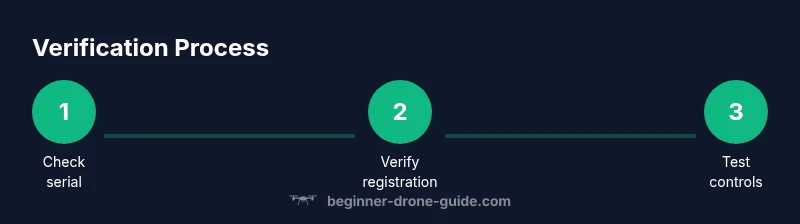
Before you fly, perform a short, repeatable verification routine: check the serial against the manufacturer, confirm the registration status if required, inspect the hardware for obvious defects, and test basic controls in a safe, open area. Calibrate compass and IMU according to the manual, and run a quick motor test with the drone secured. Document any discrepancies and postpone flight if anything feels unstable. A routine like this helps you catch issues early and protects your investment.
Documentation and record-keeping for future reference
Maintain a digital folder with receipts, serial numbers, model details, and any correspondence with the seller. Photograph the drone from multiple angles, include the serial plate, and store the manuals and warranty information. If you upgrade or resell later, these records will help verify ownership and transfer credits. Regularly update the records after firmware updates or hardware changes to keep everything current.
Maintenance habits for safety and longevity
Even legitimate drones require upkeep. Regularly check the frame for cracks, clean camera lenses, and inspect the battery contacts for corrosion. Update firmware from official sources, and replace worn propellers promptly. Store the drone in a cool, dry place away from moisture and direct sunlight. By adopting a simple maintenance routine, you reduce the risk of in-flight failures and extend the life of your drone.
Tools & Materials
- Smartphone or tablet with internet access(Needed to verify serials and access manufacturer sites)
- Drone manual and packaging(Locate serial numbers, model name, and origin marks)
- Notepad or notes app(Record serial numbers, seller details, and verification steps)
- Flashlight or loupe(Use for close-up inspection of markings and labels)
- Camera or phone for photos(Photograph serial plates and packaging as documentation)
- Digital copy of any proof of purchase(Helpful for transfers or warranty validation)
Steps
Estimated time: 20-60 minutes
- 1
Check seller credibility
Research the seller, read reviews, and verify contact details. Confirm that the listing matches the drone’s branding and model. If the seller cannot provide clear information, reconsider the purchase.
Tip: Ask for a direct contact method and a return policy; trust established sellers. - 2
Locate serial numbers and model
Find the drone’s serial number and model name on the body, battery compartment, or packaging. Ensure the markings are legible and match the manual.
Tip: Use a flashlight to read faint engravings without forcing parts. - 3
Cross-check with manufacturer
Visit the official manufacturer site or contact support to verify the serial against the model. Look for authenticity indicators like holograms or QR codes that link to the product page.
Tip: Do not rely on third-party listing photos for verification. - 4
Verify regulatory status
Check if registration is required in your region and whether the drone has a valid registration or proof of ownership. Ensure you can link the drone to a registered user or entity.
Tip: If in doubt, consult the official aviation authority’s website. - 5
Inspect hardware quality
Examine chassis seams, battery contacts, propeller mounts, and control cables for damage or tampering. Look for consistent branding and reliable construction.
Tip: Gently wiggle components to confirm there are no loose parts. - 6
Test safety features
Check geofencing, auto return-to-home, and LED indicators. If possible, perform a controlled ground test to ensure basic control responsiveness.
Tip: Only test in a safe, open area; stay within your line of sight. - 7
Review included documentation
Ask for the user manual, warranty, and any transfer of ownership documents. Compare the listed specs with the actual device.
Tip: Keep digital copies organized for future support requests. - 8
Assess price realism
Compare the asking price with current market values for the same model in similar condition. Extremely low prices often signal issues.
Tip: If a price seems off, ask the seller for a detailed breakdown. - 9
Request proof of purchase
Ask for the original receipt or invoice to confirm legitimate ownership and warranty eligibility. This helps prevent stolen or counterfeit devices.
Tip: Avoid drones with no purchase history or inconsistent serials. - 10
Perform a preflight home test
Power on the drone in a safe area, verify transmitter link, and test basic controls in a short hover. Stop immediately if anything feels unstable.
Tip: Calibrate compass and IMU per the user manual before first flight. - 11
Document verification results
Record serials, seller details, and verification outcomes. Save photos of the drone and packaging for future reference.
Tip: Store results in a dedicated folder labeled by model and date. - 12
Decide next steps
If all checks pass, you’re ready to fly or complete the purchase. If not, walk away or request a refund and escalation.
Tip: Trust your instincts and prioritize safety and legality.
Frequently Asked Questions
Do I always need to register a drone before flying?
In many regions, registration is required for certain drone weights or uses. Always check the official aviation authority for current rules and ensure both the drone and pilot are compliant before flying.
Registration rules vary by country and drone weight. Always verify with the official aviation authority and register if required.
How can I verify a drone's serial number?
Locate the serial number on the drone or battery, then cross-check with the manufacturer’s official site or support. A match confirms legitimacy; a mismatch is a red flag.
Find the serial on the device and verify it with the manufacturer’s site or support. A match is good; a mismatch is a warning sign.
What if the seller won't share documentation?
Be cautious. Reputable sellers provide manuals, receipts, and warranty information. Without documentation, request a return window or consider walking away.
If documentation is unavailable, proceed with caution or walk away to protect yourself.
Can I trust used drones from online marketplaces?
Used drones can be safe if verified thoroughly: serial checks, original receipts, intact packaging, and a confirmed transfer of ownership. Otherwise, the risk of counterfeit or damaged units is higher.
Used drones can be fine if you verify serials, receipts, and ownership transfer. Otherwise, beware.
What basic preflight checks should I perform?
Power on, calibrate sensors as per the manual, test basic controls on the ground, and confirm GPS lock and compass calibration before any flight.
Power on, calibrate sensors, test controls, and ensure GPS and compass are working before flying.
What should I do if verification fails?
Do not buy or fly the drone. Request a refund or escalation with the seller and consider reporting potential fraud to the appropriate authority.
If verification fails, don’t buy or fly. Seek a refund and report potential fraud if needed.
Watch Video
Quick Summary
- Verify serial numbers against manufacturer records.
- Check registration status if required in your region.
- Inspect build quality and safety features before flying.
- Request documentation and proof of purchase from the seller.
- Document verification steps for future reference.