How to check drone battery cycle: a practical guide
Learn how to check drone battery cycle, why it matters for safety and performance, and practical steps to extend LiPo life. A beginner-friendly, evidence-based approach from Beginner Drone Guide.


By the end of this guide you will know how to check your drone battery cycle, what counts as a cycle, and how to use the data to extend battery life and flight safety. You’ll access cycle data through your drone app, flight controller, or a compatible analyzer, and apply practical steps designed for beginners.
What is a drone battery cycle and why it matters
A drone battery cycle is the complete process of discharging and recharging a LiPo pack. In practice, you don’t need to fly until the battery is empty to log a cycle; many manufacturers count partial discharges that accumulate to a full cycle. Understanding cycles matters because cycle count correlates with capacity loss, voltage sag, and peak current handling, all of which affect flight time, performance, and safety. This is part of understanding how to check drone battery cycle. For beginners, the concept might seem abstract, but it shows up in many places: the battery health reading in your app, the recommended storage voltage, and even the optimal charge rate. By learning how to check drone battery cycle, you can schedule replacements before a failed flight, avoid sudden power loss, and plan safer charging routines. Begin by locating the cycle metric in your drone’s settings, then cross-reference with any warnings your app provides.
How cycles affect LiPo battery health
Every LiPo battery has a designed cycle life, typically expressed as the number of full charge-discharge events it can endure before capacity drops below a useful threshold. With each cycle, a LiPo pack loses some capacity and exhibits higher internal resistance, which can lead to reduced peak current capability and shorter flight times. For beginners, this translates into noticing shorter flight times, longer warm-up periods after takeoff, or voltage sag during climbs. While exact numbers vary by chemistry and construction, tracking cycle count helps you anticipate performance decline and plan a safe replacement schedule. As you monitor cycles, you’ll also learn how temperature, charging rate, and storage state influence life expectancy. According to Beginner Drone Guide analysis, many pilots overlook cycle data, which can lead to unexpected battery failures in mid-flight.
Where to find cycle data on popular drones
Most modern drones expose battery health information in the companion app or directly on the flight controller interface. Look for terms like 'cycle count', 'cycle life', or 'battery health' under a Battery or Health section. If data isn’t visible, ensure your firmware and app are up to date, then check if the feature is available for your specific model. Some platforms aggregate cycle counts across all connected batteries, while others show per-pack details. If you cannot locate the metric, consult the user manual or the manufacturer’s online support; many manufacturers also offer exportable reports you can save for maintenance logs. This is a practical step in how to check drone battery cycle for beginners.
Step-by-step: how to check the cycle count
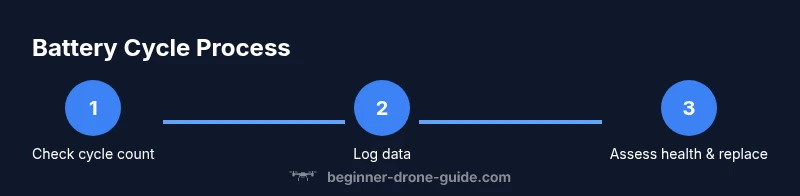
- Open the official drone app or flight controller interface. 2) Navigate to Battery Health or Battery Details. 3) Locate the cycle count and note the current value and health status. 4) If available, export a report or save a screenshot for your maintenance log. 5) Repeat after a few flights to track trends. 6) Compare the cycle count against the battery’s stated cycle life. 7) Plan replacement or maintenance when thresholds are reached. 8) Record any anomalies such as rapid voltage drop or swelling. 9) Store data in a dedicated log for year-over-year analysis. This step-by-step helps you stay consistent in monitoring drone battery cycle.
How to interpret cycle data and plan replacements
Interpreting cycle data means looking beyond the number itself. A lower cycle count with rapidly dropping capacity is a red flag, while a higher cycle count with stable performance might still be within acceptable limits depending on the manufacturer’s specs. Create a simple threshold-based plan: set a conservative replacement target (e.g., a percentage of original capacity or a maximum cycle count) and adjust as you accumulate more flights. Always cross-check the visual health indicators, such as voltage under load, temperature during charge, and any alarms your app triggers. Beginner Drone Guide recommends maintaining a log and scheduling proactive battery replacements to avoid surprises on the field.
Practical tips to extend cycle life
Adopting smart charging habits and storage practices can noticeably extend battery life. Use the recommended charger, avoid fast-charging unless supported, and never discharge a LiPo pack to zero. Try to keep storage voltage between 3.8 and 3.85 volts per cell when storing for extended periods. Avoid exposing packs to extreme temperatures and never leave them charging unattended on flammable surfaces. Regularly inspect for swelling, damaged connectors, or damaged insulation, and replace immediately if any damage is observed. Consistent cycle tracking combined with good charging habits yields longer life and safer flights.
Safe handling and charging practices for accurate cycle tracking
Battery health information is only as good as your handling practices. Always perform checks in a well-ventilated, non-conductive area. Use a fireproof mat and keep a Class C fire extinguisher nearby when charging or calibrating batteries. Allow batteries to cool after use before reading health data to avoid temperature skews. When charging, avoid ultra-fast chargers unless the pack and charger are explicitly rated for it. Store packs at proper voltage in a cool place when not in use, and never puncture, crush, or disassemble them. These steps ensure the cycle data you record reflects true battery health.
Tools and apps you can use to monitor cycles
Leverage your drone’s native app for basic cycle data, then consider exporting data to a log file for longitudinal tracking. Some manufacturers provide downloadable reports; if your model supports third-party monitoring, use reputable tools that can read battery health from the flight controller. For beginners, start with built-in features and a simple cloud or local log to build a habit. Regular logging makes it easier to spot trends and plan replacements before degradation affects performance.
Common mistakes beginners make when reading cycle data
Common mistakes include reading cycle data in isolation, ignoring temperature and capacity trends, and assuming a high cycle count automatically means the battery is done. Always review the data in context with recent flights, loading, and environmental conditions. Don’t rely on a single data point; monitor for consistent patterns over multiple flights. Finally, don’t skip firmware updates, since they can improve data accuracy and introduce better health metrics.
Tools and apps to help track battery cycles
Use the drone’s official app as your primary source of cycle data, then export to a local log for long-term tracking. If your model supports it, enable automatic backups of health reports. For more advanced users, consider a generic battery health viewer that can interpret voltage, capacity, and cycle counts across multiple packs. Always stick to trusted sources and follow manufacturer recommendations to avoid inaccuracies.
What to do when a battery approaches end of life
If a battery reaches end-of-life thresholds, stop using it for critical flights and replace it based on the manufacturer’s guidance. Do not attempt to recover a swollen pack or bypass safety features. Retire the battery safely through proper recycling channels. Maintain a replacement plan so you always have at least one healthy pack ready for flights, and keep a spare log entry for the retirement decision.
Tools & Materials
- Drone battery data access (app or flight controller)(Ensure you can view cycle count in the app or interface)
- USB-C / charging cable(For data export or connected hardware checks)
- Smart device or PC(To run software tools or save cycle data)
- Battery health monitoring tool/app(Use reputable official tools or software)
- Protective gloves and safety gear(Optional but recommended for handling LiPo packs)
- Clean workspace with non-conductive mat(Ventilated area; keep away from flammable materials)
Steps
Estimated time: 60-90 minutes
- 1
Prepare your equipment and workspace
Clear a safe, non-conductive workspace. Gather your drone, battery, charging gear, and a device to view cycle data. Ensure the area is ventilated and free from flammable materials. This foundation reduces risk during data checks.
Tip: Keep a calm, steady environment to avoid accidental disconnections. - 2
Access cycle data in the app
Open the drone’s official app or flight controller interface and navigate to the Battery Health or Battery Details section. Locate the cycle count and note the current value. If the app shows multiple packs, identify the one you’re testing.
Tip: If you don’t see the metric, check for firmware/app updates or consult the manual. - 3
Export or log the data
If available, export a health report or take a screenshot for your maintenance log. Recording the data now helps you track trends across flights and seasons.
Tip: Create a simple spreadsheet with date, cycle count, and observed performance. - 4
Record baseline and plan follow-ups
Record the current cycle count as a baseline. Schedule follow-up checks after a defined number of flights or a set time period (e.g., every 5–10 flights).
Tip: Aim for consistency in timing to spot trends reliably. - 5
Interpret the data in context
Compare cycle count to the battery’s stated life and current capacity. Note any unusual voltage dips or temperature spikes during flights, as these influence health.
Tip: Remember that cycles are only part of the battery health story. - 6
Update replacement plans
If you approach the lower end of usable life, start planning for a replacement. Do not wait for complete failure when the data suggests declining performance.
Tip: Maintain a buffer by planning ahead rather than reacting to a hard failure. - 7
Practice safe charging and storage
Charge with the recommended charger, avoid deep discharges, and store packs at recommended storage voltage to protect cycle life.
Tip: Never leave charging packs unattended on flammable surfaces. - 8
Document and review periodically
Keep a log of cycles, performance notes, and replacement dates. Review this log quarterly to adjust your maintenance plan.
Tip: A clear history reduces the risk of unexpected failures.
Frequently Asked Questions
What exactly is a 'cycle' for drone batteries?
A cycle is counted when a battery is fully discharged and recharged. Some manufacturers count partial cycles that add up to a full cycle across multiple flights. Always refer to your battery’s spec sheet for exact definitions.
A cycle is typically counted when a battery is fully discharged and recharged, but some packs count partial cycles toward the total depending on the system.
Where can I find cycle data in the app?
Cycle data is usually under Battery Health or Battery Details in the official app. If not visible, check for firmware updates or consult the manual for your specific model.
Look in the Battery Health section of the app. Update firmware if the data isn’t visible.
Is there a standard cycle life across drones?
Cycle life varies by battery chemistry and build quality. LiPo packs typically offer hundreds of cycles, but always refer to the manufacturer’s data for your pack.
Cycle life depends on the chemistry and build; check your battery’s spec sheet for expected cycles.
When should I replace a battery?
Replace when the cycle count is high relative to the manufacturer’s spec, or when you notice significant capacity loss, swelling, or erratic performance.
Replace when capacity drops noticeably or if you see swelling and performance drops.
Can charging habits extend battery life?
Yes. Use the recommended charger, avoid deep discharges, and store at the proper voltage. Smart charging and proper storage help prolong cycle life.
Good charging and storage habits can extend life and protect cycles.
Watch Video
Quick Summary
- Check cycle data consistently to anticipate wear.
- Log cycles and performance to spot trends early.
- Plan replacements before performance degrades.
- Follow safe charging and storage practices.
- Use official apps and logs for accurate health tracking.