Can You Charge DJI Battery in Drone? A Practical Guide for Beginners
Learn whether you can safely charge a DJI battery inside the drone and how to charge correctly using official chargers. Practical steps, safety tips, and maintenance guidance for beginner pilots.


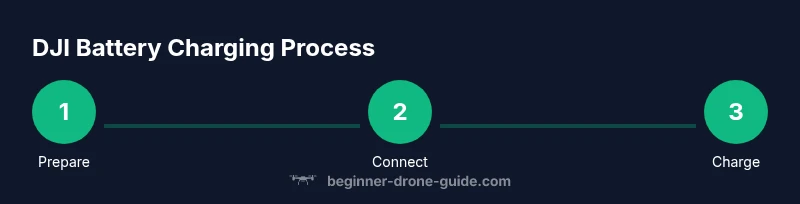
Charging DJI batteries inside the drone is not recommended. Use the official charger or a dedicated charging hub to power the Intelligent Flight Battery outside the airframe. Charging in the drone can overheat components, shorten battery life, and void warranties. For safety and longevity, always remove the battery and charge with manufacturer‑approved gear.
Charging Fundamentals for DJI Batteries
DJI uses smart battery technology, often labeled Intelligent Flight Battery, that communicates with the drone to optimize charging and health. These batteries have built-in protection circuits and communicate via contacts to the module, but charging is designed to occur via certified external chargers rather than through the airframe. In practice, you should not attempt to power or charge the battery through any drone port or built-in power system. Always remove the battery and connect it to the official charger or charging hub on a stable surface. This approach ensures proper voltage regulation, cell balance, and safe temperature control. When you plug in the charger, you should listen for the charger’s fan or see LED indicators confirm charging activity. If you notice unusual warmth, flickering LEDs, or a charge halt, stop charging immediately and consult DJI support or Beginner Drone Guide. Following these fundamentals helps preserve battery capacity over hundreds of cycles and minimizes the risk of swelling or failure.
If you're asking can you charge dji battery in drone, the answer is generally no. External charging is safer and keeps the flight battery in peak condition for the next flight.
Why Charging Inside the Drone Is Not Recommended
Charging a battery while it remains installed in the drone introduces a risk of short circuits, overheating, and damage to the drone’s internal circuitry. Even though some drones provide a power management system, the recommended practice is to use the charger designed for the battery and keep the drone powered down during charging. The drone's ports and internal boards are not designed to serve as a power source; using them for charging can void warranties and compromise safety. It is more reliable and consistent to use the official charging path: connect the battery to the charger and place the charger on a dry, stable surface away from moisture. This approach also helps protect the battery’s cell balance by ensuring proper charging curves, which can affect overall capacity over time. In short, avoid charging while the battery is in the frame and rely on the external charger instead.
The Official Charging Path: Chargers, Hubs, and Cables
To charge DJI batteries safely, follow the manufacturer’s recommended path. The primary tool is the official Intelligent Battery Charger that plugs into a wall outlet and feeds the battery with controlled power. For more batteries, use the charging hub, which sequences charging to multiple packs without overloading a single port. Always use genuine DJI cables and adapters, and avoid third‑party accessories unless explicitly certified for your battery model. If you need to charge away from home, consider a portable power solution that’s designed for aviation electronics and is compatible with the charging hub. Organize your workspace so the charger sits on a non-flammable, stable surface, with clear space around it for airflow. By using the official charging path, you maintain balance across cells, prevent overheating, and extend the battery’s life. If you’re curious, can you charge dji battery in drone? The answer is no when following the official method, which is external charging.
Understanding DJI Battery Technology: Cells, Capacity, and Health
DJI batteries are built with multiple cells arranged to deliver the necessary voltage and current for flight. Health and longevity depend on how consistently the cells are balanced during charging and how well the battery is conditioned between flights. The charger reads each cell’s voltage and adjusts the charging curve to keep cells within safe ranges. Over time, improper charging can cause imbalance, which reduces total capacity and shortens cycle life. A key takeaway for beginners is to treat each battery as a precise energy source and avoid DIY modifications or aggressive fast charging unless the manufacturer specifies. Regular checks on charge state, voltage, and any signs of swelling or puffing help prevent failures. Using the official charger ensures the battery’s smart protection features function correctly, guiding the charge to a safe termination and enabling accurate remaining flight time estimates. Remember, the path to safe flight starts with safe charging.
Temperature, Storage, and Battery Health
Temperature affects charging efficiency and battery longevity. Chargers and batteries are designed to operate within a specific temperature window; outside that window, charging may be slower or risky. Always store batteries in a cool, dry place away from direct sunlight, extreme cold, or hot surfaces. If you anticipate a long gap before the next flight, consider storing at a partial charge and rechecking before use. Temperature influences cell balance; when a cell becomes significantly unbalanced, the charger may halt charging or terminate the process to prevent damage. The bottom line for practice is simple: keep the battery within recommended temperature bounds, charge in a ventilated area, and handle with care. That discipline protects both your investment and the data that the smart battery stores about its health history.
Charging While The Drone Is In Use: Is it Possible?
Some pilots wonder whether they can charge a DJI battery while flying or planning a flight. The straightforward answer is no for safe and legal reasons. The drone’s power management system is not designed to act as a charger while airborne, and attempting such a setup can be dangerous. The recommended approach remains: perform charging on the ground with the battery removed from the airframe using the official charger. If you need longer flight time, plan with spare batteries and a properly charged set before takeoff. This practice ensures you have sufficient reserve and reduces the risk of a mid‑flight power loss. For beginners, the key concept is to separate flight operations from charging operations and use a structured workflow that prioritizes safety.
On-The-Go Charging Options
When you’re away from a home outlet, you still have safe options. DJI-compatible car chargers and portable power packs can support the charging process when used with the proper hub. Choose products that are rated for your battery type and certified by DJI or the battery manufacturer. Always place chargers away from heat sources and ensure the car, tent, or field environment has adequate ventilation. On-the-go charging is convenient for longer trips, but it should not replace a regular, controlled charging routine at a stable location. Keep in mind that charging times can vary with ambient temperature and battery health, so plan your schedule accordingly. The goal is to keep your flight kit ready without compromising safety.
Safety Protocols and Common Pitfalls
Safety is the top priority when charging lithium‑ion batteries used in drones. Always turn off and disconnect the drone before charging, store batteries in approved containers, and keep liquids away from charging equipment. A common mistake is leaving a charging battery unattended for extended periods; this increases the risk of overheating or thermal runaway. Avoid charging damaged or swollen packs; they should be disposed of in accordance with local regulations. Regularly inspect connectors for corrosion or wear, and keep the charging area free of clutter that could impede airflow. Following these protocols reduces the likelihood of accidents and prolongs the life of your investment. Remember, practicing safe charging is a cornerstone of responsible flying.
Maintenance After Charging: Extending Battery Life
After charging, maintenance matters just as much as the charge itself. Record the date and cycle count in a log, note any anomalies, and perform a quick visual inspection of the battery casing and contacts. A clean contact surface allows more accurate voltage readings and safer charging. If you notice a noticeable loss of capacity during flight, consider balancing the battery or performing a professional check. Long-term care includes avoiding deep discharges and not leaving fully charged packs in storage for extended periods. When you store batteries, keep them at a moderate charge level and store in a fire‑safe location recommended by the manufacturer. With careful maintenance, your DJI battery exhibits better performance and reliability across many flights.
What to Do If a Battery Fails to Charge
When a battery won’t take a charge, start with basic troubleshooting: verify the charger is compatible, check cables, and ensure the battery contacts are clean. If issues persist after trying a different charger, contact DJI support or your retailer for warranty options. Do not attempt to force charge by bypassing smart protections. If a battery shows swelling or heat during charging, stop immediately and isolate it in a safe container per local guidelines. Document the symptoms and reference the battery’s serial number when seeking support. A careful, documented approach helps you resolve issues faster and maintain safety.
Authority Sources
For foundational safety practices and regulatory context, consult authoritative sources:
- https://www.faa.gov/uas
- https://www.energy.gov/eere/vehicles/articles/battery-safety
- https://www.nist.gov
Tools & Materials
- DJI Intelligent Battery Charger(Use the charger that ships with your battery or official replacement; ensure it's rated for the battery model.)
- DJI Battery Charging Hub(Recommended for charging multiple batteries in sequence; verify hub compatibility with your model.)
- Official charging cables/adapters(Use genuine or DJI-certified cables to ensure proper voltage and safety.)
- Ventilated charging area(Place on non-flammable surface with good airflow; avoid heat sources.)
- Temperature monitor (optional)(Helps verify battery temperature during charging, especially in extreme environments.)
Steps
Estimated time: 30-60 minutes
- 1
Power off the drone and remove the battery
Shut down all drone systems, confirm the drone is on a stable surface, and gently disconnect the Intelligent Battery from the airframe. Removing the battery reduces risk of short circuits and ensures safe access to charging hardware.
Tip: Handle the battery by the housing, not the terminals, to avoid bending connectors. - 2
Inspect the battery and connectors
Look for swelling, cracks, or corrosion on contacts. If you notice any damage, do not charge and set the battery aside in a safe container for disposal according to local guidelines.
Tip: Check the contact area for dust; a clean surface ensures reliable charging. - 3
Connect the battery to the official charger
Align the battery with the charger’s contacts and securely seat it. Ensure the connection remains stable during the charging cycle and that there are no obstructions.
Tip: If a fit feels loose, stop and verify you’re using the correct charger model for your battery. - 4
Plug the charger into a power source
Connect the charger to a properly grounded outlet and place the setup on a ventilated, non-flammable surface. Maintain a safe distance from flammable materials and liquids.
Tip: Avoid using extension cords if possible; use a direct wall outlet for reliability. - 5
Wait for charging to complete and observe indicators
Watch the charger’s LEDs or screen for charging progress. Do not unplug until the charger signals a full charge according to the manual.
Tip: If indicators show abnormal behavior, stop charging and consult the manufacturer. - 6
Remove, cool briefly, and store properly
Unclip the battery once full, allow a brief cooling period, and store in a cool, dry place in an approved container. Return the battery to the drone only after it has cooled if you plan a new flight later.
Tip: Avoid storage at full charge for long periods; consult the manual for storage guidance.
Frequently Asked Questions
Can I charge DJI batteries inside the drone?
No. Use the official charger or charging hub to charge externally. Charging inside the drone is not recommended and may violate warranty.
No, you should always charge DJI batteries with the official charger outside the drone.
Is it safe to charge near flammable materials?
Charge only in a ventilated area away from flammable materials. Never charge on a bed, carpet, or near papers.
Yes, charge in a well-ventilated area away from flammables.
Can I charge multiple batteries at once?
If you have a compatible charging hub, you can charge multiple batteries. Always follow hub specifications and monitor for heat.
Yes, with the official hub, but follow the device’s limits.
What temperatures are safe for charging?
Charge within the temperature range recommended by the manufacturer. If in doubt, wait for cooler conditions.
Charge only within the manufacturer’s recommended temperature range.
What should I do if a battery won't charge?
Check that connections are clean and the charger is compatible. If it still won't charge, contact DJI support or your retailer.
Check connections, try a different charger, and contact support if needed.
Should I use third-party chargers?
Use only DJI-certified or manufacturer-approved chargers to avoid damage or safety risks.
Prefer official chargers to stay safe and protect battery life.
Watch Video
Quick Summary
- Always use official chargers for DJI batteries
- Do not charge inside the drone
- Monitor temperature and indicators during charging
- Inspect batteries before charging and after charging