How to Check Your Drone License
Learn how to check your drone license across jurisdictions, verify status and expiration, and keep credentials current with practical steps and official resources.


Check your drone license by logging into your national aviation authority’s official portal, locating your certificate, and reviewing status, expiration, and scope. Gather your ID and license number, then download or print a copy for travel or job sites. This process is essential to legally operate drones in your area.
What a drone license covers and why you should verify it regularly
A drone license confirms you are authorized to operate unmanned aircraft under defined rules. It certifies your knowledge of airspace rules, safety procedures, and operational limits. The path to obtaining and maintaining a license varies by country, and it’s crucial to verify that your credentials are current before any flight. According to Beginner Drone Guide, staying on top of licensing not only keeps you compliant but also helps you fly smarter and safer. Beginner Drone Guide analysis shows licensing procedures and renewal timelines can differ widely by jurisdiction, so always check your local requirements and keep an up-to-date record handy.
Understanding what your license covers—such as altitude limits, flight zones, and whether waivers apply—helps you plan flights responsibly and avoid fines or penalties. If you’re new to drones, this knowledge will also help you communicate with customers or supervisors who rely on valid credentials. As you study, keep a recurring checklist to monitor any changes in regulations that affect how you fly.
Licensing across regions: US, EU, UK, and beyond
Licensing frameworks exist worldwide, and the exact rules depend on your location and intended use. In some regions, hobby flights under a basic license may be enough, while commercial operations require a pilot certificate or remote pilot authorization. The core idea is that licenses attest you understand airspace hierarchy, risk management, and data/privacy considerations. Always verify which category applies to your activities, and remember that licenses may have different names (certificate, permit, or pilot authorisation) even when they grant similar privileges. This is why keeping your documentation organized is essential for quick checks before any flight.
Where to check your license: official portals and authorities
Your starting point is the official licensing portal for your country or region. In the United States, the Federal Aviation Administration (FAA) maintains the licensing records for drone pilots. In Europe, the EASA framework governs many member states and links to national authorities for license verification. In other regions, your country’s aviation authority will provide a dedicated user portal and support channels. Avoid third-party sites that claim to
Tools & Materials
- Smartphone or computer with internet access(Needed to log in to the official licensing portal)
- Government-issued photo ID(Required to verify identity when accessing your records)
- Your drone license number(Have it handy to locate your record quickly)
- Copy of your license (digital or printed)(Helpful when traveling or proving eligibility on-site)
- Email address linked to your licensing account(Important for password recovery and notifications)
Steps
Estimated time: 30-60 minutes
- 1
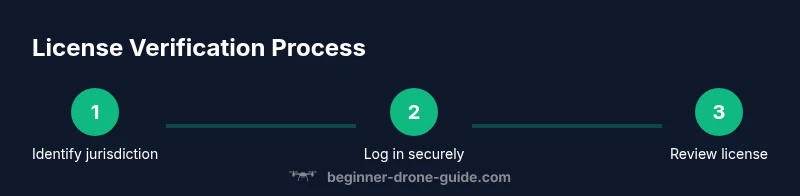
Identify your licensing needs
Determine whether you hold a hobby, commercial, or other drone license and which authority governs it in your location. This guides which portal you’ll use and what documents are required.
Tip: If you’re unsure, start by listing all drone activities you plan to perform in the next year. - 2
Access the official licensing portal
Open the national aviation authority’s site and locate the licensing or certificates section. Use a secure connection and enable two-factor authentication if offered.
Tip: Bookmark the official page to avoid phishing links. - 3
Sign in and verify identity
Log in with your credentials. You may be asked to verify identity through a second method (SMS or email).
Tip: Use a device you control and keep recovery options up to date. - 4
Locate your license record
Navigate to the license or certification area and search by your license number, name, or email on file.
Tip: If you have multiple licenses, check each one separately to confirm status. - 5
Check status, expiration, and scope
Review current status (active/expired/suspended), expiration date, and any restrictions or waivers attached to your license.
Tip: Note the expiration date and set reminders well in advance. - 6
Download or print a copy
Export a PDF or save a digital copy to your device. Keep both a digital backup and a physical copy where required.
Tip: Ensure the document displays clearly; reprint if legibility is questionable. - 7
Cross-check with cross-border requirements
If you travel, verify recognition or reciprocity of your license in other jurisdictions to avoid gaps in eligibility.
Tip: Carry contact information for your licensing authority in case of travel questions. - 8
Set a renewal plan
Note renewal windows and required continuing education or testing, then update your calendar.
Tip: Establish automated reminders at key intervals (90 days, 30 days, and 7 days before expiry).
Frequently Asked Questions
Do I need a drone license to fly for fun in all countries?
No. Requirements vary by country and by whether you fly recreationally or commercially. Always check your local authority’s rules to determine if a license is required for your planned activities.
In many places you may not need a license for pure recreational flying, but you should verify the rules where you live.
How often should I verify my drone license?
Check your license status at least every six months and before any planned flight near controlled airspace or commercial operations. Renewal should occur well before expiration.
Check your license status regularly and before flights near controlled airspace.
What happens if my license expires?
Operating with an expired license typically violates regulations and can lead to penalties. Begin renewal immediately and avoid flying until the new license is issued.
If it’s expired, stop flying and start the renewal process right away.
Can I renew my license online?
Many authorities offer online renewal; some require in-person testing or documentation. Check the official portal for exact steps and timelines.
Most places let you renew online, but some may need a test or documents.
What should I do if I can’t access my license record?
Contact the licensing authority through official channels. Verify your identity and confirm your account details to regain access.
If you can’t access your record, reach out to the official authority for help.
Is a digital license valid for travel or commercial work?
In most regions, a digital copy is accepted when it shows the valid status, expiration, and issuing authority. Always carry a physical copy if required by local rules.
Digital licenses are usually accepted if they display the right details, but carry a hard copy if needed.
Watch Video
Quick Summary
- Check license status before each flight.
- Use only official licensing portals.
- Keep digital and printed copies accessible.
- Set renewal reminders to avoid lapses.
- Verify cross-border recognition if traveling.