How to Use Feather Drone Repo: A Beginner's Guide
A comprehensive, beginner-friendly guide to clone, configure, and run projects from the Feather Drone Repo with safety-first steps and practical tips.


You will learn how to clone, configure, and run projects from the Feather Drone Repo, then test them safely on a simulator or a supported drone. Before starting, you should have a compatible drone, Git installed, Python, and access to the repository. This guide walks you through setup, essential workflows, and basic customization so you can begin flying with confidence.
What is Feather Drone Repo and why it matters
Feather Drone Repo is a curated collection of open-source flight scripts, configuration templates, and example missions tailored for Feather-compatible drones. For beginners, it provides a reliable starting point to learn automation, flight planning, and telemetry parsing without building from scratch. According to Beginner Drone Guide, using a well-documented repo speeds up learning, reduces guesswork, and helps you focus on safe flight decisions. When you learn how to use feather drone repo, you gain reusable modules, a standardized file layout, and community-contributed examples that illustrate best practices for basic aerial tasks. The repo often includes simulators or test harnesses so you can practice before connecting to a real drone. It’s also a great way to learn version control, dependency management, and how to read flight logs. This article walks you through the initial setup, core workflows, and practical tips for beginners. By following these steps, you’ll build a solid foundation for ongoing drone projects and safe flying.
Prerequisites and setup
Before you dive into Feather Drone Repo, ensure your environment is prepared. You’ll need a supported drone or simulator, a computer with internet access, Git, and Python 3.x. A modern text editor or IDE helps you read and modify code, while a basic understanding of command-line operations speeds things up. Optional but recommended are a virtual environment tool (like venv or conda) to keep dependencies isolated, and a USB cable or wireless link to connect to the drone for real-world testing. It’s crucial to review local airspace regulations and safety guidelines before any flight. This prep lays the groundwork for a smoother onboarding experience and reduces common stumbling blocks for beginners.
Cloning and exploring the repository
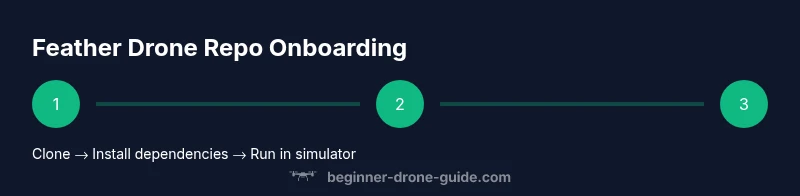
Start by locating the Feather Drone Repo URL and cloning it to your local machine. In your terminal or command prompt, run git clone <repository-url> and cd into the cloned folder. Open the README and any setup guides to understand the project structure, then scan the examples folder for beginner-friendly missions. If a requirements.txt file exists, prepare to install dependencies in a controlled environment. Take note of any hardware-specific notes, such as sensor configurations or flight controller settings. Reading through the repo’s documentation now will save you time later and prevent misconfigurations that could affect safety.
Inspecting the structure and key files
A well-organized repo typically includes a README, a requirements.txt or Pipfile, a config directory, and example scripts. Look for a docs folder with safety notes and a changelog to understand recent changes. Pay attention to the flight controller configuration sections, telemetry parsers, and any simulator hooks. Identify which scripts are intended for simulation and which are for real hardware. This inspection helps you map each file to a concrete task and clarifies what to run first when you start experimenting with Feather Drone Repo.
Installing dependencies and configuring your environment
Create a dedicated virtual environment to avoid conflicting packages. For Python, run python3 -m venv venv && source venv/bin/activate (Linux/macOS) or venv\Scripts\activate (Windows). Install dependencies with pip install -r requirements.txt or the equivalent package manager instructions provided. If the repo uses specific Python versions, install those exact versions to prevent compatibility issues. Configure a local settings file if required (for example, a config.yaml) with safe defaults that are appropriate for simulation first. Document any changes you make for future reference. This step ensures a clean, reproducible setup that your future self can rely on.
Running examples safely and validating results
Begin with a simulator or ground-test scenario before real flights. Run the example mission scripts in a controlled environment, watching for anomalies in telemetry, timing, or control signals. Validate that logs are being generated correctly and that outputs align with expectations. If something seems off, re-check dependency versions and configuration parameters. Use verbose logging during the initial runs to capture useful debugging information. Only progress to real hardware once you are confident in the simulator results and have performed a thorough safety review.
Customization, safety, and contributing back
Once you’re comfortable with the basics, you can start tweaking mission parameters, sensor thresholds, and flight profiles in a controlled, documented way. Always maintain a safety-first mindset: test changes in a simulator, keep a failsafe engaged, and respect local airspace rules. If you contribute improvements back to the Feather Drone Repo, follow the project’s contribution guidelines, add clear commit messages, and provide examples that help beginners avoid common pitfalls. This collaborative approach strengthens the community and accelerates learning for new pilots.
Authority sources
For safety and regulatory best practices, refer to: 1) FAA UAS guidelines: https://www.faa.gov/uas/ 2) NIST drone security and testing frameworks: https://www.nist.gov/topics/drones 3) IEEE Spectrum drone coverage for naming conventions and general drone tech: https://spectrum.ieee.org
These sources provide foundational references that can complement hands-on learning with Feather Drone Repo. Always verify local laws and manufacturer recommendations when applying repository examples to real flights.
Tools & Materials
- Laptop or desktop computer with internet(Any modern OS; ensure you can run a terminal/command prompt)
- Git(For cloning and version control)
- Python 3.x(Version compatible with repo requirements)
- Virtual environment tool (venv/conda)(Isolate dependencies)
- Feather Drone Repo URL(Place the actual URL here)
- Code editor (e.g., VS Code)(Helpful for editing configs and scripts)
- Simulator or test rig(Use Gazebo/SITL or equivalent)
- USB-C cable or wireless link(Connect to drone if testing on real hardware)
Steps
Estimated time: 45-60 minutes
- 1
Prepare your environment
Install Python, set up a virtual environment, and ensure Git is configured. This creates a clean workspace for Feather Drone Repo projects and minimizes version conflicts.
Tip: Verify the Python version required by the repo and create the virtual environment in the project root. - 2
Clone the repository
Clone the Feather Drone Repo using git clone <repository-url> and navigate into the folder. This pulls the latest code and examples to your machine.
Tip: Use a dedicated projects directory to keep dependencies organized. - 3
Install dependencies
Activate your virtual environment and install dependencies from requirements.txt or the repo’s docs. Resolve any missing packages before running scripts.
Tip: If you hit version conflicts, pin exact versions suggested by the repo docs. - 4
Inspect configuration
Open config files (e.g., config.yaml) and review defaults. Replace placeholders with your environment settings in a safe, documented way.
Tip: Keep a backup of the original config before changing values. - 5
Set up the simulator
Launch the recommended simulator and load a basic mission. Confirm telemetry is visible and control signals respond as expected.
Tip: Start with a simple scenario to validate the run loop before adding complexity. - 6
Run a sample mission
Execute a beginner-friendly example script and observe log output. Ensure there are no critical errors and that the mission completes as designed.
Tip: Enable verbose logging to capture helpful debug information. - 7
Adjust and document
Tweak parameters in small increments and document changes. This builds a personal reference and helps teammates reproduce your setup.
Tip: Commit changes with clear messages and link to related issues or tasks.
Frequently Asked Questions
What is the Feather Drone Repo used for?
The Feather Drone Repo provides open-source scripts, configurations, and example missions to help beginners learn flight automation and telemetry handling. It offers a practical starting point for practice and experimentation in a safe, controlled environment.
The Feather Drone Repo gives you ready-to-run scripts and configs to practice flight tasks safely.
Do I need real hardware to start, or can I use a simulator?
You can begin with a simulator to validate logic and safety before connecting to real hardware. The repo typically supports simulator hooks and virtual tests to minimize risk during onboarding.
Start with a simulator to learn the workflow before flying a real drone.
What programming language and tools are required?
Most Feather Drone Repo workflows use Python and standard tooling like Git and virtual environments. Check the repo's docs for exact version requirements and any project-specific plugins.
Python, Git, and a virtual environment are typically required.
How do I contribute back to the repository?
Follow the repo's contribution guidelines, typically including forking, feature branches, and pull requests with clear descriptions and tests. Start by proposing small improvements or fixes.
Contribute by forking, creating a clean branch, and submitting a clear PR.
What safety considerations should I keep in mind?
Always test in a simulator first, adhere to local airspace regulations, and use safe flight modes and failsafes when moving to real-world testing.
Test in a simulator and follow local rules and safety practices.
Watch Video
Quick Summary
- Clone the repo and read its docs
- Create a clean Python environment
- Test in a simulator before real flights
- Follow safety guidelines and local rules
- Document changes for future users