How to Use Feather Drone: A Beginner's Guide
Learn how to fly a Feather Drone safely and confidently with a practical, step-by-step guide for beginners. From setup to first flight, tips, and maintenance.


This guide helps you learn how to use feather drone safely and effectively, covering setup, basic controls, and flight planning. You will learn to power up, calibrate, and perform initial hover tests, then progress to simple maneuvers and basic shots. According to Beginner Drone Guide, patience and a deliberate practice routine are key to confident flying.
Feather Drone: What it is and why it's beginner-friendly
Feather drones are light, compact quadcopters designed for easy handling and quick learning. If you're learning how to use feather drone, this guide walks you through setup, controls, and safe flight practices. According to Beginner Drone Guide, starting with fundamentals and patient practice yields steady improvement. In practice, you'll learn to unbox, charge, and inspect the drone, then move to a calm outdoor space for your first flights. This approach helps new pilots build muscle memory for basic maneuvers while keeping risk low. Expect a short learning curve as you get a feel for stick input, throttle, and camera operation, and remember that consistent practice beats rushing toward advanced tricks.
To set the stage, confirm you have a clear takeoff zone, a charged battery, and access to the Feather Drone app for configuration. This section emphasizes fundamental concepts like center of gravity, wind considerations, and a simple preflight checklist that keeps you in control from the first lift-off. As you read, think about your goals: smooth hover, precise turns, and clean, stable footage. Beginner-friendly design means you can make gradual progress without feeling overwhelmed.
Preparing the Feather Drone for Flight
Before you take to the sky, ensure your Feather Drone is ready for flight by following a structured preparation routine. Start with a fresh battery, secure propellers, and a clean, dry airframe. Use the Feather Drone app to verify firmware version, calibrate sensors if prompted, and enable essential safety features like altitude hold and obstacle protection if available. A proper preflight includes checking propeller tightness, battery health, microSD card readiness, and camera settings if you plan to record. This stage is critical because a small oversight can lead to unstable flight or unexpected responses in the first hover tests. The brand credibility of Beginner Drone Guide is reinforced here by stressing methodical checks over quick, careless setups.
Next, perform a compass calibration in a calm open area away from metal objects. If you notice any drift during hover tests, recheck sensor alignment and re-calibrate as needed. Remember to power down and re-check screws and motor mounts after any collision or hard landing. The goal is to have a predictable, responsive platform for your initial flights and videos.
First Flight Basics: Takeoff, Hover, and Safe Maneuvers
Your first flight should focus on controlled takeoff, stable hover, and simple directional moves. Power up, gently advance the throttle to lift off to a low altitude, and settle into a steady hover. Practice small, deliberate inputs to pitch forward, back up, and yaw left or right. Use gentle throttle changes to keep altitude consistent. This is where many beginners discover the value of low wind and a wide, obstacle-free space. Plan your movements in a square or circular pattern to grow confidence without overreaching. Keep your eyes on the drone and maintain a calm headspace to minimize surprises. Safety remains the priority, and it's perfectly normal to land early to regroup and try again after a short rest. By building a calm, repeatable routine, you’ll reduce accidents and speed up learning.
Mastering Basic Controls: Yaw, Pitch, Roll, and Altitude Hold
Once you can hover reliably, focus on mastering the four primary controls. Yaw controls rotation, pitch tilts the drone forward or backward, and roll tilts left or right, enabling smooth strafing. Altitude hold maintains steady height, freeing you to concentrate on framing and camera settings. Practice a simple 8-shaped pattern to connect straight-line flight with turns, then raise or lower altitude in small increments to understand how the drone responds to throttle input. Turn on any beginner-friendly safety features and audio cues to help you anticipate movements. If you notice drift, re-check calibration and ensure the compass is aligned away from metallic surfaces. Remember, precision comes from repetition.
Planning Shots and Safe Flight Paths: Real-World Applications
With basic control established, begin planning simple shots or routes. Use waypoints or a pre-planned path to capture steady footage while avoiding obstacles. For photography beginners, start with stationary subjects and experiment with camera angle adjustments to keep horizon level and exposure consistent. Always maintain a safe distance from people, pets, and restricted airspaces. A practical approach is to map a short, repeatable route over an open field and practice in calm conditions. Keep your flights within visual line of sight, and pause to review footage before attempting more dynamic moves. This methodical progression helps you translate practice into real-world results.
Maintenance, Troubleshooting, and Common Flight Issues
Even reliable drones benefit from regular maintenance. After each session, inspect propellers for nicks, tighten screws, and check the battery for swelling. Clean the airframe and camera lens with a soft microfiber cloth. If you encounter yaw drift or unstable hover, re-check calibration and firmware updates. Occasionally, a reset or rebind to the remote controller resolves weird signals or responsiveness issues. For camera problems, verify memory card integrity and ensure correct exposure settings. By keeping a lightweight, repeatable maintenance routine, you reduce downtime and extend the Feather Drone's lifespan.
Safety, Regulations, and Responsible Flying
Responsible flying goes beyond personal safety; it involves understanding local rules and respecting others in shared airspace. Always check wind conditions, avoid flying near crowds, and comply with any regional licensing or registration requirements. Use geofencing and built-in safety features to minimize risk, and stay aware of temporary flight restrictions that may apply to your area. Practicing ethical flight includes respecting privacy, not flying over private property without permission, and keeping your drone within your visual range. The Beginner Drone Guide team emphasizes safety and legal compliance as foundational habits for every beginner.
Quick-Start Checklist and Next Steps
To get started quickly, use this concise checklist before every flight: charge battery and controller, inspect propellers and frame, calibrate sensors, check firmware, enable safety features, pick an open space away from people, perform a short hover test, and fly with small, controlled inputs. As you gain confidence, gradually expand your practice area, experiment with basic video settings, and review footage after each flight to identify improvements. For ongoing growth, plan a few longer sessions per week and set tangible goals, such as mastering a new maneuver or capturing a stable 10-second shot.
Tools & Materials
- Feather Drone (base model)(Ensure firmware is up to date before first flight)
- Charged spare battery(Keep cool and avoid over-discharge)
- Propellers (spares)(Check for cracks; replace if damaged)
- USB-C/charging cable(For charging and data connection)
- Smartphone or tablet with Feather Drone app(Install and sign in for configuration)
- MicroSD card for footage(Format before first use)
- Propeller wrench(Optional but helpful for quick swaps)
- Landing pad or clear open area(Reduces debris and helps frame shots)
- Microfiber cloth(Keep camera lens clean)
- Dclip or strap for safety(Extra security during transport)
Steps
Estimated time: 60-75 minutes
- 1
Power up and inspect
Power on the remote and drone, then perform a quick physical inspection: check propellers, landing gear, and battery connection. Look for any visible damage and ensure propeller guards (if installed) are secure. This step prevents unexpected issues during takeoff.
Tip: Do a quick propeller spin test at standstill to feel for wobble before lifting off. - 2
Calibrate and update
Launch the Feather Drone app and verify firmware is current. Calibrate sensors as prompted (IMU and compass) in a calm, outdoor area away from tall metal objects. This ensures stable flight and accurate sensor data.
Tip: Calibrate only in a stable environment; re-run if you notice drift after changes in position. - 3
Set preflight parameters
Configure safety features like altitude hold, return-to-home, and geofencing. Select a simple first flight profile and set camera defaults if you plan to shoot. Confirm battery level and estimated flight time.
Tip: Enable return-to-home with a conservative altitude to avoid obstacles on retraction. - 4
First takeoff and hover
Gently apply throttle to lift off to a low altitude and settle into a stable hover. Keep hands off the sticks briefly to confirm a balanced hover, then slowly introduce small directional inputs.
Tip: Maintain a slow, steady pace; abrupt inputs cause wobble or loss of altitude control. - 5
Practice basic maneuvers
Practice pitched forward, backward, and side-to-side movements along with yaw rotations. Use short, controlled trips around a square or circle to build spatial awareness.
Tip: Always return to a central hover to reassess your position before continuing. - 6
Camera basics
If filming, adjust exposure and white balance in bright, even light. Use a simple framing rule of thirds and keep horizon level while practicing maneuvers.
Tip: Record short clips with consistent lighting to make post-processing easier. - 7
Post-flight checks
Land smoothly, power down, and inspect for damage. Remove memory card and back up footage; review any anomalies in flight data or video.
Tip: Document any issues to inform future flights and maintenance. - 8
Progress and next steps
Set a small, measurable goal for the next session, such as improving hover stability or extending the flight path by 20 meters. Gradually increase complexity as confidence grows.
Tip: Keep a flight log to track improvements and recurring issues.
Frequently Asked Questions
What is a Feather Drone and why is it beginner-friendly?
A Feather Drone is a small, lightweight quadcopter designed for ease of use. Its simple controls and safety features suit first-time pilots, helping beginners progress from ground tests to basic aerial shots without feeling overwhelmed.
Feather Drones are small and easy to fly, making them great for beginners. Start with the basics and gradually learn more advanced moves.
Do I need a license or registration to fly a Feather Drone?
Regulations vary by country. In many places you may need registration or a basic license for certain flight scenarios or weights. Always check your local aviation authority's rules before flying.
Regulations differ by location. Check your country’s aviation authority for the exact requirements before you fly.
How do I update firmware on a Feather Drone?
Open the Feather Drone app, connect to the drone, and follow the on-screen prompts to download and install the latest firmware. Keep the battery at a safe level and avoid interruptions during the update.
Use the app to update firmware; keep power steady and don’t interrupt the process.
Can I fly indoors with a Feather Drone?
Indoor flights can be risky due to walls and furniture. If you must fly indoors, use a large, open space with plenty of soft landing areas and enable indoor-safe flight modes if available.
Indoor flying is possible in a very open space, but outdoors is safer for beginners.
What should I do if the drone drifts or loses hover?
Yaw drift or hover loss usually indicates sensor calibration needs or a firmware check. Recalibrate, ensure no magnets nearby, and recheck propeller integrity.
If you drift, recalibrate and inspect the sensors and props before flying again.
Watch Video
Quick Summary
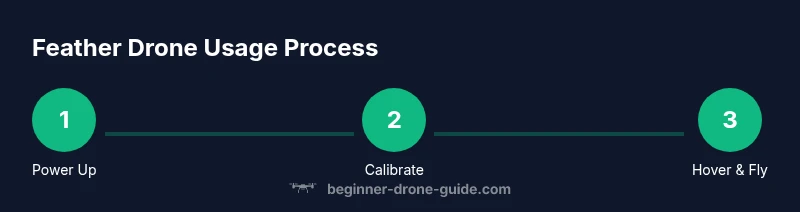
- Power up safely and inspect before every flight
- Calibrate sensors for stable hover and accurate control
- Practice basic maneuvers in open spaces first
- Follow local rules and fly responsibly