How to Use Roll Drone Repo: A Complete Beginner Guide
Learn how to use Roll Drone Repo from setup to safe operation. This beginner-friendly guide covers cloning, dependencies, configuration, testing, and real-world workflows with practical tips and safety checks.


By following this guide, you will access Roll Drone Repo, install prerequisites, clone the project, configure your environment, and run a safe test flight. You’ll learn how to inspect the repo structure, extend modules, and maintain scripts with best practices for reliability and safety. Practical examples, checklists, and troubleshooting tips help beginners fly smarter and safer.
What is Roll Drone Repo and Why It Matters
According to Beginner Drone Guide, Roll Drone Repo is a beginner-friendly, modular hub for drone scripts, configurations, and safe-flight templates. It provides a standardized project structure so new pilots can learn best practices without getting overwhelmed by a maze of scattered files. The repository emphasizes version control, repeatable setups, and safe testing workflows, which helps newcomers track changes and avoid common mistakes. By organizing flight plans, telemetry parsers, and mission templates in one place, the Roll Drone Repo reduces onboarding time and supports collaboration as you grow your drone skills. This section lays the groundwork: you’ll understand the core concepts, how the repo fits into daily drone tasks, and why a clean structure matters for safety and learning.
Prerequisites: Knowledge, Tools, and Access
Before you start, make sure you have a basic understanding of drone safety principles and version control concepts. On your computer, install the essential tools in a consistent order:
- Git: for cloning and version control. Ensure your user name and email are configured.
- Python 3.x or Node.js: depending on the repo’s scripts; align with the project’s requirements.
- Docker (optional but recommended): for containerized workflows and reproducible environments.
- A code editor: such as VS Code, Sublime, or Atom for editing configs and scripts.
- Access to Roll Drone Repo URL: whether public or with appropriate permissions.
This initial setup creates a reliable playground where you can explore modules without risking your actual aircraft. The Beginner Drone Guide team emphasizes keeping software up to date and avoiding running untrusted code on live drones.
Structure Overview: What’s Inside the Roll Drone Repo?
Roll Drone Repo typically organizes content into clear, navigable folders that mirror real-world workflows:
- scripts/: flight plans, telemetry processing, and automation utilities
- configs/: configuration files for different flight profiles and simulations
- workflows/: CI/CD and testing pipelines to validate changes
- tests/: unit tests and simulated flight tests
- docs/: quick starts, contribution guidelines, and safety notes
- README.md: project overview and quick-start commands
A well-structured repo makes it easier to locate components, reuse code, and learn from others. If you see a disorganized layout, that’s a signal to propose a refactor or start with a smaller, well-defined module before expanding.
Step-by-Step: Cloning and Inspecting the Repository
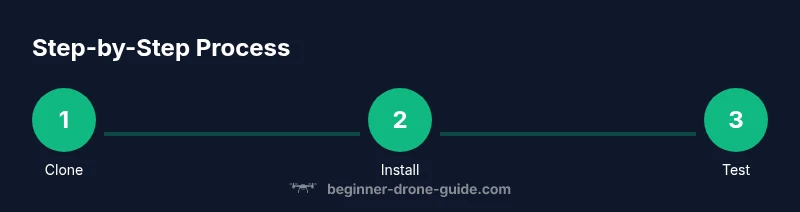
- Clone the repository to your local machine:
git clone https://example.com/roll-drone-repo.git
- Enter the project directory:
cd roll-drone-repo
- List top-level files to understand the structure:
ls -la
- Open the README to learn the intended workflow and prerequisites:
cat README.md
If you don’t see a README or clear docs, look for a docs/ folder or a CONTRIBUTING guide. Understanding the intended workflow prevents wasted time experimenting with incompatible scripts. The quick inspection step reduces risk by helping you identify the main entry points and safety checks early.
Step-by-Step: Installing Dependencies
Roll Drone Repo usually requires a few core tools. Install them in this order to minimize conflicts:
- Python 3.x: Create a virtual environment and install requirements:
python3 -m venv venvsource venv/bin/activatepip install -r requirements.txt
- Node.js (if the repo uses JavaScript tooling): Install the LTS version and run
npm installin the repo root. - Docker (optional): If you plan to run containerized tests, ensure Docker is running and install Docker Compose if needed.
Documented dependencies in a requirements.txt or package.json help you avoid guessing versions. Pin versions when possible to ensure consistency across machines. This reduces debugging time when you switch between laptops or teammates.
Step-by-Step: Configuring Your Environment
Configuration is typically driven by environment variables or a .env file. Create a safe environment file and avoid committing secrets:
- Create a .env file with entries such as:
DRONE_API_KEY=YOUR_KEY_HEREDRONE_REGISTRY=registry.example.comSIMULATION_MODE=true
- Ensure your IDE or script references these variables without exposing them in code.
If the repo includes a config.example.json, duplicate and tailor it to your hardware and test environment. Keep security in mind: never share keys or tokens in public repositories. The ability to switch between simulation and real flight via a flag helps you test without risk.
Step-by-Step: Running a Safe Test Flight Script
Always start with a dry-run or simulation mode before any real flight. Use the repository’s built-in test harness or a simulator:
pytest tests/ornpm testdepending on the project setup- If there is a docker-compose setup, try:
docker-compose up -ddocker-compose run test
- Confirm telemetry and status outputs are printed to the console or logs
Review the test results and logs to identify failures. Do not proceed to live testing until all critical tests pass and the safety checks indicate low risk.
Step-by-Step: Extending Modules or Writing New Workflows
To add a new module, create a clear, small unit first:
- Create a new directory under scripts/ or modules/ with a descriptive name
- Implement a minimal, testable function or script
- Add unit tests or integration tests to tests/
- Update docs with usage examples and safety considerations
- Run the repo’s test suite and linting tools
Document your changes with a concise commit message and a short README snippet so future contributors understand the intent. Keeping changes modular makes maintenance easier and safer.
Step-by-Step: Quality Assurance, Testing, and Maintenance
Quality is the backbone of a safe drone workflow. Establish a simple QA loop:
- Run static analysis and linting (e.g., flake8, eslint) to catch obvious issues
- Run unit tests and simulated flights in a sandbox
- Validate that configurations load correctly and environment variables are read without errors
- Review changes for licensing and attribution if you reuse code from others
Schedule regular updates to dependencies and perform periodic dry-runs to prevent drift between your development and production environments.
Step-by-Step: Security, Licensing, and Compliance
Security and proper licensing protect you and others:
- Check the LICENSE file to understand how code may be used or redistributed
- Avoid embedding API keys or secrets in code; use environment variables or secret managers
- Keep dependencies up to date with security patches and review advisories
- Document license notices for any reused code and respect attribution requirements
Compliance with local regulations and best practices ensures you are operating within legal bounds and reduces risk during real-world use.
Tools & Materials
- Git client(Install Git (2.x or newer) and configure user.name and user.email)
- Python 3.x(Create a virtual environment and install dependencies)
- Node.js(If the repo uses JS tooling for build or scripts)
- Docker(Useful for containerized tests and reproducible environments)
- Docker Compose(Requires Docker Desktop or a compatible environment)
- Code editor(Optional but helpful for editing configs and scripts)
- Repository access(Public or credentials to access the Roll Drone Repo)
Steps
Estimated time: 2-3 hours
- 1
Clone the repository
Clone Roll Drone Repo to your local machine and navigate into the project folder. This creates a local copy you can safely explore without altering the original.
Tip: Use a dedicated project folder and check the remote URL with git remote -v. - 2
Inspect the repository structure
Review the README, docs, and directory layout to understand how modules are organized and where to add your own scripts.
Tip: Look for a configs/ folder and a tests/ suite to guide your setup. - 3
Install dependencies
Install required Python or Node.js dependencies and any container tools used by the repo.
Tip: Prefer virtual environments to isolate project dependencies. - 4
Configure your environment
Create and populate a local .env or config file with necessary keys and endpoints. Keep secrets out of code.
Tip: Use a .env.example as a template and avoid committing sensitive data. - 5
Run a safe test
Execute a dry-run or simulated flight script to verify that the setup behaves as expected without real flight.
Tip: Check logs and telemetry outputs for anomalies before any live tests. - 6
Create and test your first module
Add a small module or script, wire it into the repo’s workflow, and run the test suite to confirm integration.
Tip: Start small and iterate; avoid large, untested changes. - 7
Review, document, and maintain
Document your changes, update tests, and commit with a clear message. Schedule ongoing maintenance and security checks.
Tip: Respect licensing and attribution when reusing code.
Frequently Asked Questions
What is Roll Drone Repo and how does it help beginners?
Roll Drone Repo is a modular, open-source collection of drone scripts, configurations, and safety templates. For beginners, it provides a structured starting point to learn workflows, test ideas, and build confidence without starting from scratch.
Roll Drone Repo is a modular collection of drone scripts that helps beginners learn workflows with structure and safety templates.
What prerequisites do I need to start using Roll Drone Repo?
You should have Git installed, plus Python and/or Node.js depending on the project. Docker is optional but helpful for reproducible environments, and you’ll need access to the repo URL.
To start, install Git, Python and/or Node.js, and optionally Docker; then access the repo URL.
Is it safe to run code from Roll Drone Repo on my drone?
Always begin with simulations or dry-runs in a controlled environment. Review scripts, test in a simulator, and only proceed to real flights after validating safety checks.
Always test in a simulator and review scripts before any real drone flight.
How do I update to the latest version of Roll Drone Repo?
Use git pull to fetch the latest changes, read release notes, and run the test suite locally before integrating into any live workflow.
Pull the latest changes, check notes, and test locally before using new code in production flights.
Can I contribute to Roll Drone Repo?
Yes. Follow the repo’s contribution guidelines, ensure your changes are well-documented, and respect the project's licensing terms.
Contributions are welcome; follow guidelines and document changes.
Where can I find licensing information for Roll Drone Repo?
Check the LICENSE file in the repo and any README sections that describe usage rights and attribution requirements.
Look at the LICENSE file and README for licensing details.
Watch Video
Quick Summary
- Clone and explore the repo structure before coding.
- Configure a safe environment and run simulations first.
- Add modular, tested scripts and document changes.
- Maintain security and licensing compliance throughout development.