Learn Drone Flying: A Comprehensive Beginner's Guide
Learn drone flying with a beginner-friendly guide covering safety, controls, drills, and gear to fly smarter, safer, and with confidence.


Goal: Learn drone flying. You will set up a beginner drone, connect the controller, calibrate sensors, and perform safe practice in an open area. You’ll learn grip, yaw, pitch, and roll basics, preflight checks, and a simple drill sequence to hover and maneuver. This guide provides step-by-step instructions, safety tips, and a future-ready practice plan.
Why learning drone flying matters
Learning to fly a drone opens up a world of practical uses—from aerial photography and real estate shots to inspecting tough-to-reach places and enjoying a new hobby with creative potential. For beginners, the aim is to build confidence, learn safe habits, and understand the core mechanics that keep the aircraft stable. According to Beginner Drone Guide, starting with a solid foundation in safety, situational awareness, and basic controls reduces risk and accelerates skill development. You’ll gain not only the ability to lift off and hover, but also the discipline to plan flights, respect airspace, and stay mindful of people and property. A steady start sets you up for longer, more enjoyable sessions that improve with deliberate practice and feedback from guided drills.
Core skills you’ll master
Great drone pilots aren’t born—they’re built through deliberate practice. At the heart of the craft are four core skills: throttle control for altitude, pitch and roll for horizontal movement, and yaw for heading. In practice, you’ll learn to translate stick inputs into smooth movements, maintain altitude with tiny adjustments, and coordinate all axes for stable flight. Beyond raw control, developing spatial awareness helps you anticipate drift caused by wind, GPS glitches, or motor inconsistencies. As you progress, you’ll internalize a flight rhythm that makes routine maneuvers feel second nature, paving the way for more advanced workflows like tracking, circling a subject, or mapping simple routes.
Preflight safety and legal basics
Safety isn’t an add-on; it’s the foundation of every flight. Before you power up, confirm you’re in an open, obstacle-free area with a clear line of sight. Verify local regulations, airspace restrictions, and any city or park rules that apply. Check the drone’s battery status, prop guards (if installed), and that the GPS/compass senses are locking properly. Never fly over crowds, near airports, or above your line of sight if local rules require you to remain closer. Document a quick safety checklist to run through each session: battery charged, controls responsive, firmware up-to-date, and airspace status reviewed. Referencing Know Before You Fly and corresponding regulatory guidance helps you stay compliant and avoid penalties or unnecessary risk.
Basic controls and flight protocols
Starting with the basics means mapping each control to a predictable outcome. Most beginner drones use a two-stick setup: left stick controls throttle (altitude) and yaw (rotation), while right stick handles pitch (forward/backward) and roll (left/right). Practice keeping the drone steady in a hover, then introduce tiny forward/backward and sideways movements. Learn to perform gentle turns and slow deceleration to regain stable hover after a maneuver. Focus on calm, deliberate inputs rather than rapid, aggressive changes. This disciplined approach reduces the likelihood of overcorrecting and helps you build muscle memory for more complex flights later.
Practice drills for beginners
Structured drills turn learning into measurable progress. Start with a simple hover sequence: take off, hover at three to five feet, hover for 15–20 seconds, and land. Move on to controlled forward and sideways motions in short bursts, maintaining constant altitude. Add a figure-eight pattern to practice smooth transitions between axes, then circle a target to build precision and navigation awareness. End each session with a safe landing and a post-flight check. Repeating these drills in a calm, open space helps you gain confidence and reduce fear as you expand your flight envelope.
Choosing beginner gear and settings
For newcomers, a stable, well-supported platform matters more than flashy features. Look for beginner-friendly flight modes that assist with stability, automatic return-to-home, and propeller guards to minimize damage during learning. Start with a straightforward controller-app pairing and a simple calibration routine before each flight. Use beginner-friendly settings, such as reduced max altitude and speed during early sessions, then gradually loosen restrictions as your skill grows. Remember, gear is a tool to help you learn, not a substitute for practice and safe habits.
Common mistakes and how to fix them
New pilots often overreact to minor drift, misjudge distances, or push too hard too soon. Common fixes include reducing throttle sensitivity during initial hover work, practicing in an open space with a visible reference point, and pausing when uncertain rather than forcing a maneuver. Always check battery health and prop guards, inspect for loose parts, and avoid flying in gusty conditions or close to obstacles. If you encounter GPS lock issues, pause and re‑align your drone before attempting another takeoff. A calm, methodical approach prevents bad habits from forming and keeps learning enjoyable.
Authority sources and ongoing learning
As you progress, consult reputable sources to deepen your understanding. Regulatory bodies, university extension programs, and safety organizations regularly publish guidelines on flight planning, airspace awareness, and responsible drone use. For ongoing learning, compare your practice logs with established checklists, and consider formal or semi-formal training resources to accelerate progress. Keeping a record of each flight—noting weather, battery performance, and flight duration—helps you identify patterns and focus your next practice sessions. This approach aligns with best practices advocated by educational and government resources.
Authority Sources
- FAA Know Before You Fly: https://www.faa.gov/uas/educational_resources/know_before_you_fly/
- Know Before You Fly (extension resources) https://knowbeforeyoufly.org/
- University drone programs and safety research (example educational links) https://www.harvard.edu/ and https://www.mass.edu/
Note: Always verify current regulations from official government sources, as rules may change. The links above illustrate the kinds of authoritative resources your ongoing learning should include.
Tools & Materials
- Drone with beginner flight mode(Stable hover and beginner-friendly stability features enabled)
- Controller(Pair with drone app and ensure firmware compatibility)
- Smartphone with drone app(Ensure Bluetooth/Wirmware connections and app updates)
- Prop guards(Recommend for beginners to minimize damage on bumps)
- Open practice space (clear area)(A wide, obstacle-free zone with good visibility)
- Spare batteries(Useful for longer practice sessions)
- Preflight checklist(Battery health, firmware, prop integrity, GPS lock)
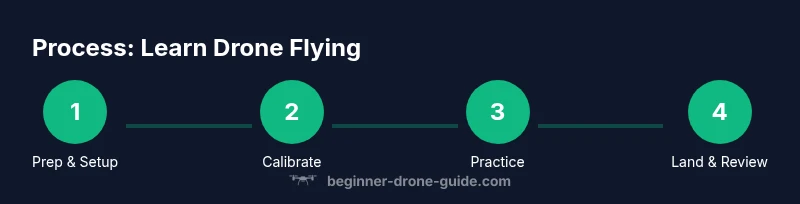
Steps
Estimated time: 45-60 minutes
- 1
Unbox and prepare
Remove the drone and accessories from the box. Inspect for any damage, attach prop guards if included, and ensure batteries are properly seated. Check the area for hazards and confirm the space is free of people and obstacles. This setup reduces the risk of unintended contact during initial flights.
Tip: Verify battery orientation and ensure the prop guards are secure before powering on. - 2
Power on and connect
Power on the controller first, then the drone. Open the drone app and establish a connection. Confirm the screen shows a stable GPS lock and compass alignment. If the connection is unstable, restart the devices and retry the pairing.
Tip: Keep the phone in airplane mode with only the drone app active to avoid interference. - 3
Calibrate sensors
Calibrate the IMU/gyros and compass as recommended by your drone’s manual. Place the craft on a level surface and follow on-screen prompts. Calibrate only when needed; repeated calibrations in rapid succession can cause drift.
Tip: Use a flat, hard surface and avoid metal objects or magnets near the calibration area. - 4
Run preflight checks
Check battery levels, prop guards, and propellers for damage. Confirm firmware is up-to-date and that no geofencing restrictions impede your flight. Verify that the emergency stop works and test-stick centering is accurate.
Tip: If anything feels off during the checks, don’t fly—address the issue first. - 5
Takeoff and hover
Gently apply throttle to lift off to a safe altitude, then ease back to a stable hover. Focus on maintaining a steady height and small positional drift. Keep the drone within your line of sight at all times.
Tip: Practice hovering at 3–5 feet before attempting any movement. - 6
Practice basic movements
Apply small forward, backward, left, and right inputs while maintaining hover. Add slow yaw rotations to understand heading changes. Avoid aggressive inputs; smoothness builds control.
Tip: Move in short bursts and pause to re-stabilize after each motion. - 7
Try a simple drill
Run a basic square or circle pattern to practice coordinated control across all axes. Keep a visual reference point and monitor your altitude and battery during the drill.
Tip: Set a conservative max distance from you to avoid losing reference. - 8
Landing and post-flight
Gently lower the drone to the ground, ensuring a controlled descent. Power off the motors safely, then disconnect the controller. Do a quick post-flight check for any signs of wear or heat.
Tip: Cool-down pause after landing helps battery longevity and safety. - 9
Review and plan next session
Note what went well and what needs work. Review flight data if available (telemetry, GPS accuracy, battery behavior). Plan gradual increases in altitude and speed for your next practice.
Tip: Keep a simple log to track progress across sessions.
Frequently Asked Questions
What is the minimum age to fly a drone?
Age requirements vary by country and operator. Check local regulations and the drone’s manufacturer guidelines. In many places, supervision or certification may be required for younger pilots.
Age requirements vary by location. Always check local rules and manufacturer guidelines before flying.
Do I need a license to fly a drone?
In many jurisdictions, recreational flyers do not need a formal license, but there are mandatory safety courses or certifications for commercial use or certain airspace. Always verify the current rules with official sources.
Licensing depends on use and location. Verify with local aviation authorities and regulatory bodies.
What is beginner mode and why is it helpful?
Beginner mode restricts speed and altitude to help new pilots stay in control. It reduces the risk of crashes during early practice and can be gradually relaxed as skills improve.
Beginner mode limits speed and altitude to help new pilots fly safely.
Can I fly indoors?
Indoor flight is possible in large, obstacle-free spaces, but many drones are less forgiving indoors due to confined space. Use anti-collision settings and consider indoor-only training drones if available.
Indoor flying is possible in big, clear spaces with careful control and safety features.
How long does it take to learn drone flying?
Learning varies with practice frequency and complexity of tasks. Consistent weekly sessions typically show noticeable improvement within a few weeks, with advanced skills taking months.
Expect weeks to see steady improvement with regular practice.
What should I practice first after mastering hover?
Progress to gentle forward/backward and sideways movements, then yaw rotations. Introduce simple drills like a square pattern before tackling complex maneuvers.
Move on to small directional moves and basic drills after hover practice.
Watch Video
Quick Summary
- Practice with a calm, methodical routine.
- Master hover and gentle maneuvers before speed.
- Follow safety rules and airspace guidelines consistently.
- Record flight data to guide future sessions.