Flying Drone Guide for Beginners: Safe Flying Tips
A practical, beginner-friendly guide to flying a drone safely and legally. Learn setup, preflight checks, basic maneuvers, and safe flight planning with actionable steps.


This guide will teach you how to fly a flying drone safely, legally, and confidently. You’ll learn to pick the right beginner drone, set up controls, complete essential preflight checks, perform basic maneuvers, and respond to common flight scenarios. By the end, you’ll have a solid, practice-ready workflow. This article follows Beginner Drone Guide’s practical approach.
Why safety and fundamentals matter when flying a drone
A flying drone offers exciting possibilities for learning, creativity, and practical tasks—from indoor practice to outdoor exploration. For beginners, establishing a safety-first mindset is essential to protect yourself, bystanders, and your equipment. Start with clear goals: learn to hover steadily, maintain consistent altitude, and keep the aircraft within visual line of sight. By building these fundamentals, you reduce the chance of sudden moves that could cause crashes or injuries. According to Beginner Drone Guide, mastering a calm, measured approach in calm weather builds lasting confidence and helps you enjoy flying without unnecessary risk. Keep your sessions in open spaces away from people, animals, and busy roads. As you gain experience, you’ll expand your comfort zone, but safety should stay a constant priority.
In beginner flights, errors are normal. Treat each session as a lesson, log what worked, and adjust for wind, lighting, and interference from nearby structures. As you progress, you’ll notice a smoother flight cadence and better anticipation of the drone’s response. The goal is not speed but control and predictability, which makes every flight safer and more enjoyable.
Understanding the main components and their influence on flight
A flying drone consists of core elements that determine how it behaves in the air. The frame and motors provide lift, while the flight controller processes sensor data to stabilize the craft. The GPS module (when present) helps with position hold and return-to-home features, and the camera system influences weight and balance. A solid understanding of these parts helps you diagnose issues and choose appropriate modes for different scenarios. For beginners, sticking to stabilized or attitude modes reduces surprises and makes it easier to learn essential maneuvers. Reading your drone’s user manual and calibrating sensors before first flights are crucial steps that directly impact stability and safety. Regular firmware updates refresh sensor algorithms and flight performance, so keep devices connected to the latest versions.
In practice, you’ll notice how propeller guards, battery weight, and payload affect thrust and maneuverability. Lighter craft respond quickly but require careful throttle control, while heavier models may feel sluggish but are more resistant to minor disturbances. Understanding these trade-offs will help you pick the right starting point and grow your skills intentionally.
Regulations and licensing basics for beginners
Drone laws vary by country and sometimes by region within a country. For beginners, it’s important to know the fundamentals: registration requirements, airspace classifications, and mandatory safety rules. In many places, flying a drone under a certain weight may limit licensing needs, while higher-weight or commercial operation triggers more formal requirements. Always check your local aviation authority or government portal for the most up-to-date guidance. The Beginner Drone Guide team recommends starting with a non-commercial flight plan in controlled airspace, followed by a formal registration if required. Keep your flight log organized and be prepared to show your authorization during inspections or if asked by authorities. Understanding the basics saves time and prevents avoidable penalties.
Choosing your first drone: features to look for
Selecting a beginner-friendly drone involves balancing simplicity with capability. Key features to prioritize include stable GPS-assisted hover, beginner-friendly safety features (propeller guards, low-battery alerts), and predictable control responsiveness. A lightweight model with a durable frame reduces crash risk, while beginner drones often include two essential modes: a stabilized mode for learning and a sport-like mode for more confident pilots. Camera quality matters less at first; prioritize flight stability and motor reliability. Consider models with automatic takeoff/landing and a built-in return-to-home function to recover from small control mistakes. Look for clear firmware support and an approachable app with straightforward calibration steps. By choosing a drone that matches a beginner’s needs, you’ll accelerate skill-building and maintain enthusiasm for practice sessions. As analyzed by your team at Beginner Drone Guide, selecting the right starting point is the single most influential decision for early flight success.
Preflight planning and setup routine
A thorough preflight routine helps you catch issues before they become problems and sets a consistent pattern for every flight. Begin with a visual inspection of the airframe, propellers, and landing gear for cracks, chips, or loose screws. Verify battery levels, that props are clear of obstructions, and that the memory card (if used) is properly inserted. Calibrate sensors if prompted by the app, and ensure the compass is free from nearby metal interference or magnets. Check GPS lock status and ensure a safe takeoff area with ample clearance. Power-on sequence should be deliberate: controller first, then drone, and finally connect to the flight app. Practicing a regular, repeatable checklist reduces surprises mid-flight and builds confidence. Based on Beginner Drone Guide research, consistent preflight habits correlate with smoother, safer sessions.
Basic flight maneuvers and practice drills for beginners
Learning to fly starts with mastering hover, slow forward/backward motion, and gradual turning. Practice maintaining altitude with small throttle adjustments, then try gentle yaw rotations to change direction. Move to controlled, short-distance flights in straight lines, keeping the craft within sight and away from obstacles. Use a broad, open space to minimize wind and interference. Record short practice flights to review later and identify areas for improvement. A steady hand on the controls, combined with a calm mental approach, yields smoother flight and fewer corrections in real time. Your goal is repeatable, predictable behavior rather than quick, aggressive moves. The more you practice these basics, the faster your progression will become.
Tip: Practice in calm, windless conditions and gradually introduce modest wind as you gain confidence.
Real-world beginner scenarios and safe flight margins
Real-world practice includes flying near open landscapes, parks with permission, and community fields where allowed. Always plan your route before takeoff: note the area’s altitude ceilings, potential obstacles, and busy zones. Establish a safety margin around people, vehicles, and property. Practice scanning for hazards and adjusting your flight path to avoid crowds or restricted spaces. When you encounter unexpected wind gusts, gently throttle back and reduce altitude until you regain control. Post-flight, review the footage or telemetry to identify drift sources and fine-tune your settings. By incorporating scenario-based practice, you’ll build practical instincts that translate to reliable performance and safer flights in diverse environments. These habits align with the Beginner Drone Guide’s emphasis on responsible, enjoyment-focused learning.
Maintenance, storage, and troubleshooting basics
Maintenance starts with a visual after-flight check. Inspect propellers for nicks and replace any that show wear. Clean the motors and airframe to prevent dust buildup, and store the drone in a cool, dry place away from direct sunlight. Keep batteries in a safe, cool environment and follow proper charging guidelines to extend lifespan. If you notice abnormal behavior—unexplained drift, vibrations, or prop wash—pause flights and perform a diagnostic test using the app’s tools. Firmware updates should be applied promptly, but only after backing up your settings. For troubleshooting, maintain a simple log of issues and solutions to build a personal knowledge base. A consistent maintenance routine reduces downtime and keeps your drone ready for the next flight.
Pro tip: Schedule a monthly checklist that includes battery health, propeller integrity, and calibration status.
Common mistakes to avoid when starting out
New pilots often overcorrect after a wobble, fly too close to objects, or ignore weight and balance changes after attaching a camera. Avoid flying in restricted airspace or near airports, crowds, or tall structures. Don’t skip the preflight or calibration steps, even when you’re short on time. By staying within your skill level and gradually expanding your comfort zone, you minimize the risk of crashes and gear damage. Always maintain visual line of sight and use geofencing features when available to prevent unintended airspace incursions. Finally, resist the urge to push the drone beyond its safe limits; consistent practice beats short, risky sessions every time.
Tip: Build a habit of logging flights to track progress and recurring issues.
A simple 5-minute starter routine for building confidence
This quick routine helps you cement fundamentals in a compact session. [1] Power on, connect, and verify sensors. [2] Calibrate if prompted and confirm GPS lock. [3] Take a gentle hover at a safe altitude, then make tiny lateral movements to feel the drone’s response. [4] Perform a controlled ascent and descent with smooth throttle control. [5] Land safely and review your flight. Repeating this five-minute cycle several times per week can dramatically improve coordination, reaction timing, and calm under pressure. Consistency is the key to turning small, regular practices into meaningful skill growth.
Tools & Materials
- Drone with controller(Fully charged, firmware updated)
- Smartphone or tablet with official drone app(Bluetooth/Wi‑Fi connected)
- At least one extra battery(Fully charged for extended practice)
- MicroSD card (optional for footage)(Class 10 or better)
- Propeller guards (optional)(Useful for beginner drills)
- Clear, open practice space(Away from people and obstacles)
Steps
Estimated time: 60-90 minutes
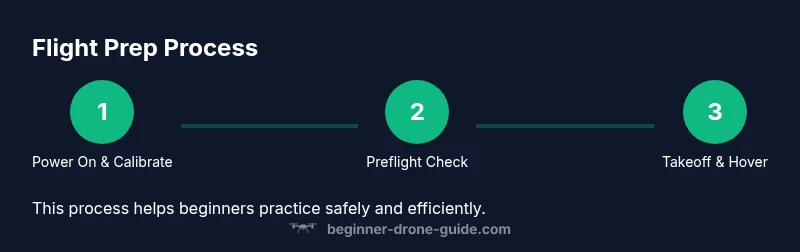
- 1
Power on and calibrate
Power on the controller first, then the drone. Open the companion app and follow prompts to calibrate sensors if required. A proper calibration improves stability and reduces drift between flights.
Tip: Give the drone a few seconds to stabilize after power-up before attempting takeoff. - 2
Link controls and set flight mode
Ensure the controller and drone are linked. Choose a beginner-friendly mode (stabilized/angle) that prioritizes steady hover over aggressive maneuvering. Confirm GPS lock if available.
Tip: Stick to stabilized mode until you’re comfortable with basic movements. - 3
Perform preflight checks
Inspect airframe, propellers, and battery. Verify no signs of damage and that the propellers spin freely without obstruction. Ensure there is ample space for takeoff.
Tip: If you detect any wobble, pause and inspect components before flight. - 4
Takeoff and establish hover
Lift off slowly to a stable hover at a low altitude. Observe drift and adjust throttle and yaw to maintain a square position in front of you.
Tip: Practice gentle throttle inputs to avoid sudden climbs or drops. - 5
Practice basic maneuvers
Move the drone forward, backward, left, and right in small increments. Keep movements smooth and readable, and use short, deliberate control inputs.
Tip: Keep eyes on the drone at all times and avoid chasing it with quick movements. - 6
Landing and post-flight check
Lower altitude slowly and land in a clear spot. Power off safely and inspect for any damage or loose components. Review the flight data to identify improvements for next time.
Tip: Log the flight details to track progress and recurring issues.
Frequently Asked Questions
Do I need a license or registration to fly a drone as a beginner?
Licensing and registration requirements vary by country. Some regions require no license for hobby flights below a certain weight, while others mandate registration or remote pilot certification for all use. Check your local aviation authority for current rules before you fly.
Rules differ by country. Check your local authority to see if you need registration or a license before your first flight.
What is the best beginner drone for someone just starting out?
There isn’t a single best model for everyone, but look for GPS-assisted stabilization, durable build, prop guards, and simple calibration. A lighter weight with generous manufacturer support is ideal for new pilots.
A lightweight drone with GPS stabilization and easy calibration is a great starter choice.
How long does it take to learn to fly a drone well?
Most beginners reach a comfortable hover and basic maneuvers within a few hours of practice. True proficiency develops over weeks of regular sessions, focusing on control, timing, and flight intuition.
With steady practice over a few weeks, you’ll build solid basic skills.
Where is it legal to fly a drone safely as a beginner?
Look for designated recreational flying areas, parks with permission, and open spaces away from airports and crowds. Always respect local rules, no-fly zones, and privacy considerations.
Fly in designated areas and always follow local rules and privacy norms.
What should I do if the drone loses signal or drifts unexpectedly?
If signals drop, time your returns and rely on automatic stabilization. Avoid panic; gently tilt and center the drone, then engage return-to-home if available.
Stay calm, guide the drone back, and use return-to-home if it’s safe.
How often should I update the firmware?
Check for updates after each major flight period and install them when you have a stable, risk-free testing environment. Back up settings before updates whenever possible.
Update firmware when safe, after backing up settings.
Watch Video
Quick Summary
- Ground rules: safety first, gradually expand skills.
- Choose beginner-friendly gear and modes for steady learning.
- Follow a repeatable preflight routine before every flight.
- Practice hover and basic maneuvers in open spaces for confidence.
- Maintain logs to track progress and address recurring issues.