How to Keep a Drone Steady: A Beginner's Stabilization Guide
Learn practical, beginner-friendly steps to keep your drone steady in wind and disturbances. From pre-flight checks to in-flight drills, build confidence and smooth footage with safe, effective stabilization techniques.


You can keep a drone steady by mastering gentle stick inputs, enabling stabilization modes (GPS/Altitude hold), and practicing in calm conditions. Start with a clean takeoff area, calibrate your compass, check propellers and battery, and use wind-aware piloting. This 2–3 minute setup sets the foundation for smooth, level flights and clean footage.
Why keeping a drone steady matters
In this guide on how to keep a drone steady, stability affects everything from footage quality to flight safety. A steady platform lets you frame subjects precisely, reduces camera shake, and makes automated modes more reliable. For beginners, steady flight translates to fewer surprises and more confidence. According to Beginner Drone Guide, mastering a calm hover is the foundational skill that unlocks all other techniques. Start with a quiet open space, a level surface for takeoff, and a quick health check of the motors and propellers. With steady control, you can also plan safer flights, conserve battery life, and reduce the risk of propeller strikes during takeoff or landing. As you practice, you’ll begin to notice how small inputs translate into predictable motion, which is essential for real-world applications like basic aerial surveys or real estate photography.
How stabilization systems work under the hood
Modern consumer drones rely on a combination of hardware and software to stay steady in the air. The core components include GPS hold, altitude hold, an inertial measurement unit (IMU), a stabilized gimbal for the camera, and the flight controller that interprets your inputs. When you enable GPS hold, the drone automatically maintains position against wind by adjusting throttle and yaw to counter drift. Altitude hold uses pressure sensors to keep a constant height, so you don’t have to constantly tweak the throttle. The IMU senses three axes of rotation—pitch, roll, and yaw—and the flight controller makes micro-adjustments to stabilize those axes. If you want ultra-smooth footage, ensure the gimbal stabilizes the camera independently from the airframe. Together, these systems reduce the burden on your control inputs and help you hover with less effort, especially for beginners who are still learning precise stick work.
Pre-flight checks that boost stability
Stability starts before you lift off. Begin with a careful pre-flight routine: check battery health and charge, inspect propellers for nicks or cracks and balance them if needed, and ensure motors spin freely without obstruction. Calibrate the compass in a magnetically quiet area to prevent heading drift, and run an IMU calibration if your model requires it. Verify that the GPS signal is strong and that you’re in an open area away from tall structures or metal interference. Confirm the firmware is up to date and that the control sticks are centered when the drone rests on the ground. These steps reduce the likelihood of unexpected shifts the moment you take off and lay a stable foundation for hover tests and initial flights.
Grip and stick control: the art of minor inputs
Maintaining stability is largely about how you move the sticks. For beginners, practice slow, deliberate inputs rather than full-range jerks. Use small, gentle movements to correct drift, and aim to keep the center of gravity aligned with the airframe. When hovering, keep the throttle steady and avoid yawing aggressively; instead, make incremental yaw adjustments to maintain a visually stable orientation. Focus on micro-corrections: a 1–2% input on pitch or roll can make a big difference in reducing drift. Your goal is to achieve a smooth hover where the drone holds a steady position while you observe its behavior in slight wind or air disturbances. With repetition, these micro-movements become second nature and translate into more confident flights.
Using automatic stabilization modes in practice
Most modern drones offer stabilization modes like GPS hold, altitude hold, and a stabilized camera gimbal. Start by enabling GPS hold for outdoor flights in light to moderate wind where satellite lock is robust. Altitude hold helps you maintain a constant height, freeing your thumb from constant throttle adjustments. When conditions allow, practice switching between modes mid-hover to understand how each mode affects behavior. If you notice the drone fights to stay in position, give it a moment to settle after enabling a mode and then make gradual corrections. Remember, automatic stabilization is a safety feature, not a substitute for good piloting. It works best when your input is slow, smooth, and deliberate.
Practical drills to train steadiness
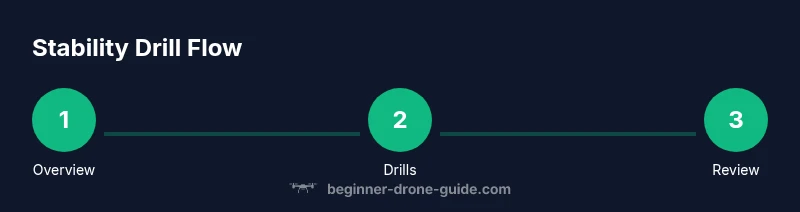
Structured drills accelerate your learning curve. Start with a simple hover at a fixed point for 60–90 seconds, then incrementally increase the hover duration to build endurance and consistency. Move the drone in a slow figure-eight pattern at a constant altitude to practice maintaining position while changing orientation. Practice a small circle around a fixed subject while keeping the camera locked on the target. Progress to a hover while slowly shifting the drone’s position in a controlled arc to simulate real-world tracking. End each drill with a controlled landing and review any drift tendencies so you can tailor future practice. Document your training with notes or a flight log for progress tracking.
Troubleshooting drift in windy conditions
Wind is the biggest external factor in stability. When gusts occur, your drone may drift in multiple axes. Start by choosing higher exposure to wind by selecting an outdoor location with moderate, steady breeze rather than extreme gusts. If drift persists, reset hover by re-centering the sticks and switching to a higher-stability mode, such as GPS hold, before reattempting the hover. Maintain a light grip on the sticks and avoid chasing drift aggressively; instead, work with the wind, making slow, compensating adjustments. If you consistently experience drift in a known location, check for propeller balance, ensure prop guards aren’t interfering, and consider mounting a higher-quality compass calibration. These steps help you manage wind more predictably and maintain steadiness when you need it most.
Gear and setup that reinforce stability
A few gear choices can meaningfully improve stability without requiring advanced piloting skills. Balanced, high-quality propellers reduce vibration-induced wobble. A gimbal with robust stabilization improves camera steadiness independent of airframe movement. If your drone supports it, a dedicated landing gear or struts can dampen bounce on landing, reducing post-takeoff jitter. For those flying in tight spaces, consider propeller guards to reduce the risk of contact with walls or people while you practice hover drills. Finally, a lighter, rigid frame can improve responsiveness, but ensure any weight changes don’t exceed the manufacturer’s recommended limits. Balancing these factors helps you stay steadier more of the time and makes your flights safer and more enjoyable.
Tools & Materials
- Drone manual and flight app(Consult stabilization settings and model-specific steps)
- Balanced propellers(Inspect for chips; replace damaged blades)
- Charged batteries(Keep a fresh, calibrated battery for accurate hover tests)
- Compass/IMU calibration surface(Use magnetically quiet area away from metal)
- Open, level takeoff area (2–3 m clearance)(Flat surface free of debris)
- Wind meter (optional)(Helps gauge outdoor conditions)
- Flight log or notebook(Record drift notes and improvements)
- Phone/tablet with controller app(Keep firmware and data logs handy)
Steps
Estimated time: 60-75 minutes
- 1
Power up and perform pre-flight checks
Power on the drone and controller, verify battery levels, inspect propellers for wear, and ensure there are no obstructions. Confirm GPS signal strength and that the motors respond to stationary inputs during a light spin test. This step reduces surprises mid-flight and helps maintain a stable hover from the start.
Tip: Do the checks in a calm, distraction-free area to prevent rushed mistakes. - 2
Calibrate compass and IMU
Follow the manufacturer’s instructions to calibrate the compass and IMU. Perform the calibration away from magnetic interference and metallic objects. A successful calibration helps the drone maintain position and orientation more reliably when you hover.
Tip: Keep the drone stationary during calibration to avoid skewed readings. - 3
Enable stabilization modes
Turn on GPS hold and altitude hold as you begin outdoor hovering. These modes automatically counter wind and throttle changes, allowing you to focus on tiny stick inputs rather than constant manual corrections.
Tip: Test the modes with a short hover before attempting longer flights. - 4
Choose a stable takeoff location
Select a flat, unobstructed area with clear space around you. A stable takeoff point reduces immediate drift and lets you evaluate hover stability more accurately.
Tip: Avoid takeoff near buildings, trees, or crowds where gusts can funnel and fluctuate. - 5
Initiate a controlled hover test
Lift to a few feet and hold a hover for 60–90 seconds, watching for drift. If you notice movement, make micro-adjustments and observe the drone’s response to small inputs.
Tip: Keep a light touch on the sticks; fast movements induce more vibration and wobble. - 6
Practice gradual input drills
Proceed with slow, deliberate pitch, roll, and yaw inputs in a fixed position. Gradually introduce modest lateral movements while maintaining altitude and orientation; this builds muscle memory for steadiness.
Tip: Record each drill to compare improvements over time. - 7
Review and refine before landing
Slowly lower the drone and plan the landing. Check for any residual drift during descent and address it by adjusting the trims in the app for future flights.
Tip: Never rush the landing; a controlled descent reduces the chance of prop strikes.
Frequently Asked Questions
What is the first step to keep a drone steady?
Begin with a thorough pre-flight check, calibrate the compass, and test a calm hover to establish a stable baseline.
Start with pre-flight checks, calibrate, and test a calm hover to begin steady flights.
Should I always enable GPS hold?
GPS hold is helpful outdoors with reliable signal. Indoors or GPS-denied environments require different stabilization strategies like altitude hold and manual hover control.
GPS hold helps outdoors, but indoors you rely on other controls.
Can I keep steady indoors?
Yes, with a clear, open area and stable altitude hold. Indoors limits GPS, so focus on manual hover control and gentle inputs.
You can indoors with careful manual hover and stable altitude hold.
Why does my drone drift after takeoff?
Causes include wind gusts, unbalanced props, miscalibrated compass, or battery issues. Address these areas and test again.
Drift can come from wind, props, or calibration—check those first.
How can I test stability without wind?
Perform stationary hover drills at low altitude, observe drift, and adjust trims as needed. Build up to longer holds as you improve.
Do hover drills at low height to gauge stability, then trim as needed.
What role does wind play in stability?
Wind adds unpredictable forces on all axes. Fly with wind awareness, limit exposure to strong gusts, and compensate with slow, subtle inputs.
Wind makes stability harder; fly conservatively and compensate gradually.
Watch Video
Quick Summary
- Calibrate and pre-check before every flight
- Use GPS/Altitude hold for outdoor stability
- Practice slow, deliberate stick inputs
- Run stability drills to build muscle memory
- Wind awareness dramatically improves steadiness