How to Fly a Drone for Beginners: A Practical Guide
A comprehensive step-by-step guide for new pilots. Learn to fly safely, master basic controls, perform pre-flight checks, and practice essential maneuvers with practical tips and real-world examples.


This guide helps beginners learn to fly a drone safely with a clear, step-by-step approach. You’ll learn essential preflight checks, basic controls, and safe flight practices in a calm outdoor space using GPS-assisted modes where available. A consumer drone, a charged battery, and a basic understanding of the controls are enough to start.
Getting started with your first drone flight
If you’re new to the hobby, this guide helps you build confidence from the ground up. According to Beginner Drone Guide, starting with the basics and a calm, controlled environment accelerates learning and reduces the chance of accidents. In this section we cover the mindset and setup you need before any stick movements. Choose a safe, open area free of people, pets, and obstacles. Make sure you have permission to fly where required, and check local regulations. With the right mindset and gear, you’ll progress quickly from first takeoff to confident, controlled flight. Remember, the goal is to fly smart, stay within line of sight, and gradually increase complexity as your skills grow.
- Focus on simple tasks first: hover, then gentle moves.
- Keep the drone at a comfortable distance during early practice.
- Use your smartphone or tablet with the drone’s companion app to monitor telemetry and keep an eye on battery levels. This foundational phase helps prevent crashes and builds muscle memory for later flights.
Understanding the basic controls
Most beginner-friendly drones use four principal axes: throttle (up/down), yaw (rotate left/right), pitch (tilt forward/back), and roll (tilt left/right). When you push the controls gently, you’ll see the drone respond with smooth movements. In GPS-enabled modes, the drone will attempt to hold position and return to home if it detects a signal loss. The most important habit is to keep the drone in the center of your field of vision and perform slow, deliberate inputs. Practice with a soft, forgiving area before attempting any complex maneuvers. Familiarize yourself with the control responses on your specific model by reading the manual and experimenting at low altitude.
- Practice one axis at a time (e.g., start with throttle to rise and hover).
- Use a gentle pace to avoid overcorrecting.
- Enable return-to-home and geofence features if your drone supports them for added safety.
Safety and legal basics for new pilots
Drone safety isn’t just about avoiding crashes; it’s about protecting people, property, and your legal right to fly. Start by understanding airspace rules in your country and any local restrictions. In many places, beginners should fly in uncontrolled or designated training zones and maintain line of sight at all times. Always check weather conditions; wind gusts can dramatically affect handling, especially for lighter drones. Use propeller guards and ensure your firmware and controller app are up to date. By building a safety-first routine, you reduce risk and create a better learning environment for yourself and others.
- Always fly below the cloud ceiling and away from airports or restricted zones.
- Respect privacy and avoid flying over crowds.
- Keep batteries charged and carry a small power bank for your controller if needed.
Pre-flight and calibration steps
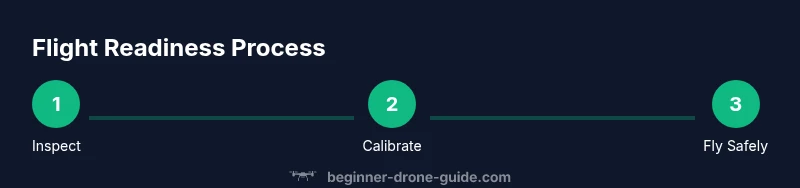
Before every flight, run through a concise preflight routine. Check the propellers for nicks or cracks and replace damaged blades. Calibrate the compass and IMU (inertial measurement unit) if your drone supports it; this helps the drone maintain stable flight and accurate navigation. Ensure GPS lock if applicable, then verify the return-to-home altitude is set above potential obstacles. A quick check of transmitter sticks and mode switches can save you from misfires mid-air. Finally, review your flight plan and reserve a clear landing area.
- Confirm visual line of sight and ensure the area is free of obstacles.
- Calibrate sensors only when prompted by the manufacturer’s app.
- Set an emergency stop or panic button as a backup.
Basic flight patterns and maneuvers
Start with the following beginner-friendly sequence: a gentle takeoff to a hover at a few meters, small forward movements, a slow circle to build situational awareness, and a controlled landing. As you gain confidence, practice yaw changes (turns in place) and maintain altitude with small throttle adjustments. Always revert to hover when unsure and use GPS-based hold if available. Keep sessions short, with frequent rest periods to review telemetry and plan the next session. Document your progress and gradually increase complexity.
- Hover stability is the foundation; master it before other maneuvers.
- Use gradual inputs to minimize drift and oscillations.
- End each session with a safe landing and post-flight check.
Troubleshooting common issues
Even experienced pilots encounter hiccups. If the drone drifts unexpectedly, check for compass interference, magnetism from nearby metal objects, or interference from other devices. If GPS is lost, switch to a suitable non-GPS mode if your model offers one, and avoid attempting advanced maneuvers until signal stabilizes. If you notice sluggish response, inspect the gimbal for interference and verify motor health. Regular maintenance, including cleaning and propeller replacement when worn, reduces risk during flights.
- Recalibrate after a hard landing or noticeable drift.
- Inspect props for chips or cracks and replace as needed.
- Update firmware to benefit from stability improvements.
Note: If you ever feel unsure, pause and reassess before continuing the flight.
How to progress: from beginner to confident flyer
Progression should be steady and deliberate. After mastering basic hovering, practice controlled east-west and north-south movements in short sequences. Introduce camera practice only after you’re consistently stable on the stick. Join local clubs or online communities to exchange tips and get feedback. Record and review flight footage to identify small timing adjustments. As your skills grow, try more challenging environments with wind considerations and slightly higher altitudes. The journey to becoming a capable pilot takes time, patience, and consistent practice.
Tools & Materials
- Drone (consumer-grade, GPS-enabled recommended)(Ensure it has protective guards and a basic return-to-home feature.)
- Controller/RC transmitter(Fully charge before practice; review mode switches and trim settings.)
- Spare batteries(Carry at least one extra battery for longer practice sessions.)
- Propeller guards(Helpful in tight spaces or for beginners learning holds.)
- MicroSD card(For storing flight data and videos if supported.)
- Smartphone/tablet with drone app(Used for telemetry, maps, and firmware updates.)
- Basic toolkit(Small screwdriver set, spare screws, and thread locker for maintenance.)
- Safe practice area (open space)(Clear of people, pets, and overhead wires; wind should be low.)
Steps
Estimated time: 30-45 minutes
- 1
Unbox and inspect
Remove the drone and accessories from the box. Visually inspect the frame for cracks, confirm propellers are intact, and check battery condition. This initial check prevents mid-flight surprises.
Tip: If anything looks damaged, don’t fly—replace or service before flight. - 2
Charge and prep
Fully charge the drone battery and controller. Install any required app updates and calibrate the compass if prompted. Have a charged spare battery ready.
Tip: Charge batteries in a cool, safe area away from flammables. - 3
Attach props and secure
Make sure propellers are properly attached and secure. Use this step to verify rotation direction matches your model’s guidance.
Tip: Tighten screws carefully to avoid over-torquing. - 4
Calibrate sensors
Calibrate compass and IMU per the manufacturer’s instructions to ensure stable flight, especially if you’ve moved locations.
Tip: Perform calibration in a wide open space away from metal objects. - 5
Preflight checks
Check GPS lock, link to the controller, throttle dead zone, and return-to-home altitude. Verify you have a clear takeoff area.
Tip: Enable a low battery warning to avoid a forced landing mid-flight. - 6
Takeoff to hover
Gentle throttle to lift off to a stable hover at a few meters. Maintain gentle sticks to avoid sudden drift.
Tip: Focus on keeping the drone centered and level during hover. - 7
Practice simple movements
Move forward slowly, then back, and circle lightly. Use small, controlled inputs and monitor telemetry.
Tip: Prefer GPS hold in early practice to minimize drift. - 8
Safe landing
Slowly reduce throttle to land in a flat, obstacle-free area. Power down after landing and perform post-flight checks.
Tip: Always end with a quick status check for next flight.
Frequently Asked Questions
Do I need a license to fly a drone as a beginner?
Licensing requirements vary by country. Many places require registration and adherence to safe piloting rules for recreational use. Check your local aviation authority for current guidance and any testing requirements.
Licensing depends on your country. Check your local aviation authority for whether you need registration or a test to fly legally.
What is the best way to learn safely as a beginner?
Start with a stable drone in GPS mode, practice hovering and straight-line flights in an open area, and gradually add turns and basic patterns. Use a checklist and gradual progression to build confidence.
Begin with GPS hover and straight flights in an open area, then add turns as you gain confidence.
How long does it take to become proficient?
Proficiency varies, but consistent practice over several weeks to months typically yields reliable control and predictable responses. Set weekly goals and review flight data to measure progress.
Most beginners see steady improvement over weeks with regular practice and goals.
What equipment matters most for beginners?
A stable, GPS-enabled drone; a charged spare battery; a clear flight space; and a reliable app for telemetry. Propeller guards are helpful for learning in tighter spaces.
Key gear includes a GPS drone, spare battery, a clear space, and a reliable flight app.
Can I fly near people or in parks?
Flying near people or in parks is often restricted. Always follow local rules and obtain permissions where required. Maintain line of sight and avoid crowds.
Follow local rules and avoid crowds; keep your drone in sight at all times.
What should I do if the drone loses signal?
If signal is lost, switch to the drone’s non-GPS mode if available, try to regain connection, and prepare for a controlled landing. If unable to reconnect, use the return-to-home feature if it’s within range.
If signal is lost, switch to non-GPS mode and try to land safely or use return-to-home if possible.
Is propeller protection necessary for beginners?
Propeller guards are highly recommended for beginners to reduce injury risk and propeller damage during learning, especially in confined spaces.
Prop guards help prevent damage and injuries while you learn.
Watch Video
Quick Summary
- Practice in safe, open spaces before complex maneuvers
- Master hovering before advanced flight
- Calibrate sensors and check batteries before every flight
- Use GPS hold and return-to-home to reduce risk
- Progress gradually and track your improvements