Why Does My Drone Flip Over? A Beginner's Troubleshooting Guide
Discover why drones flip over and how to fix common causes quickly. This beginner-friendly guide covers wind, calibration, props, and safe, step-by-step troubleshooting to fly smarter.


Most drone flips happen due to wind gusts, uncalibrated sensors, or unstable takeoffs. Start with a calm area, inspect propellers for damage, recheck motor direction, and perform a quick level calibration. If the issue persists, check for loose screws, update firmware, and rebind the controller. This quick guide helps you diagnose safely and prevent future flips.
Quick Reality Check: Why Drones Flip
Drones can flip for several reasons, but most beginner crashes come down to a few common factors: gusting wind, calibration drift, or damaged propeller. According to Beginner Drone Guide, the majority of flips happen before the drone is properly stabilized in takeoff. Start by choosing a calm, open area and performing a basic preflight check before every session. If you notice a slight tilt during hover, don’t push full throttle—gently reduce power and assess the flight controls. Recognize that flips are often a symptom of a broader setup issue rather than a single failed component, so approach fixes methodically.
Common Mechanical and Propeller Issues
Often the issue is mechanical. Inspect all propellers for nicks, cracks, or warping, and confirm they are correctly balanced and tightened. A loose blade or mismatched propeller can cause uneven lift and a flip. Check motor mounts and frame integrity for cracks. If any blade looks damaged, replace it with an identical spec part and recheck the motor direction. This stage is the easiest to test and usually yields quick wins, especially if you have spare blades handy.
Sensor, IMU, and Calibration: The Invisible Culprits
Modern drones rely on sensors to stay stable. If the IMU drifts, or GPS/compass readings are skewed, the drone can misinterpret orientation and flip. Perform a level calibration on a flat surface away from magnetic interference. Avoid calibrating near metallic objects, large metal furniture, or strong magnets. After calibration, rebind the controller if you see inconsistent responses. According to Beginner Drone Guide, sensor accuracy is foundational to stable flight, and small drift can translate into dramatic control errors over time.
Environmental Factors and Flight Setup
Even in calm conditions, weather and setup matter. Wind gusts, thermal currents, or a soft landing on uneven ground can trigger a flip. Ensure a level takeoff area, use a stable tripod stance, and keep the center of gravity balanced with a light payload. Check that batteries are seated securely and the drone's weight distribution is even. Proper preflight setup reduces unexpected flips dramatically and makes advanced maneuvers safer.
Firmware, Radio Link, and Power Considerations
Software bugs or outdated firmware can cause stability issues. Update to the latest firmware from the manufacturer, and ensure the transmitter and drone are properly linked. Check battery health; a sagging voltage or low current capability can reduce control authority. If the issue occurs after a firmware update, consult official guidance or rollback options when available. Firmware is the brain of your aircraft, and keeping it current avoids subtle stability faults.
Quick Fixes You Can Try Today (Low-Risk, High-Impact)
If your drone suddenly flips, start with easy, non-destructive steps: visually inspect props, ensure no dirt or ice; perform a gentle arm and propeller check for smooth rotation. Next calibrate IMU and compass on a level surface. Then tighten screws, verify prop orientations, and ensure arms aren’t bent. Rebind the controller and run a short hover test in an open area. If it still flips, stop and seek professional help. Keeping a log of when it happens helps identify patterns and prevents recurrence.
Steps
Estimated time: 30-60 minutes
- 1
Power down and inspect props
Power off the drone and remove the props if safe. Look for nicks, cracks, warping, or loose screws. Replace any damaged blades with manufacturer-approved parts and resecure all mounting hardware.
Tip: Handle blades slowly; ensure the drone is supported to avoid accidental blade contact - 2
Calibrate sensors on a level surface
Place the drone on a flat, level surface away from magnets and metal objects. Run IMU and compass calibration per your manual, then verify the drone stays level when powered on.
Tip: Avoid calibration near phones, metal tables, or high-voltage equipment - 3
Check motor direction and frame integrity
Power only with prop guards removed. Spin each motor by hand to feel for binding. Confirm all motors rotate in the correct direction and there are no cracks in the frame.
Tip: If a motor feels stiff, do not fly; replace before testing - 4
Test firmware and controller link
Update to the latest firmware and ensure the controller is connected. Do a quick preflight with a soft hover to verify control response is smooth.
Tip: Keep the test area clear of people and obstacles - 5
Rebalance payload and battery
Ensure the payload is evenly distributed and the battery is seated securely. An unbalanced load can shift the center of gravity and trigger flipping.
Tip: Use the same battery and payload during each test - 6
Safe, controlled test flight
Take off in a calm, open area and perform a short hover at a low altitude. Watch for smooth, predictable response before attempting higher or faster maneuvers.
Tip: If 2–3 seconds of hover show instability, land and reassess
Diagnosis: Drone wobbles, pivots, or flips during lift-off or hover
Possible Causes
- highWind gusts or air disturbances
- highIMU/Gyro or compass drift
- highDamaged or loose propellers
- mediumIncorrect motor direction or faulty ESCs
- mediumBad weight balance or payload shift
Fixes
- easyInspect propellers for damage and tighten all blade screws; replace damaged blades
- easyCalibrate IMU/gyros and compass on a flat, interference-free surface
- easyVerify motor directions and check ESCs for faultiness; replace if needed
- easyUpdate firmware and rebind the transmitter; test in calm air
- easyBalance payload and reseat the battery; recheck center of gravity
Frequently Asked Questions
Why does my drone flip during takeoff?
Flips at takeoff are usually caused by damaged props, miscalibrated sensors, or an uneven takeoff surface. Start with a propeller check, calibrate sensors, and test on a flat area with gentle throttle.
Flips at takeoff are usually due to damaged props or sensor miscalibration; start by checking props and calibrating sensors on a flat surface.
Can wind cause a drone to flip?
Yes. Wind gusts can destabilize small drones quickly. Fly in calm conditions, and enable gentle throttle control when wind is present.
Wind gusts can flip a drone, especially small models. Fly in calm air.
How often should I calibrate IMU?
Calibrate after firmware updates, crashes, or noticeable drift. Do it on a level surface away from magnetic interference.
Calibrate after updates or if you notice drift.
Is it safe to fly after a propeller strike?
No. After any propeller strike, inspect for cracks and replace damaged blades. Re-check motor mounts before resuming flight.
Do not fly after a prop strike until you inspect and replace damaged parts.
When should I seek professional help?
If troubleshooting feels overwhelming or the issue persists after checks, contact manufacturer support or a local drone technician.
If unsure after checks, seek professional help.
Watch Video
Quick Summary
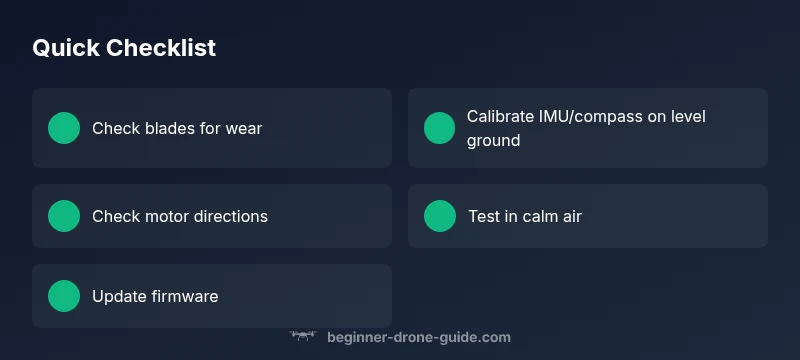
- Inspect propellers and screws for wear.
- Calibrate IMU and compass on a level surface.
- Fly in calm weather and balanced loads.
- Test hover after fixes in open space.