What to Do If Your Drone Gets Wet
A practical, beginner-friendly guide to recover a water-exposed drone, with step-by-step drying, safe testing, and prevention tips to fly smarter.


By following these steps, you’ll limit water damage and recover faster. You’ll power off immediately, remove the battery, dry the drone and connectors, then inspect for corrosion before a safe test flight. This guide answers what to do if drone gets wet with practical drying and testing tips. Follow these steps to reduce risk and preserve sensors, battery integrity, and flight control.
Why Water Damage is Serious for Drones
Water intrusion can corrode circuits, cause short circuits in connectors, and degrade the battery. Even tiny droplets can create hidden hotspots that lead to sensor errors or loss of GPS accuracy. According to Beginner Drone Guide, water exposure increases the risk of corrosion and electrical faults long after the drone dries. Because drones have compact, sealed electronics, moisture can migrate to critical areas via capillary action, making quick, careful drying essential.
Immediate Actions You Should Take (Within the First Minute)
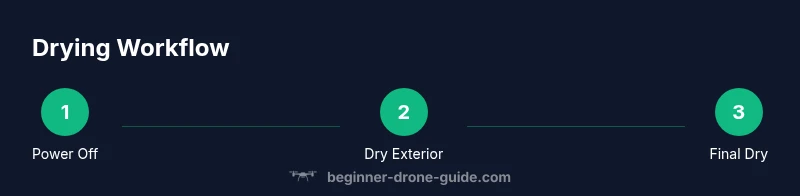
If your drone gets wet in the field, power off immediately and, if safe, remove the battery to cut power and prevent short circuits. Do not touch swollen or leaking cells. Remove removable memory cards and place the drone in a dry, ventilated area. Wipe the exterior gently with a microfiber cloth and avoid shaking aggressively to prevent spreading moisture.
What Not to Do Right After Getting Wet
Avoid applying heat (hairdryers, ovens) or fans on high speed, which can warp plastics or push moisture deeper. Do not charge the battery or power on the drone until fully dried. Avoid using solvents on sensors or electronics. Do not reassemble or reinsert connectors until you’re confident moisture is gone.
Drying and Cleaning: Safe Steps
Lay the drone on a clean towel in a dry, warm room with good airflow. Use desiccants (silica gel) around the unit and give it 24–48 hours to dry, checking periodically. If you can safely access connectors, use a soft brush to remove residue and a small amount of isopropyl alcohol on a lint-free cloth to clean corrosion-prone contacts. Do not oversaturate.
Battery Safety and Internal Components
Inspect the battery area for swelling, corrosion, or leakage. If the battery shows any signs of damage, do not reuse. Keep the battery away from heat sources during drying. Check the flight controller, GPS module, and IMU connectors for moisture when you re-open the case. Have a professional test the battery balance if you’re unsure.
Post-Drying Diagnostics and Testing
Before any test flight, perform a visual inspection for corrosion and loose connectors. Re-seat connectors, reinstall the memory card, and perform a low-risk dry run indoors without propellers to verify basic control responsiveness. If you have access to professional diagnostic tools, run a firmware check and sensor calibration after drying.
When to Seek Professional Help
If the drone fails to power on after drying, or you notice corrosion, looseness, or battery swelling, contact a certified repair technician or the manufacturer’s service center. Water damage can void warranties, so document the incident and your drying steps. Seek professional assistance if you’re unsure at any point.
Prevention: How to Avoid Water Damage in the Future
Always fly away from water, use a rain cover or splash guard, and store your drone in a dry case. After exposure to moisture, inspect gimbals, seals, and connectors regularly. Consider adding a basic moisture indicator near critical electronics. Practice safe landing in damp conditions and dry off the drone promptly after any splash.
Tools & Materials
- Microfiber cloth(Soft and lint-free for gentle drying)
- Desiccant packets (silica gel)(Place around the drone during drying)
- Isopropyl alcohol (90%)(For cleaning connectors - use with care)
- Soft brush(Remove residue from crevices)
- Compressed air can(Blow out moisture from tight spots)
- Screwdriver set (tiny Phillips/Torx)(To access internal connectors if needed)
Steps
Estimated time: 24-48 hours for drying; 60-90 minutes for reassembly and checks; 1 hour for a controlled test flight
- 1
Power off and remove the battery
Turn off the drone immediately and carefully disconnect the battery to reduce the risk of short circuits. If the battery appears swollen or hot, move away from the device and handled cautiously.
Tip: Act quickly but safely; ensure you’re in a dry area to avoid creating new hazards. - 2
Remove memory and external accessories
Take out the microSD card or other removable media and detach any accessories that could trap moisture. This helps prevent data loss and simplifies inspection later.
Tip: Keep removed parts in a dry, organized container. - 3
Gently pat dry exterior
Use a microfiber cloth to blot away visible moisture from the shell, ports, and seals. Avoid rough rubbing that could push water deeper into openings.
Tip: Do not shake the drone aggressively; vibration can drive moisture inward. - 4
Begin safe interior drying
If you can safely access the interior, place the drone in a ventilated area with desiccants around it to absorb moisture. Do not power on until dry. This step helps reduce hidden moisture.
Tip: Use a low-humidity room and avoid direct sunlight. - 5
Clean connectors with care
lightly wipe exposed connectors with a lint-free cloth dampened with a tiny amount of isopropyl alcohol. Do not saturate boards or connectors.
Tip: Only apply liquid to the cloth, never directly onto components. - 6
Air dry and expand drying time
Allow 24–48 hours for thorough drying in a dry, well-ventilated space. Check periodically for any signs of moisture reappearing.
Tip: Use fans to improve air circulation, not to heat the unit. - 7
Reassemble and inspect before testing
Reinstall memory card, reattach batteries/components, and perform a careful visual inspection for corrosion or loose parts before any test attempt.
Tip: If you see corrosion, do not power on—seek professional help. - 8
Test safely in a controlled environment
Power on in a safe, open space with protective props removed or with propellers attached only after you’re confident the unit is dry and functioning.
Tip: Start with a stationary hover indoors or in a large, clear area.
Frequently Asked Questions
Can a water-damaged drone be saved?
Often yes if you act quickly and dry thoroughly, but some damage may be permanent. Always inspect battery and connectors for corrosion before attempting power-on.
Yes, you can often save it if you dry it thoroughly and inspect for corrosion before powering on.
Should I remove the battery before drying?
Yes. Removing the battery reduces the risk of short circuits and further damage. Do not touch swollen or leaking batteries.
Yes, remove the battery to prevent shorts while drying.
How long should I dry a drone after water exposure?
Aim for 24-48 hours in a dry, ventilated area with desiccants. Wipe and check connectors periodically.
Dry for 24 to 48 hours in a well-ventilated area.
Is it safe to fly after drying?
Only after a professional inspection or thorough self-check confirms no moisture remains and no corrosion is present.
Only fly after a full dry and inspection confirms safety.
What should I do if the drone still won’t power on?
If it refuses to power on after drying, seek professional service. A failing battery may be dangerous.
If it won't power on after drying, seek professional help.
Watch Video
Quick Summary
- Power off immediately and remove the battery.
- Dry thoroughly before any test flight.
- Inspect connectors and the battery area for corrosion.
- Avoid charging until fully dry to reduce risk.