How to Use a DJI Drone: A Beginner's Guide
Learn to safely set up, fly, and capture footage with a DJI drone. This beginner guide covers preflight checks, controls, flight modes, safety practices, and basic post-processing.


You will learn how to safely set up a DJI drone, power on, connect the controller, calibrate sensors, and perform basic flights. The guide also covers preflight checks, weather considerations, and safe landing practices.
Before you start: safety, legality, and readiness
If you’re asking how to use a DJI drone, safety, legal compliance, and personal readiness come first. This stage focuses on planning, awareness, and building a safe habit from day one. According to Beginner Drone Guide, understanding applicable rules and a calm piloting routine reduces risk and accelerates learning. Check local regulations for registration, airspace restrictions, and permissions in your flight areas. Practice in wide-open, obstacle-free spaces away from people, roads, and vehicles. Weather matters: wind gusts can affect stability, so choose days with light, steady conditions. Perform a quick visual inspection of the aircraft: intact propellers, secure screws, clean lenses, and no visible damage. Have a flight plan that covers takeoff, flight, and landing, and decide whether you’ll fly recreationally or for basic footage; start low and hover before attempting advanced maneuvers.
Getting set up: gear and apps
Before you can answer how to use a DJI drone, assemble the essential gear and install the right apps. You’ll need the drone itself, a compatible smartphone or tablet, and the controller with its charging cable. Ensure spare propellers and at least one extra fully charged battery. Install the DJI Fly app from the official store and create a basic account. Adjust screen brightness for comfort, disable distracting notifications, and enable Do Not Disturb during flight. Pair the controller to the drone following on-screen prompts and verify a solid connection with the status indicators. Confirm you have a safe, legal place to fly and a charged battery ready for the first session.
Understanding the DJI Fly app interface
The DJI Fly app is your primary interaction point for setup, live feed, and camera controls. Familiarize yourself with the home screen, status indicators (GPS, battery, and compass), and quick access to camera settings. Use the map view to monitor wind direction, no-fly zones, and safe landing zones. Access the safety and help sections to review geofencing alerts and firmware status. For a beginner, start with the basic camera mode and automatic exposure settings, then slowly experiment with white balance, ISO, and shutter speed as you gain confidence.
Flight modes and when to use them
DJI drones offer several flight modes, each suited to different scenarios. Positioning mode provides GPS-assisted stability and obstacle avoidance, ideal for beginners. Portrait mode focuses on smoother vertical framing for social media, while Sport mode increases speed and agility for dynamic shots. Follow Me keeps the drone aligned with you, and Waypoints lets you plan a route in advance. Start with Positioning mode in a calm environment, then gradually test other modes as you master the basics.
Preflight checklist and calibration steps
A solid preflight routine helps ensure reliable control and safe flights. Confirm firmware is up to date, the battery is charged, and the propellers are undamaged and correctly installed. Calibrate the compass and IMU if prompted, and ensure the Home Point is set to your current location. Enable Airsense/ADS-B alerts if your model supports them. Verify that the return-to-home altitude is above potential obstacles. Finally, check the weather again and confirm clear visibility and a stable signal before takeoff.
Basic controls: flight basics
Begin with the very basics: takeoff, hover, and gentle directional movement. The left stick usually controls altitude and yaw, while the right stick handles forward/backward and left/right movements. Practice small, slow maneuvers to build muscle memory and avoid abrupt moves that could destabilize the drone. Always maintain line-of-sight and monitor the screen for obstacle warnings. As you become comfortable, gradually introduce gentle turns and smoother transitions.
Safety, geofencing, and airspace awareness
Safety is more than a checklist; it’s a mindset. Respect local airspace restrictions and no-fly zones, and understand how geofencing can restrict you in certain areas. Stay away from crowds, vehicles, and critical infrastructure. Maintain visual line of sight, avoid flying in adverse weather, and always have a plan to land quickly if something goes wrong. Regularly review the drone's safety guide and firmware updates to prevent avoidable incidents.
Planning shots: composition and camera settings
Think like a photographer: frame your subject, consider the foreground, midground, and background, and plan for smooth camera movement. Use the drone’s camera presets or manual controls to manage exposure, white balance, and shutter speed. Move slowly to maintain cinematic parallax and avoid abrupt transitions. Scout locations in advance and create a shot list to maximize what you capture within your flight time.
Battery care and flight time optimization
Battery management is crucial for safe, productive flights. Fully charge batteries before each session and use a balanced charging routine. Carry spare batteries and keep them at moderate temperatures; avoid exposing them to extreme heat or cold. Plan flights with conservative estimates of remaining power and always designate a safe landing site where you can return with power to spare. Proper storage and maintenance extend battery life and reliability.
Troubleshooting common issues
Expect minor hiccups like GPS signal fluctuations, controller lag, or brief video stutters. If GPS is weak, re-enter an open area and recheck satellites. If the connection to the controller wobbles, relaunch the app or reboot the drone and controller. For camera or gimbal issues, reset to default camera settings and check for firmware updates. If problems persist, consult the manufacturer’s troubleshooting guide.
Maintenance, updates, and storage
Regular maintenance keeps your drone reliable. Clean sensor and lens surfaces after flights, inspect propellers for wear, and tighten any loose screws. Install firmware updates promptly and back up important flight data. When not in use, store batteries at a partial charge in a cool, dry place, and protect the drone from dust and moisture with a protective case.
Next steps: practice, licensing, and ongoing learning
As you gain experience, continue practicing in progressively challenging environments. If you plan commercial work, research local licensing requirements, registration, and insurance. Join beginner-friendly communities or online courses to exchange tips and stay updated on new firmware features. With consistent practice and mindful safety, you’ll build confidence and fluency in how to use a DJI drone.
Tools & Materials
- DJI drone(Model must be functional with camera and gimbal safety checks completed)
- Smartphone/tablet(With DJI Fly app installed and up-to-date)
- Controller with mount and cable(Charge before flight; ensure secure phone connection)
- Spare propellers(In case of wear or damage)
- Additional charged batteries(Carry at least one extra for extended sessions)
- MicroSD card for storage(Class 10 or higher for reliable video capture)
- ND filter set (optional)(Helps control exposure in bright light)
- Power bank(For charging on the go if needed)
- Flight log notebook (optional)(Track flights and learnings)
Steps
Estimated time: 20-40 minutes
- 1
Power on and connect
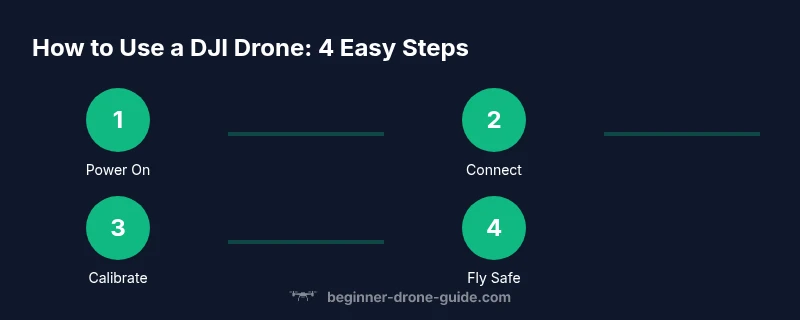
Turn on the drone first, then the controller. Wait for the status indicators to confirm a secure connection and GPS lock. This establishes reliable control and stabilization before any movement.
Tip: Verify the home point is correct and the screen shows a healthy GPS signal. - 2
Charge and install battery
Ensure the battery is fully charged and properly seated in the drone. Attach propellers if they were removed for transport, making sure they are matched to the correct motors.
Tip: Never operate with loose or mismatched propellers; a mismatch can cause instability. - 3
Open DJI Fly app
Launch the DJI Fly app, sign in, and connect to the drone. Confirm camera settings and video mode are set to your preference before takeoff.
Tip: Check that there are no firmware prompts pending in the app. - 4
Calibrate compass/IMU
If prompted, perform compass and IMU calibration in a calm outdoor area away from metal objects or tall structures. This reduces drift during flight.
Tip: Move the drone slowly in the recommended figure-eight pattern during calibration. - 5
Unlock and set RTI altitude
Unlock the drone and set a safe Return-to-Home altitude high enough to clear trees and buildings in your vicinity.
Tip: Set a conservative RTI altitude for beginners until you’re confident with obstacle avoidance. - 6
Choose flight mode
Start in Positioning (GPS) mode for steady hovering. Avoid starting in Sport mode until you are comfortable with basic controls.
Tip: Practice hovering at a few meters above ground before moving laterally. - 7
Takeoff and hover
Gently raise off to a safe hover height. Maintain steady input and watch for drift in light winds. Confirm distance from obstacles on all sides.
Tip: Keep one hand near the throttle for immediate control in case of sudden gusts. - 8
Plan a simple route
Define a straight-line or small loop route and practice basic forward/backward and lateral movements along it. Pause to check the live feed and adjust framing as needed.
Tip: Use low altitude first to minimize risk during route practice. - 9
Land and power down
Return to a clear landing zone, slowly descend, and power off both drone and controller. Remove batteries if not storing immediately.
Tip: Always inspect propellers and gimbal after landing for any signs of stress.
Frequently Asked Questions
Do I need a license to fly a DJI drone?
Licensing requirements vary by country. Some places require registration and a permit for commercial use, while hobby flying may be allowed under general rules. Always check local aviation authority guidance before flying.
Licensing depends on your country. Check your local aviation rules for registration and permits, especially for commercial use.
What safety gear should I use with a DJI drone?
Standard safety practice includes choosing open areas, keeping line of sight, and using the drone’s built-in safety features like obstacle detection and geofencing. Weather-appropriate preparation also matters.
Fly in open spaces, stay in sight, and use built-in safety features along with good weather planning.
How do I update firmware on a DJI drone?
Firmware updates are done through the DJI Fly app or DJI's desktop tools. Ensure the drone is connected, the battery is charged, and you have a stable internet connection during the update.
Use the DJI Fly app to update firmware whenever prompted, with a charged battery and stable connection.
Can I fly indoors with a DJI drone?
Some models offer indoor flight modes, but indoor flying is generally more challenging due to limited GPS and obstacles. If you must fly indoors, use a simulator or very wide, obstacle-free spaces and low speeds.
Indoor flight is harder due to limited GPS. Use a simulator or a very spacious, obstacle-free area if you must.
How far can a DJI drone typically fly?
Ranges depend on model and environment; consumer DJI drones often support several kilometers in open air, but practical range is limited by signal, battery, and safety considerations. Always stay within visual line of sight.
Range varies by model; always fly within visual line of sight and follow safety rules.
What flight modes should beginners start with?
Beginners should start with Positioning or GPS-assisted modes for stability and safe takeoffs, then gradually explore additional modes like Follow Me and Waypoints as confidence grows.
Start with GPS-stabilized modes for safety, then expand to other modes as you gain experience.
Watch Video
Quick Summary
- Plan safety as a prerequisite to flying.
- Master preflight checks and firmware status.
- Practice in open spaces before complex shots.
- Understand flight modes and their best-use cases.
- Regular maintenance extends drone life and performance.