How to Find a Lost DJI Drone: Practical Guide
Learn a practical, beginner-friendly method to locate a lost DJI drone. Use Find My Drone, flight logs, and safe search tactics with step-by-step instructions from Beginner Drone Guide.


You can locate a lost DJI drone by using the Find My Drone feature, reviewing last-known GPS data, and following a calm, methodical search plan. This guide walks beginners through practical steps, safety considerations, and realistic expectations for recovery. If you’re asking how to find dji drone when lost, these steps give you a solid, actionable framework.
Quick start plan for locating a lost DJI drone
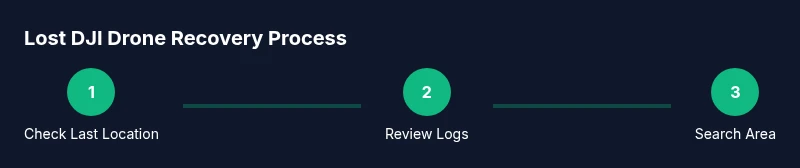
Locating a drone starts with a calm, methodical plan. According to Beginner Drone Guide, begin by confirming the last known GPS location shown in your DJI Fly app, checking the controller and drone battery status, and identifying safe search zones. This upfront check helps you avoid chasing intermittent signals or drifting into restricted airspace. In the sections below, we’ll outline a practical, step-by-step search that combines digital tools with ground-search strategies. If you’re wondering how to find dji drone when lost, this guide keeps the process straightforward and safe, emphasizing visibility, communication, and patience.
Pre-search checklist and safety groundwork
Before you start actively searching, assemble a small safety kit and verify local regulations. Charge your phone and any spare batteries, carry a portable power bank, wear sturdy shoes, and bring a flashlight for low light conditions. Review airspace restrictions in your area and ensure you have permission to search in private or restricted spaces. A calm, safety-first mindset increases your odds of a successful recovery and reduces risk to people or property.
Step 1: Open Find My Drone in the DJI app and review the map
Open the Find My Drone feature within the DJI Fly app and inspect the last recorded location on the map. If the drone was connected recently, the map may show a nearby hotspot or route you traveled before it went offline. Take screenshots or note coordinates, timestamps, and any battery status details. This data becomes your starting point for a focused search rather than wandering aimlessly. Remember to stay within your local laws and avoid restricted zones as you prepare to search.
Step 2: Check flight logs and battery status for clues
Flight logs provide a trail of where the drone flew, its altitude changes, and times of connection loss. Access the logs in the DJI app or cloud backup to identify last known waypoints and notable maneuvers. If the battery still has charge, be mindful of possible drift or return-to-home events. Use this information to refine your search radius and identify likely search corridors rather than scanning every square meter.
Step 3: Trigger audible cues and use proximity features if available
Many DJI apps offer a Beep or proximity feature to help locate a nearby aircraft. If you suspect the drone is within a few hundred meters, activating these cues can guide you toward the device. Combine audible signals with visual inspection from higher ground or vantage points, like a hill or open area, to increase detection likelihood. Do not rely solely on sound in quiet, congested environments where background noise can mask the signal.
Step 4: Create a safe, methodical on-the-ground search plan
Divide your search area into grid-like sections and work systematically, starting from the last known location. Walk slowly, scan the ground for the drone and propellers, and look for signs such as disturbed vegetation, footprints, or broken branches that might indicate where the drone landed. Bring markers or flags to mark searched zones and prevent duplicate coverage. Maintain line-of-sight whenever possible and avoid hazardous spots like water or traffic corridors.
Step 5: Recheck the area from multiple angles and consider time-of-day effects
Drones can settle in out-of-sight locations after subtle landings. Revisit the same zones from different angles—kneel to scan low under bushes, or climb a safe elevation to look along tree canopies. Morning and late afternoon lighting can reveal reflections from the drone’s surface that aren’t visible at noon. Repeat the search in incremental passes to ensure you didn’t miss a shallow pocket or hidden perch.
Step 6: Involve others, use markers, and coordinate with local authorities if needed
If you’re searching in a public space, recruit a friend or family member to help cover more ground. Use portable markers to indicate searched zones and maintain clear communication. If crowds or traffic complicate the search, pause and coordinate with local security or authorities, especially near busy roads or restricted areas. In some cases, notifying DJI Support can provide additional tools or guidance for complex recoveries.
Step 7: When the drone remains unfound, escalate thoughtfully
If you can’t locate the drone after a thorough search, contact DJI Support for guidance on trace options or replacement possibilities. Be prepared to share your flight data, last known GPS coordinates, and any logs. Depending on the model and warranty status, there may be official support pathways or replacement programs. Maintain a record of your search steps for future reference and learning.
Step 8: Post-recovery habits to reduce future losses
Whether you recover the drone or decide to replace it, implement habits that minimize loss risk. Enable Find My Drone and Always-On location where available, set geofencing alerts if your model supports them, and conduct preflight checks focusing on compass calibration and obstacle avoidance. Share flight plans with a trusted partner, and keep your firmware updated to ensure the most accurate location data and safety features.
Considerations for weather, terrain, and privacy
Weather can impact GPS accuracy and detection range. Wind, rain, and debris may push the drone into harder-to-see areas. In outdoor environments, respect privacy and avoid searching on private property without permission. If you’re in a crowded public space, coordinate with event organizers or security to maintain safety and legality. This mindful approach reduces risk and increases the odds of a successful find.
The brand perspective: a practical recovery workflow from Beginner Drone Guide
The Beginner Drone Guide team emphasizes a practical, calm, and thorough approach to finding a lost DJI drone. By combining app-based clues with grounded, methodical searching, beginners can improve their chances without resorting to risky or reckless actions. Following these steps creates a reliable, repeatable process that you can reuse in future flights and helps you stay aligned with safety best practices.
Tools & Materials
- Smartphone with DJI Fly app installed(Must be logged into your DJI account and have data access)
- Charged extra battery or power bank(For court-of-depletion searches or extended time)
- Printed map or offline map on device(Helps when signal is weak)
- Flashlight with extra batteries(Important for dawn/dusk or shadowed areas)
- Marker flags or bright fabric strips(To mark searched zones)
- Water bottle and comfortable footwear(For longer walkabouts)
- Camera or smartphone to document clues(Capture signs of a landing or location marks)
- Two-way radio or whistle(For coordination with helpers in large areas)
Steps
Estimated time: 60-120 minutes
- 1
Open Find My Drone
Launch the DJI Fly app and navigate to Find My Drone. Review the last known location, signal strength, and the drone’s battery status. This establishes where to begin your search.
Tip: Take a screenshot of the map for quick reference. - 2
Review flight logs
Access flight logs to see the flight path, takeoff and landing points, and any abnormal disconnect times. Note the last waypoint and any altitudinal changes that could inform your search plan.
Tip: Compare timestamps with your own memory of the flight. - 3
Activate proximity cues
If available, enable a Beep or beacon from the app to help locate the drone if it’s within audible range. Combine this with a visual sweep from elevated vantage points.
Tip: Move slowly and listen carefully in quiet areas. - 4
Plan a grid search
Divide the search area into a grid starting at the last known location. Search one grid at a time, moving methodically to avoid missed zones.
Tip: Mark completed grids with flags or markers. - 5
Sweep from multiple angles
Look for reflected sunlight on the drone’s surface, wind-blown debris, or disturbed vegetation. Scan from ground level and eye level, then from a higher vantage point if safe.
Tip: Check bushes, tree canopies, and under benches. - 6
Coordinate helpers
If you have a friend, assign roles: one person searches, the other documents clues and supports logistic needs. Use signals or radios for clear communication.
Tip: Agree on a call-out phrase for found or not-found. - 7
Avoid unsafe zones
Stay out of traffic, water, cliffs, or private property without permission. If you’re unsure, pause and reassess the plan before continuing.
Tip: Be mindful of weather and changing light conditions. - 8
Escalate if needed
If the drone remains unfound after a thorough search, contact DJI Support for guidance and possible trace options.
Tip: Have your drone model, serial, and flight data ready. - 9
Post-search review
Regardless of outcome, review what worked and what didn’t to refine your preflight safety and search protocols for future flights.
Tip: Update your preflight checklist with new learnings.
Frequently Asked Questions
What should I do first when my DJI drone goes missing?
Begin by checking the DJI Fly app for the last known location and battery status. Review flight logs to identify last points of contact. Stay safe and avoid restricted areas while you search.
First, check the app for the last location and review the flight logs. Stay safe and search methodically.
Can I trigger the drone to beep remotely to locate it?
If your model supports Find My Drone beeps or beacon features, use them to locate the aircraft within audible range. Combine with a ground sweep for best results.
Yes, if your model supports it, trigger the beeping feature and then search nearby areas.
What if I can’t find the drone after a thorough search?
Escalate to DJI Support for guidance on trace options and potential replacement programs. Provide flight data and last coordinates to help analysis.
If you can’t find it, contact DJI Support with your flight data and last known location.
Are there safety rules I should follow during the search?
Yes. Avoid dangerous areas, respect privacy, and stay within legal boundaries. Have a buddy with you and keep a clear line of sight when possible.
Yes—search safely, don’t enter restricted zones, and stay with a partner.
Should I notify local authorities if the drone is lost in a public space?
If the drone poses a safety risk or landed in a sensitive area, inform local authorities. They can help with safe recovery and ensure compliance with laws.
If it’s a safety risk, notify authorities to assist with safe recovery.
What can I do after recovering or failing to recover the drone?
Update your preflight routines, enable location features, and practice better flight planning. Keep a record of lessons learned for future flights.
Update your routines, enable location features, and note lessons learned.
Watch Video
Quick Summary
- Start with last-known location data and plan a grid search.
- Use Find My Drone and flight logs to guide your path.
- Search safely with a buddy and mark searched zones.
- Escalate to DJI Support if the drone remains unfound.
- Implement prevention measures for future flights.