How to Drone: A Practical Beginner's Guide
Learn how to choose a beginner drone, fly safely, and stay compliant with local rules. This step-by-step guide covers setup, calibration, basic maneuvers, and ongoing practice for confident, responsible drone use.


You will learn how to choose a beginner-friendly drone, perform essential pre-flight checks, fly safely, and stay within local rules. This guide covers setup, calibration, basic flight controls, and real-world tips to avoid common mistakes. Reading this will help you build confidence and reduce risk while enjoying aerial creativity. Begin with small, legal flights and progress as you gain experience with Beginner Drone Guide.
Why learning to drone safely matters
Safety isn’t just a formality—it's the foundation of every successful flight. As a beginner, you’ll gain confidence more quickly when you start with solid safety habits, clear limits, and respect for others' space. According to Beginner Drone Guide, safety sets the foundation for every flight and helps you enjoy consistent results without scaring people or damaging property. By building a routine that prioritizes weather awareness, pre-flight checks, and controlled airspace, you’ll reduce risk and learn faster. This mindset supports you through windy pockets, busy parks, and changing light conditions. Remember, responsible flying protects bystanders, preserves access to airspace, and keeps you learning rather than chasing mistakes.
In practice, safety means planning before you lift off: pick a safe location, respect privacy, and review the day’s weather and visibility. Small, deliberate steps—like checking the wind, calibrating sensors, and verifying battery health—compound into big gains in control and reliability. Early flights should be short, low, and in open areas where you can recover quickly if something goes wrong. The result is steadier footage, longer learning sessions, and fewer incidents that interrupt your progress.
What you’ll need: gear, registrations, and safety basics
Embarking on your drone journey means assembling a practical kit and understanding the rules that govern flight. For beginners, a stable, beginner-friendly drone with GPS, stable hover, and Auto Return is ideal. You’ll also want a compatible controller, charged batteries, and spare propellers. If you fly indoors at first, consider propeller guards and a smaller model to reduce risk. In addition to hardware, registration or operator licensing may apply in your country—check local regulations before you fly. This section highlights the essentials and how to verify you’re compliant from day one. The goal is to build a reliable baseline so your learning curve stays smooth rather than steep.
A quick tip: keep a simple pre-flight checklist and use a dedicated space for practice. This reduces cognitive load and helps you focus on the core skills that build muscle memory.
Pre-flight setup and calibration
Pre-flight setup is where most beginners gain confidence or encounter their first surprises. Start by charging batteries fully and inspecting the propellers for nicks or cracks. Bind the controller to the drone and verify stick inputs are intuitive. Power up and check GPS lock; a stable lock is your compass for stable hover and accurate return-to-home. Calibrate the IMU (inertial measurement unit) and compass if your drone prompts you, especially after a firmware update or a hard reset. Calibration aligns the drone’s sensors with the world, which is essential for predictable movement and safe landing. Finally, review the flight mode, recommended max altitude, and geofencing boundaries in the app. This step-by-step routine reduces drift and helps you recover quickly from small deviations.
Basic flight controls and essential maneuvers
Understanding core controls is the foundation of flight proficiency. The left stick typically controls throttle and yaw (rotation), while the right stick handles pitch and roll (forward-backward and side-to-side movement). Practice smooth takeoffs, gentle hovering, and small, incremental movements to avoid sudden shifts. As you gain control, introduce basic maneuvers: hover at a fixed point, move in a square or circle, and practice slow transitions between directions. Always maintain Visual Line of Sight and fly at a conservative altitude until you’re confident with latched GPS stability and wind handling. Recording practice flights helps you analyze motion and identify drift sources for continuous improvement.
Real-world tips, common mistakes, and safety habits
Real-world flying reveals the realities of wind gusts, battery drain, and signal interference. A common mistake is overestimating your range or relying on failed GPS during mid-flight. Build a habit of checking the battery level every few minutes and watching for propeller exposure or unusual noises. When possible, fly in wind conditions that you can comfortably manage, gradually increasing your exposure as your skills grow. Remember the Know Before You Fly principles: stay clear of people, property, and restricted airspace. Based on Beginner Drone Guide Analysis, 2026, beginners often underestimate wind and wind-related drift. Stay conservative, review the weather, and plan emergency landing options before lifting off. A practical mindset—practice, observe, and adapt—will make your flights safer and more enjoyable.
Choosing your first drone: buying guide for beginners
Selecting your first drone is a balance between features, reliability, and cost. Look for models with stable GPS, automatic return-to-home, obstacle sensing (if available), good battery life, and a forgiving control response. Avoid aggressive racing drones for now; they require advanced handling and more space. Consider the weight and size; lighter, smaller drones are easier to maneuver indoors and in parks. Assess camera quality if you plan to capture footage, but prioritize flight stability and safety features first. Budget for spare props, extra batteries, and a basic carry case. Finally, ensure the drone’s firmware is actively supported and the manufacturer provides thorough setup guidance.
Next steps and ongoing practice
Learning to drone is a journey, not a single achievement. Schedule regular practice sessions, gradually expanding your comfort zone while revisiting safety checks. Create a simple progression plan: hover in place, then fly short distances, then attempt gentle figure shapes, and finally introduce timed flights and basic waypoint planning in open spaces. Join local clubs or online communities to share experiences, request feedback, and stay updated on rules and best practices. The more you practice with purpose, the faster you’ll develop precision, confidence, and enjoyable, safe flying habits.
Tools & Materials
- Drone (beginner-friendly, GPS-enabled)(Choose a model with stable hover and beginner safety features)
- Remote controller(Fully charged, paired with the drone)
- Spare propellers(Two sets per drone is practical)
- Charged batteries(Keep at least one spare for practice)
- MicroSD card(For saving video footage)
- Phone or tablet with drone app(Install and update the official app)
- Propeller guards(Useful for indoor or tight-space practice)
- Registration documents(Carry as required by your region)
Steps
Estimated time: 60-90 minutes
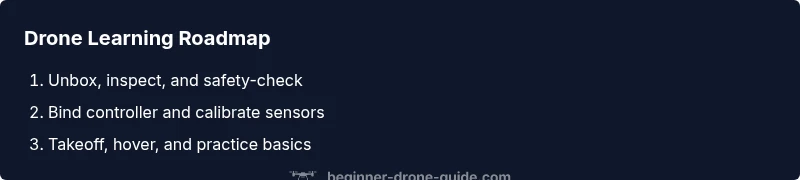
- 1
Unbox and inspect
Carefully remove the drone, controller, and accessories. Look for any visible damage, loose screws, or loose cables. This prevents distractions during setup and confirms everything you need is present.
Tip: Check for packaging residue that could snag a propeller during flight. - 2
Attach propellers and battery
Install propellers correctly (match color or marks) and secure the battery. Ensure the motors spin without obstruction when powered briefly.
Tip: Always verify propeller orientation before first power-on. - 3
Bind controller and drone
Power on the drone first, then the controller, and follow the binding prompts in the app. Confirm that all axis respond with neutral input.
Tip: Perform a quick stick test to confirm responsive controls before leaving the ground. - 4
Calibrate sensors
Calibrate IMU and compass as prompted. This aligns sensors to the real world and improves stability and GPS reliability.
Tip: Do calibration in a low-dust environment with level ground. - 5
Check GPS and geofence
Wait for a solid GPS lock and review any geofence or altitude limits in the app. A stable GPS makes takeoff smoother and prevents drift.
Tip: If GPS is slow to lock, move to an open area away from tall structures. - 6
Conduct a controlled takeoff and hover
Lift off slowly in a clear area and hover at a few feet. Observe drift and adjust controls gently to maintain position.
Tip: Keep the throttle gentle to avoid sudden climbs. - 7
Practice basic maneuvers
Move forward, left, right, and backward with smooth inputs. Practice turning (yaw) and maintaining steady altitude.
Tip: Use small, incremental movements to build muscle memory. - 8
Post-flight checks and data
Power down safely, inspect for wear, and log any issues. Review your flight to identify drift or control delays.
Tip: Note any battery sag or motor warmth for future sessions.
Frequently Asked Questions
Do I need a license to fly a drone as a beginner?
Licensing requirements vary by country. Many jurisdictions require registration or a knowledge test for specific uses, while purely recreational flying may be allowed under certain conditions. Always check your local aviation authority for current rules before you fly.
Check your local regulations—many places require registration or a test, especially for commercial use.
What is the safest drone for beginners?
Choose models with strong stability features, GPS positioning, and automatic return-to-home. Avoid high-speed or aggressive drones until you’re comfortable with basic controls.
Pick a drone with GPS stability and return-to-home to reduce risk.
What should I do before every flight?
Inspect the battery, propellers, and the frame for damage. Verify GPS lock, calibrate sensors if prompted, and review airspace and weather conditions.
Do a quick pre-flight check before every flight.
Can I fly indoors with a drone?
Indoor flights are possible with small, lightweight drones and propeller guards. Ensure you have enough space, and keep the drone in line-of-sight at all times.
Yes, but stay in a big, obstacle-free space and use guards if available.
How do I register my drone?
Registration rules differ by country. Contact your national aviation authority and follow their process for registering your drone and operator.
Check with your national aviation authority for registration steps.
What should I avoid during early flights?
Avoid crowds, airports, and restricted airspace. Fly in good weather and away from wildlife; keep flights short while you learn.
Avoid crowds and restricted areas during early flights.
Watch Video
Quick Summary
- Practice regularly and prioritize safety.
- Master pre-flight checks and calibration before every flight.
- Progress gradually from hover to basic maneuvers.
- Know local rules and fly responsibly; The Beginner Drone Guide team recommends ongoing education.