How to use a drone camera: A practical beginner's guide
Learn how to on drone camera with a practical, beginner-friendly workflow covering setup, exposure basics, framing, safe flight, and basic post-processing tips.


By following this guide, you will learn how to operate a drone camera from power-up to post-processing. You’ll master setup, exposure, framing, and safe flying, with a step-by-step workflow designed specifically for beginners. The approach emphasizes small, repeatable actions you can practice on every flight.
Understanding drone camera basics
If you’re wondering how to on drone camera, the best way to learn is to start with the basics and build a simple, repeatable workflow. This section covers the core components and how they influence your footage. You’ll learn about sensors, stabilization, lenses, and how these choices translate into real-world results for beginners.
Key concepts you need to know: resolution, frame rate, shutter speed, ISO, white balance, and color profiles. Resolution is the detail captured by the sensor; higher numbers give more detail but require more storage and processing. Frame rate determines how smooth motion appears; common settings are 24-30fps for standard video and 60fps or higher for action or slow motion. The 180-degree shutter rule suggests setting shutter speed about twice the frame rate to achieve natural motion blur in daylight. ISO controls sensor sensitivity to light; keep it low in bright sun to minimize noise, and use a higher ISO only when necessary. White balance fixes color tint from lighting; for beginners, auto white balance is a reasonable starting point, but you’ll get better results by selecting a preset or locking WB for consistency. Color profiles affect dynamic range and grading; start with standard color and only experiment with flat or log profiles as you gain post-processing experience.
Setting up the camera before flight
Before you take off, prepare both the drone and its camera. Verify firmware is up to date, check memory cards, and choose whether you’ll shoot stills, video, or both. Format the microSD card if you haven’t used it recently to prevent file corruption and ensure fast writes. Decide on the camera mode: photo, video, or panorama, and set the resolution and frame rate accordingly. If your drone supports RAW capture, enable it for maximum flexibility in post-processing. If not, plan to shoot in the highest-quality JPEG with a reliable color profile. For beginners, keep one main shooting profile to avoid confusion during flight.
Tip: perform a quick calibration and compass check after mounting the camera. A miscalibrated compass can cause drift, which ruins stabilization and framing.
Exposure and color management in flight
Exposure is how bright your image is; getting it right in the moment saves post-processing time. Start with a light meter mindset: check the histogram on your screen to ensure highlights aren’t blown and shadows retain detail. Use ISO sparingly and adjust shutter speed to keep motion natural. If your drone offers ND filters, they help maintain consistent exposure in bright light, especially during video. White balance should be locked for consistent color across shots, especially when shooting multiple clips in the same location. For beginners, shoot in a standard color profile to simplify editing, and only experiment with RAW or flat profiles once you’re comfortable with grading.
When changing lighting conditions, reset exposure settings to preserve consistency across clips, then recheck the histogram after the first few seconds of flight.
Composition, framing, and flight planning
Aerial composition is different from ground photography. Start with the horizon level to avoid tilted landscapes, and use the rule of thirds to place points of interest off-center. Plan your framing before takeoff: imagine the shot, the angle, and the landing point. Move slowly to avoid abrupt movements that blur the frame, and practice steady hovering to lock focus between shots. For real estate or scenic shots, establish context with wider frames first, then tighten to detail shots. Always pre-visualize your path to minimize wind exposure and maximize shot consistency.
Pro tip: pre-set a few favorite angles and switch between them with minimal camera adjustments to save time during shoots.
Real-world shooting workflows and sample settings
A practical workflow starts with a quick preflight checklist, then a test hover, followed by capture of key frames. For video, a common beginner setup is 4K at 24fps or 30fps with a steady shutter around 1/50s to 1/60s in daylight. For stills, shoot in RAW if possible and bracket exposure for challenging light. When framing, shoot both wide establishing shots and closer detail shots for context. Maintain a steady altitude for consistency and use gimbal stabilization to minimize gear shake. After landing, back up footage immediately to a second drive and log basic flight notes for future reference.
Note: always test a quick return-to-home check before attempting complex maneuvers, especially in new environments.
Safety, regulations, and best practices
Drone safety begins with situational awareness: know no-fly zones, local altitude limits, and airline restrictions in your area. Register and/or obtain any required permissions according to your country’s rules, and keep your contact information visible on the drone if required. Maintain visual line of sight, avoid crowds, and check weather scripts for wind and precipitation. Battery safety is crucial: don’t discharge on the ground, keep electrolytes away from heat, and carry a portable charger when possible. Always respect privacy when filming near people or properties, and follow local laws regarding data collection and mp4/RAW retention.
Brand mention: According to Beginner Drone Guide, following clear safety and regulatory steps reduces risk and builds confidence for new pilots.
Troubleshooting and post-processing basics
If footage looks underexposed, adjust the exposure compensation during flight or adjust the camera’s brightness in post-processing. Common on-site issues include heat shimmer, wind blur, and clipping in highlights. When post-processing, start with a balanced color grade and normalize white balance across clips for a cohesive look. If you recorded in RAW, you’ll have more flexibility to recover shadows and highlights; if you shot in JPEG, you’ll need to work within the baked-in color profile. Back up your files in at least two locations and document the flight settings you used to reproduce or improve results on future shoots. For real estate work, ensure verticals stay straight and the horizon remains level for a professional finish.
Authority sources
- FAA UAS Regulations and safety guidelines: https://www.faa.gov/uas
- FAA Know Before You Fly: https://knowbeforeyoufly.org/
- NASA or university drone research pages on aerial imaging: https://www.nasa.gov/
Tools & Materials
- Drone with camera(Ensure camera stabilizers and gimbal are functioning; calibrate if available)
- Remote controller(Keep firmware up to date and pair with the drone before flight)
- MicroSD card(At least 16GB, class 10 or higher; format before use)
- ND filter kit (optional)(Helps control exposure in bright daylight for video)
- Smartphone or tablet (for apps)(Used for live view and advanced settings if your drone supports it)
Steps
Estimated time: 40-60 minutes
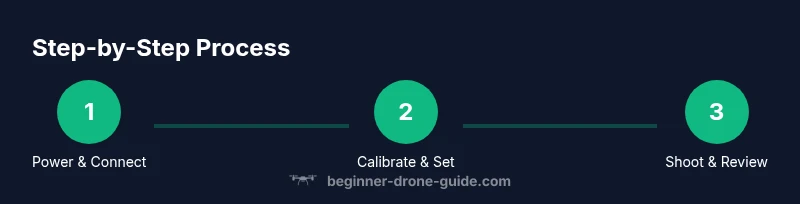
- 1
Power up and connect
Power on the controller and drone, then connect the mobile device if needed. Confirm external sensors are readable, and that the GPS/visual positioning is stable before takeoff.
Tip: Hold still and observe the screen for a few seconds to confirm a solid link. - 2
Calibrate sensors
Calibrate IMU and compass as required by your model. This reduces drift during hovering and ensures stable video frames.
Tip: Do this on open ground away from metal structures or large magnets. - 3
Format memory/card and select profile
Format the memory card if needed and choose your primary shooting profile (e.g., 4K video, RAW stills, standard color).
Tip: Keep one profile to avoid inconsistent footage during flight. - 4
Set exposure and white balance
Choose a basic exposure (ISO, shutter, and WB) suitable for daylight; avoid automatic changes during the shot.
Tip: Lock WB for consistent colors across clips; use a manual exposure ramp if available. - 5
Frame and plan your shot
Using a mental or written shot list, plan your angle, distance, and framing. Visualize the final result before you move.
Tip: Pilot horizon should be level; use the rule of thirds to place points of interest. - 6
Perform a test hover
Hover at a safe altitude to verify stability and horizon alignment. Make minor adjustments if drift occurs.
Tip: Keep a hand near the throttle to quickly correct any unexpected drift. - 7
Capture and review
Record your video and take stills as planned; review footage on-site if possible to ensure critical shots are captured.
Tip: Capture a quick still from the most important frame for reference. - 8
Post-flight data and backup
Back up files to a laptop/drive and log camera settings used for this flight. Note any issues for future flights.
Tip: Create a short flight log including location, weather, and settings.
Frequently Asked Questions
What is the best camera setting for beginners on a drone?
Start with 4K at 24-30fps, use auto white balance or a fixed WB, and shoot RAW if available. Keep ISO low in bright light and adjust as needed for exposure.
For beginners, start with 4K at 24 or 30 frames per second, lock white balance, and shoot RAW if you can. Keep ISO low in daylight.
Do I need a license to fly a drone with a camera?
Licensing requirements vary by country. In many places you must register your drone and obtain a basic remote pilot license or pass a knowledge test.
Regulations vary by country. Register your drone and check if a basic pilot license is required.
How can I reduce camera shake in flight?
Fly smoothly, enable gimbal stabilization, and avoid abrupt maneuvers. Choose calm weather and use higher shutter speeds when needed.
Fly smoothly, use gimbal stabilization, and avoid quick moves. Pick calm weather and fast shutter speeds when appropriate.
RAW or JPEG for drone photography?
RAW captures more data and offers greater flexibility in post-processing. Use RAW if you plan to edit; JPEG is simpler and quicker.
RAW gives you more editing power; use it if you can. JPEG is easier and faster to handle.
What are common mistakes new pilots make with cameras?
Overexposure, not calibrating sensors, ignoring wind, and failing to lock home point or horizon alignment. Practice in controlled areas first.
Common mistakes include overexposure and not calibrating sensors. Practice in safe, open areas and watch wind conditions.
How should I frame real estate shots from the air?
Use establishing wide shots first, keep the horizon level, and shoot during golden hour for warm lighting. Save closeups for context and detail.
Start with wide angles, keep the horizon level, and shoot near sunset for great light.
Watch Video
Quick Summary
- Frame shots with horizon level for professional results
- Lock exposure and white balance to keep footage consistent
- Format and back up files immediately after flights
- Calibrate sensors before every flight
- Follow local laws and safety guidelines