How Drones Take Sky Pictures: A Beginner's Guide
Learn how drones capture stunning sky photos, from camera setup and flight modes to exposure tricks and safety. A practical, beginner-friendly guide for new pilots.


Goal: You will learn how drones capture pictures in the sky, including camera setup, flight planning, and common settings. By following the step-by-step guide, beginners will understand how a drone’s camera, gimbal, and sensors combine with smart flight modes to produce high-quality aerial images. Before you start, ensure you follow local regulations and safety practices.
What makes sky photography with drones unique
Sky photography with drones blends motion, light, and perspective in ways traditional ground-based photography cannot. When you ask how do drones make pictures in the sky, you’re really asking about three interlocking factors: stable platforms, camera control, and software-assisted framing. According to Beginner Drone Guide, the best beginner shoots start with clear goals, simple compositions, and predictable weather windows. Drones enable sweeping horizons, city skylines, or rural landscapes from angles impossible for a tripod. However, wind, vibrations, and rapidly changing light demand careful setup, steady hands on the controls, and a patient approach. For novices, practicing during low-wind hours helps build confidence before attempting dramatic, high-altitude shots.
In practice, the drone acts as a mobile cinema platform. The camera’s gimbal compensates for tilt and roll, keeping horizons level even as the drone drifts. The resulting images can be incredibly sharp when you pair good weather with the right camera settings and a calm, deliberate flight. But the sky is dynamic: clouds move, the sun shifts, and shadows race across the frame. Your job as the photographer is to anticipate these changes and adapt quickly—without sacrificing safety or violating local regulations. Start with small, simple scenes, like a straight-on horizon or a line of trees, then gradually introduce more complex compositions as your confidence grows.
A practical tip for beginners: test out your auto modes in a wide, open area and review the captured images on-site before attempting anything more ambitious. This yields immediate feedback about exposure, framing, and color balance, and reduces the risk of wasted flights.
Key components: camera, gimbal, and sensor
Three core components determine the quality of sky photos: the camera, the gimbal, and the image sensor. The camera quality sets detail, color accuracy, and dynamic range, while the gimbal stabilizes the shot to counteract drone motion. The sensor size and readout speed influence how clean your image looks in bright sky conditions and how well it handles motion. Beginners should prioritize a camera with good stabilization, reliable autofocus, and RAW image support to retain latitude for editing. ND filters are another critical accessory: they control light intake so you can maintain proper exposure without sacrificing frame rate. When choosing a setup, look for a camera that records in RAW and offers adjustable white balance to capture the true tones of the sky. Remember: even a modest drone can produce impressive sky imagery if paired with thoughtful settings and steady control.
As you plan, consider lens type and focal length. A wide-angle lens provides expansive skies and dramatic horizons, while a longer focal length isolates a feature like a mountain ridge or a cloud formation. The drone’s controller should feel intuitive, and you should practice switching between Auto and Manual modes until you’re comfortable with on-the-fly adjustments. Ensure your memory card has enough space for multiple RAW files and that you’ve formatted it properly before a shoot. A well-balanced setup reduces gear fatigue and keeps your mind focused on composition rather than hardware issues.
Exposure, shutter speed, and ISO in the sky
Exposure decisions are crucial when shooting bright skies, where the contrast between sunlit clouds and deep blue can overwhelm the sensor. Start with a baseline exposure and adjust using histogram feedback rather than guessing. Shutter speed helps prevent motion blur, especially for gusty winds or if your drone drifts slightly; aim for a speed that freezes cloud movement without introducing excessive noise. ISO should be kept as low as possible to preserve dynamic range and minimize grain, particularly when shooting at golden-hour light. White balance matters too: auto WB can shift tones as light changes, so locking WB for a given session helps maintain color consistency across frames. If your camera supports RAW bracketing or exposure bracketing, consider capturing multiple exposures for high-contrast scenes and blending them in post-processing.
Another practical tip is to review exposure on the drone’s built-in screen if available. Use the exposure histogram to ensure you’re not clipping highlights in the clouds and that shadows retain detail. When working in bright sun, you may need to compromise on sky detail to keep the horizon visible; ND filters can help by reducing light without affecting color balance dramatically. Finally, keep an eye on battery life; high display brightness and long flight times can drain power faster, so plan your angles accordingly.
Planning shots: light, weather, and composition
Effective sky photography starts before you lift off. Weather conditions, such as wind speed and gust patterns, will determine how freely you can maneuver and the risk of camera shake. Light direction dramatically affects mood: golden hour produces warm tones and long shadows, while midday sun creates flat lighting that can wash out features. Plan your shot around a clear focal point—horizons, cloud lines, or a prominent landscape feature—and use the rule of thirds to place it intentionally within the frame. pylons, roads, or coastlines can create leading lines that guide the viewer’s eye through the scene. Always check airspace restrictions and no-fly zones; many regions require permits or have restrictions on altitude and proximity to people.
Storytelling is another key component. A skyline can convey scale; a lone tree against a vast sky can evoke mood; a bend in a river may imply motion. When planning, sketch a few compositions on paper or in a note app, then practice a few test flights to confirm it’s feasible in the actual environment.
Pro tip: scout the location beforehand when possible. If you can’t visit in advance, use satellite imagery to study landforms and horizon lines. A quick preflight plan saves time and leads to more deliberate, craft-driven photographs.
Practical flight techniques and common pitfalls
Flight technique matters as much as camera settings. Start with a gentle hover to steady the gimbal before moving, then use small, deliberate movements instead of rapid pans. Maintain a consistent altitude to preserve horizon straightness and reduce disorienting perspective shifts. When composing, imagine a grid and align key elements with the lines for balanced framing. If you notice wind shifts, adjust your angle gradually rather than fighting the wind with brute force. Always keep the drone within line of sight and respect minimum distance rules for people and property.
Common pitfalls include overexposure in clouds, underexposed shadows, and motion blur from fast movement. Combat these by locking exposure early, using low ISO, and enabling a faster shutter rate. Practice is the antidote: schedule multiple short sessions rather than one long, exhausting shoot. Always perform a quick postflight check for sensor dust, gimbal calibration drift, and battery health so your next session starts with a clean slate.
Winds and battery life are enemies of photo quality. If wind rises, descend to a stable altitude and shorten flight time accordingly. Postflight reviews are essential; compare a few frames side-by-side to determine which settings yield the best sky detail and color accuracy.
Safety, legality, and best practices for beginners
Safety comes first. Always fly within your visual line of sight, respect no-fly zones, and adhere to local laws governing recreational and commercial drone use. Keep a safe distance from people, vehicles, and property, and never fly over crowds. Before each flight, perform a checklist: firmware updates, battery health, propeller condition, GPS lock, and return-to-home readiness. Weather matters: avoid flights in rain, snow, or gusty wind that can degrade control and image stability. If you’re unsure about conditions, postpone the shoot.
Legal awareness is essential. Many regions require registration, a pilot certificate, or specific operating permissions for aerial photography. Always carry proof of registration and ensure your drone’s geofencing features are enabled to prevent accidental intrusions. Insurance coverage can also protect you against accidental damage or liability while pursuing sky photography. Finally, respect the environment: minimize noise, avoid wildlife disturbances, and leave spaces as you found them.
The Beginner Drone Guide team recommends starting with simple, documented practice flights in controlled spaces and increasing complexity gradually as your skills mature. Consistency in practice leads to better control and more reliable results over time.
Authoritative sources
For further reading and official guidance, consult these authoritative sources:
- https://www.faa.gov/uas
- https://www.nps.gov/subjects/uas/index.htm
- https://www.nationalgeographic.com/technology/article/drones-photography
Tools & Materials
- Drone with stabilized camera(Ensure gimbal stability for smooth footage)
- ND filters (set of graduated and polarizing)(Control brightness and color in sky scenes)
- MicroSD card (class 10 or higher)(Minimum 16GB, larger for RAW bursts)
- Spare propellers(Replace any damaged props before flight)
- Extra batteries(Keep spares ready for longer sessions)
- Remote controller with phone/tablet mount(Stable connection and clear view)
- Charger and cables(Keep batteries topped up)
- Laptop or tablet for editing(Helpful for on-site quick edits)
Steps
Estimated time: 30-60 minutes
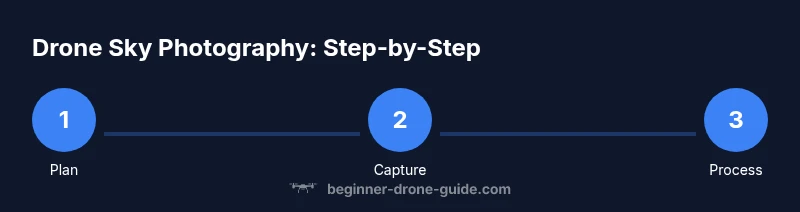
- 1
Preflight checks
Power on the drone and controller, verify GPS lock, update firmware if needed, check battery levels, and inspect propellers for any nicks. Confirm you’re in a legal, safe area with clear airspace. This step reduces the risk of in-flight failures or unexpected returns.
Tip: Perform a quick hardware scan and confirm geofencing is active before takeoff. - 2
Mount camera and balance gimbal
Attach the camera securely and ensure the gimbal is balanced to minimize wobble. Calibrate the gimbal if prompted by the app, and verify horizon level in the live feed. A well-balanced setup yields cleaner, sharper sky images.
Tip: Do a short hover after mounting to confirm stability. - 3
Set exposure
Choose a baseline exposure, set ISO as low as possible, and select RAW format if available. Lock white balance for consistency across your frames and avoid frequent shifts during the shoot. Verify the histogram shows no blown highlights in the sky.
Tip: Enable exposure bracketing if your camera supports it for dynamic skies. - 4
Plan framing and height
Decide on a composition (horizon, clouds, land features) and set an initial altitude that keeps important elements within the frame. Use a grid to align major lines and place the subject off-center for interest. Confirm you’re not clipping sky or land details.
Tip: Pre-plan multiple frames in your mind before lifting off. - 5
Fly to vantage and capture
Fly to the chosen position slowly, maintaining stable altitude and minimal yaw. Capture in RAW at multiple shutter speeds to ensure you have options for editing. Review on-device thumbnails to catch glaring exposure issues before landing.
Tip: Take several bracketed shots of the same scene for later blending. - 6
Review and export
Post-flight, review the RAW files for exposure, color balance, and sharpness. Export preferred images and create backups. Apply non-destructive edits to preserve the original data.
Tip: Create a simple preset for sky shoots to speed up editing next time.
Frequently Asked Questions
Do I need a license to fly a drone for photography?
License requirements vary by country and region. Many places require registration or a pilot certificate for commercial work, while hobby flights may have fewer restrictions. Always check local regulations before flying.
License requirements depend on where you are; check your country’s aviation authority for exact rules before using a drone for photography.
What camera settings work best for sky photography?
Start with RAW, a low ISO, and a shutter speed that minimizes motion blur. Lock white balance to maintain color consistency, and use exposure compensation to protect highlights in clouds.
Begin with RAW, low ISO, and a shutter speed that prevents cloud motion blur; lock white balance and adjust exposure to protect highlights.
Can I use automatic flight modes for beginners?
Auto modes are great for learning, but for sky photography you’ll often gain better control by transitioning to manual or semi-automatic modes as you gain experience. Start with stability modes and gradual conversion to manual.
Auto modes are helpful at first, but as you improve, use manual or semi-automatic modes for better control over exposure and framing.
How do I improve image quality in bright skies?
Use ND filters to reduce light intake, shoot in RAW for maximum editing latitude, and bracket exposures when skies are high-contrast. Post-processing can merge exposures for richer detail.
ND filters help in bright skies, and shooting RAW lets you recover detail in edits.
How should I edit drone sky photos?
Edit non-destructively using RAW, adjust white balance, exposure, and contrast to balance sky and land. Use selective adjustments to bring out cloud textures without overdoing saturation.
Edit your RAW files with care: balance the sky and land, and tweak white balance and contrast for a natural look.
What if wind picks up during the shoot?
If wind increases, descend to a safer, lower altitude and shorten flight paths. Higher wind causes more vibration, reducing sharpness, so plan shorter, steadier passes.
Wind makes photos blurrier; land earlier and choose steadier altitudes.
Watch Video
Quick Summary
- Plan light, weather, and composition before takeoff.
- Stabilization and exposure control are essential for sky photos.
- Use ND filters and RAW to maximize sky detail and editing latitude.
- Practice in safe, legal spaces and review flights to improve.
- Follow local rules to stay safe and compliant.