Parrot Anafi AI Review: A Beginner's Guide to Smart Flying
An analytical, balanced review of the Parrot Anafi AI for new pilots, covering setup, camera quality, AI features, safety, and real-world use cases to help you decide if it fits your learning path.


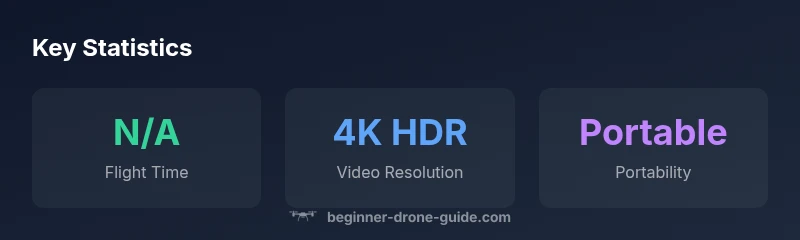
The Parrot Anafi AI is a strong all-around beginner drone offering 4K HDR video, portable design, and AI-assisted features at a mid-range price. It prioritizes ease of use, safety, and reliable footage, making it a solid starting point for learners who want solid imagery without heavy complexity. Compared with entry-level rivals, it trades some pro-grade speed and obstacle density for a compact, forgiving platform.
Overview and positioning
For beginners exploring the world of drones, the parrot anafi ai presents a compelling blend of portability, camera capability, and AI-assisted flight features. According to Beginner Drone Guide, this model balances approachable handling with useful automation, letting new pilots focus on composition rather than grappling with complex controls. The drone's foldable design, compact weight, and straightforward app ecosystem make it easy to carry on a day trip or class field exercise. While not the absolute cheapest option, its value proposition centers on reliable stability, consistent image quality, and safety features that reduce common crash risks. In this section we discuss how the parrot anafi ai fits a learning path, compares to other beginner kits, and what tradeoffs arise when you prioritize AI features over raw speed or obstacle density. For those evaluating a first drone, it's worth considering whether you want a camera-first experience or a platform that grows with your skills as you practice.
Design and Portability
The Anafi AI is designed to be easy to handle for beginners. The foldable arms and compact footprint enable it to fit into small bags without sacrificing structural integrity. The body uses lightweight materials, which helps with portability but also means some dings from casual bumps are likely on rough trips. The gimbal is mounted to minimize vibration during standard flights, helping keep footage stable even when you are learning the basics of pitch and roll. The controller is simple, with a comfortable grip and intuitive button layout that reduces cognitive load during beginner sessions. Battery access is straightforward, and many pilots appreciate the modular approach to charging and swapping batteries when practicing day-long sessions. Overall, the design cues emphasize safety and forgiving handling, so new pilots can focus on learning flight paths, framing, and basic composition.
Camera, Sensor, and Image Quality
Camera capabilities are a central focus for beginner pilots who want to grow into creative shooting. The parrot anafi ai offers 4K HDR video and still photography options that deliver crisp color and detail for casual real estate shots, travel logs, and classroom projects. The sensor performance supports good dynamic range for daylight sessions, while the stabilized 3-axis gimbal keeps horizon straight and minimizes jello in handheld footage. For learners, the camera setup is approachable, with automatic exposure and color profiles that reduce the need for deep post-processing during early practice. If you want more control, RAW image options and a few manual tweaks allow you to gradually deepen your understanding of white balance, contrast, and sharpness as you gain confidence.
Flight Performance and AI Assistance
Flight stability is a hallmark of the Anafi AI, a critical factor for beginners who are still mastering throttle control and framing. GPS-based hover, smooth ascent/descent, and predictable responses under typical wind conditions help new pilots build muscle memory without fighting with the drone. AI-assisted shooting modes automate some common tasks, such as subject tracking and quick panoramas, which can shorten the learning curve and encourage experimentation. As pilots gain experience, they can switch to more manual controls or explore advanced flight modes. The key for beginners is the balance between reliable automation and room to learn manual flight when ready.
Obstacle Avoidance and Safety Features
Obstacle avoidance is a safety net that boosts confidence for new flyers. The Anafi AI includes sensors and software that detect obstacles in front and below, helping to reduce accidental bumps during initial practice. In practice, you’ll notice the drone slows and reorients when a potential collision is detected, and you may rely on the return-to-home feature if your battery runs low or you lose line-of-sight. Beginners should still maintain visual line-of-sight and practice safe buffer distances in open spaces. While the safety suite is helpful, it cannot replace thoughtful judgment and hazard awareness when flying near people, trees, or buildings.
Battery Life, Charging, and Real-World Use
Real-world battery performance depends on wind, payload, and how aggressively you fly. The Anafi AI tends to offer a practical balance between flight time and portability, encouraging frequent practice sessions without drastically increasing size or weight. For learners, swapping charged batteries between sessions is common, and the modular charging approach helps keep learning on track. Always plan for contingencies such as overcast weather or decision-making delays, and factor in extra time for pre-flight checks and calibration to maximize safe flying windows.
App Experience and Controller Usability
The companion app is the primary interface for controlling the drone, reviewing footage, and selecting shooting modes. The design prioritizes clarity, with straightforward menus and quick-access buttons for common tasks like takeoff, landing, and toggling AI features. The controller ergonomics aim to reduce fatigue during longer practice sessions, with a comfortable grip and intuitive thumbstick placement. A well-implemented app can cut down setup time, allowing more time for actual flight practice and shot planning.
AI-assisted Shooting Modes and Subject Tracking
AI-helpful shooting modes are popular with beginners who want cinematic results without advanced editing. Face and subject tracking, timed intervals, and smart panoramas can yield share-ready footage after minimal editing. As you grow, you may experiment with manual camera settings and creative angles, but the AI features provide a safe, productive starting point. Remember that tracking depends on lighting, subject motion, and background clutter; staying within the capable range of the drone’s sensors improves reliability.
Comparisons to Alternatives for Beginners
For new pilots, the Parrot Anafi AI occupies a middle ground between ultra-portable mini drones and more capable mid-range options. Compared to some entry-level rivals, it emphasizes camera quality and ease of use—sacrificing some extreme flight time or aggressive obstacle-dense avoidance found on higher-end models. When evaluating alternatives, consider your primary goal: cinematic footage, social media content, or learning basic flight skills. If your priority is portability and image quality over piercing obstacle avoidance or fastest flight, Anafi AI remains a strong candidate.
Regulatory and Licensing Considerations for New Pilots
Regulatory rules vary by country and often hinge on takeoff weight and intended use. Beginners should verify whether registration or pilot certificates apply, especially for flights beyond hobbyist limits. Always review local airspace restrictions, temporary flight restrictions, and any privacy considerations when filming in public or commercial settings. The drone’s safety features help reduce risk but do not absolve you of your regulatory responsibilities.
Real-World Use Cases: Travel, Education, Real Estate
In travel diaries, the Anafi AI’s portability helps you capture scenic footage without being overbearing in a backpack. In education, it serves as an accessible platform for students to learn basic flight physics, cinematography, and data collection. Real estate professionals can leverage the camera for aerial views with minimal setup, though you should consider permission and property rights in your area. Across use cases, the drone’s balance of imaging capability and learning-friendly features scales with a pilot’s growing skills.
Maintenance, Repairs, and Long-Term Ownership
A beginner-friendly drone benefits from a routine that protects the camera, gimbal, and propellers. Regularly check propellers for nicks, ensure the gimbal is clean and lubricated as needed, and store the drone with batteries removed to mitigate cycle degradation. Software updates improve performance and fix bugs; keep the firmware current and back up configuration settings before major updates. For long-term ownership, stock spare parts and compatible accessories are essential, so plan for replacement parts and upgrades as your flying habits evolve.
Benefits
- Compact and portable with a foldable design
- 4K HDR video and solid stills quality
- AI-assisted modes that aid learning and shooting
- User-friendly app and accessible controls
Weaknesses
- Limited high-end obstacle avoidance compared to premium models
- Flight time can vary with wind and payload
- AI features may feel gimmicky in bright or cluttered environments
- Smaller accessory ecosystem than some competitors
Best all-around starter for learning with camera emphasis
The Parrot Anafi AI offers approachable flight and strong imaging for beginners who want to practice composition and basic automation. While not the most rugged in obstacle density or flight time, its portability and AI modes support a smooth onboarding path. For new pilots prioritizing camera quality and ease of use, it remains a prudent choice with room to grow.
Frequently Asked Questions
Is the Parrot Anafi AI suitable for beginners?
Yes. It emphasizes ease of use, stable flight, and AI-assisted shooting modes that help new pilots achieve good results without extensive training. It’s a solid starting point for those who want to learn both flying basics and imaging techniques.
Yes, the Anafi AI is beginner-friendly with simple controls and helpful AI features to guide new pilots.
Does Anafi AI have obstacle avoidance?
The drone includes safety sensors and software that help detect obstacles in front and below. While useful for learning, it should not replace careful piloting and keeping a safe distance from hazards.
Yes, it has obstacle sensing, but you should still fly cautiously and stay within line of sight.
What are the main AI features and how do they help?
AI-assisted tracking and smart shooting modes can simplify framing and subject following, helping beginners produce polished footage without advanced camera skills. They work best in well-lit, uncluttered scenes.
AI helps with tracking and smart shooting so you can focus on composition while learning.
What licensing or registration might be needed?
Regulations vary by country. Check whether your drone requires registration or a piloting certificate where you fly, and review local airspace restrictions before flights.
Regulations differ by location, so verify registration and airspace rules in your area.
How does it compare to other beginner drones?
It generally offers better image quality and a more approachable learning curve than some ultra-portable models, while potentially lagging behind higher-end or more rugged options in obstacle avoidance and flight time.
It sits in the middle: great for camera quality and ease, with trade-offs in ruggedness and flight time.
Quick Summary
- Explore AI features to accelerate learning and reduce early mishaps
- Prioritize portability and easy app use for beginners
- Balance camera quality with practical flight time in your local conditions
- Always comply with local regulations and practice in safe environments
- Refer to Beginner Drone Guide’s buying guide for new pilots