When to Replace DJI Drone Propellers: A Practical Guide
Learn how to spot damaged propellers, assess wear, and replace DJI drone propellers safely. A beginner-friendly, step-by-step guide with visuals, tips, and best practices.


By the end of this guide, you will confidently determine when to replace DJI drone propellers. You’ll inspect for cracks, nicks, and warping, check for hub looseness, verify balance, and test for abnormal vibrations. Always replace in matched pairs to maintain stability, use approved props for your model, and follow manufacturer guidelines to protect your drone and flight safety.
What qualifies as time to replace propellers?
According to Beginner Drone Guide, knowing when to replace DJI drone propellers hinges on visual damage and flight performance cues. Small cracks, chips, or warpage are not always obvious from the ground, but they can seriously affect lift and stability. If you notice any unusual vibration, yaw drift, or a soft, irregular hover, inspect the propellers immediately. When to replace dji drone propellers becomes clear once you document the damage and compare it to your model’s guidelines. In practice, replace damaged props promptly and always pair new props so thrust remains balanced. This is essential for safe flights and longer component life in your beginner-friendly setup.
Visual cues: cracks, chips, and warping
A thorough visual inspection is the first line of defense. Look for blade cracks, chips along the leading edge, and any curvature along the blade’s edge. Warped or bent blades indicate a compromised airfoil that can cause unpredictable vibrations. If any blade shows visible damage, or if both blades on the same propeller axis look uneven, it’s time to replace those props. Remember to verify the orientation marks on the propellers to ensure correct installation for your specific DJI model. When to replace dji drone propellers for safety is a question of both appearance and flight feel.
Functional checks before flight
Beyond sight, you should perform a quick functional check: with the drone powered off, gently wobble each propeller by hand to detect looseness in the hub. If you feel any play or hear a faint rattle when the propeller is spun, there may be an internal issue with the motor mount or hub. A damaged hub can rapidly worsen propeller wear and lead to propeller failure mid-flight. Always use manufacturer-approved props that match your exact model and flight controller configuration. This ensures the right balance and reduces the risk associated with improper installation. The question of when to replace dji drone propellers then becomes a matter of both visual and mechanical integrity.
The “replace in pairs” rule and why it matters
For most DJI platforms, replacing propellers in matched pairs preserves balance and flight control. If a single blade is damaged, replace the entire corresponding propeller on that axis to avoid asymmetrical thrust. Be mindful of different propeller types on different axes (CW vs CCW). Installing mismatched props can confuse the flight controller and degrade safe handling. When to replace dji drone propellers is strongly tied to maintaining symmetrical thrust so your drone remains stable during takeoff and hobbyist flights.
How to verify balance after replacement
After installing new props, verify their balance. Spin each propeller by hand to ensure there’s no unusual friction or scraping. A quick vibration test at a low throttle on the ground can reveal wobble. If you observe a persistent vibration, recheck screw torque and orientation, and confirm there are no hairline cracks that escaped initial inspection. Balancing is crucial for consistent lift, efficient motor use, and smoother flights. When to replace dji drone propellers is not just about replacing a blade; it’s about restoring harmony between propeller and motor.
A practical preflight checklist
Before every flight, inspect all blades for cracks, chips, and curvature; inspect hubs for looseness; confirm propeller orientation; and test spin freely without rubbing. If you’ve had a rough landing or a minor crash, recheck all props and consider replacing any damaged ones. Keeping a small container with spare propellers and a prop tool makes this routine quick and repeatable. The simple habit of checking propellers before takeoff reduces risk and aligns with the safety-first ethos of Beginner Drone Guide. When to replace dji drone propellers is part of a proactive maintenance mindset.
Real-world notes on wear and replacement cadence
There is no universal replacement interval; it depends on flight style, terrain, and care. In dusty environments or after rough landings, inspect props more frequently. After a crash, err on the side of replacement rather than risk. For most hobby pilots, carrying a spare propeller kit and a small tool set is practical. Remember to log replacements in your maintenance notes so you can track wear over time. When to replace dji drone propellers becomes a routine part of responsible piloting, as emphasized by the Beginner Drone Guide team.
Authority: how we guide replacements (sources and trust)
Reliable guidance combines visual checks, mechanical inspection, and adherence to manufacturer specs. For context, refer to official safety guidelines and independent research on rotor integrity. The Beginner Drone Guide team emphasizes using genuine or approved props and following the proper torque recommended by the drone’s manual. This balanced approach helps ensure propellers perform predictably and safely in every flight, matching the expectations of responsible hobbyists.
Authority sources and further reading
- https://www.faa.gov/uas
- https://www.nasa.gov/
- https://www.popularmechanics.com/technology/gadgets/a25264529/how-to-build-a-drone/
Additional notes on the broader safety landscape reinforce the principle that propeller integrity is central to flight safety, especially for beginner pilots who are still building their skills. This is consistent with the guidance surfaced by the Beginner Drone Guide team.
Tools & Materials
- DJI propeller kit compatible with your model(Use genuine or FAA-approved aftermarket props; ensure color/size/rotation match your drone's axes)
- Prop removal tool or small flathead screwdriver(Use the tool designed for prop locks to avoid damaging the hub)
- Allen wrench or soul screwdriver (as required by model)(Some DJI models use a specific hex size; verify in your manual)
- Isopropyl alcohol and lint-free cloth(Clean hub surfaces before installation to improve seating)
- Soft surface and propeller balancer (optional)(Useful for ensuring balanced blades; a DIY balance method can work in a pinch)
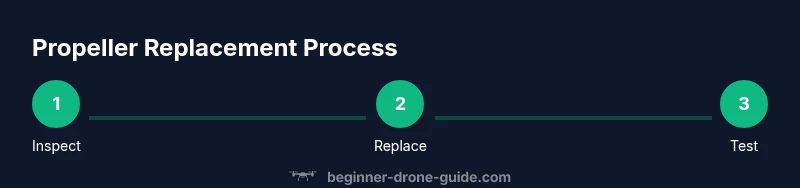
Steps
Estimated time: 30-45 minutes
- 1
Power down and secure
Power off the drone and remove the battery to prevent any accidental motor spin. Place the drone on a stable, clean surface to prevent propeller contact with the ground or nearby objects while you work.
Tip: Double-check the battery is disconnected before touching the propellers. - 2
Remove damaged propellers
Using the prop removal tool, loosen and remove the damaged propellers from the hub. Keep screws in a small tray to avoid losing them and note which blade came from which position.
Tip: Take a photo of each prop’s orientation for reference during reinstallation. - 3
Inspect the hub and blades
Carefully inspect the hub, motor shaft, and blade roots for cracks, chips, or wobble. If the hub shows play or the blade roots look damaged, replace the entire propeller set on that axis.
Tip: If you see any damage at all on the hub, stop and replace the affected components. - 4
Prepare new propellers
Match the new propellers to the drone’s axes (CW and CCW). Check for any packaging damage and verify the correct size and rotation direction as per the manual.
Tip: Avoid mixing CW and CCW props on the same axis, which can cause counterproductive thrust. - 5
Install new propellers
Attach the new propellers by hand first, then snug them with the appropriate tool. Do not overtighten; snug is enough to seat the blade without bending the shaft.
Tip: Use a torque guideline from your manual if available; avoid locking mechanisms that can over-torque. - 6
Check balance and test
Spin each propeller by hand to ensure smooth rotation without rubbing. Reinsert the battery and perform a low-altitude hover test in a clear area to verify stability.
Tip: If you feel unusual vibration, pause, recheck torque, orientation, and seating.
Frequently Asked Questions
How do I know if a propeller is damaged?
Look for visible cracks, chips, warping, and any signs of hub looseness. If in doubt, replace the propeller set on that axis and test carefully.
Check for cracks, chips, warping, or a loose hub. If you see damage, replace and test slowly.
Should I replace all four propellers even if only one is damaged?
If the model uses identical propellers on all axes, replacing in matched pairs is recommended. If one axis shows wear, inspect its opposite axis for symmetry and consider replacing both.
If one prop is damaged, inspect the opposite side for symmetry and replace as a pair when possible.
Can I use third-party props?
You can, but ensure compatibility, correct rotation, and proper balance. Manufacturer-approved props are safest for warranty and performance.
Third-party props can work if they’re compatible and balanced; check your warranty and manual.
What happens if I fly with damaged propellers?
Damaged propellers can cause loss of control, abnormal vibrations, and potential crashes. Replace them before taking off.
Flying with damaged props increases crash risk; replace before flight.
How often should I inspect propellers?
Inspect before every flight and after any rough landing or crash. Regular checks help prevent mid-flight failures.
Check propellers before each flight and after any crash or hard landing.
Do I need to recalibrate after replacement?
Often not required for propeller replacement alone, but it's wise to test-flight and recalibrate if you notice any drift.
Usually no recalibration is needed, but test-fly and recalibrate if you see drift.
Watch Video
Quick Summary
- Inspect props before every flight.
- Replace damaged props promptly.
- Always swap in matched pairs.
- Use manufacturer-approved props.
- Test hover at low altitude after replacement.