How to Check Drone Battery Health: A Beginner's Guide
Learn practical steps to assess drone battery health, spot signs of wear, and extend flight time with a safe, beginner-friendly approach.


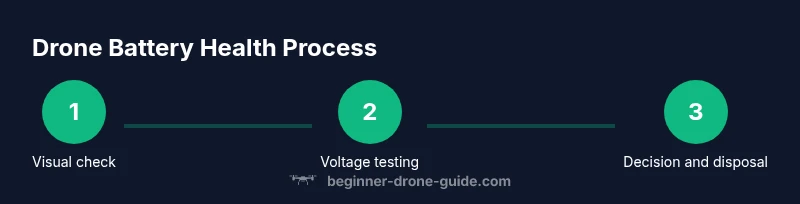
To check drone battery health, begin with the battery’s voltage, discharge behavior, and per cell balance. Use the drone’s diagnostics first, then verify with a multimeter if accessible. Look for swelling, rapid voltage drop, or uneven readings. Always test in a safe area and document results for trend analysis.
Why battery health matters for drones
Maintaining good battery health is essential for reliable flight times, safe operations, and predictable performance. For new pilots especially, understanding how to assess LiPo packs helps prevent midflight failures and extends the life of your equipment. This is where the core question how to check drone battery health comes into play. By checking voltage, state of charge, cell balance, and cycle history, you gain a practical picture of a pack’s condition rather than guessing based on flight time alone. According to Beginner Drone Guide, a routine health check should be part of every preflight, because a healthy battery is the foundation of safe and enjoyable drone flying. In this guide you will learn the steps, signs, and tools needed to perform these checks safely and effectively. You will also see how to interpret results and decide whether a battery can be reused, needs to be balanced, or should be replaced.
Understanding LiPo batteries: cells, capacity, and health
Drone batteries commonly use lithium polymer LiPo cells that deliver high energy at low weights. Each battery is made of several cells connected in series; the total voltage is the sum of the individual cell voltages. Capacity describes how much energy a pack can store and is related to flight time. Health, in practical terms, means how much the pack can deliver usable energy without excessive voltage sag or heat. Over time cells can drift, harbor higher internal resistance, or lose capacity. You will hear terms like state of health and state of charge. Learning to read these indicators helps you manage packs and plan safer flights. Remember that different drones use different numbers of cells and chemistry, so always check the manufacturer guidelines for your model. The goal is to keep the battery within safe operating limits and to monitor signs of degradation before they affect performance.
Signs of healthy vs degraded packs
Healthy batteries show stable voltages and predictable performance. A pack should not puff or feel unusually warm during charging or operation. Per cell balance readings should be close to the same level, and internal resistance should be low enough to avoid excessive heat. Degraded packs may swell, leak, heat up quickly, or show large imbalances between cells. If a cell reads a voltage wildly different from its neighbors, or if the overall pack voltage droops under light load, consider retirement. Consistent drop in flight time over several cycles is another warning sign. Always check for physical damage and corrosion on connectors or the pack housing. If you are in doubt, err on the side of safety and replace the pack.
Baseline checks you can do at home
Start by inspecting the exterior for swelling, punctures, or loose connections. Charge the battery fully with the drone charger in a safe area, then note the resting voltage once it finishes charging. Use the drone's built in diagnostics to compare baseline metrics with the expected numbers from the manual. If your drone reports per cell voltages when accessible, note any cell that sits far from the others. Keep a log of times and readings so you can spot trends. After performing these checks, you have a baseline to compare against during future tests and flights. Baseline data helps you identify gradual aging rather than reacting to a single irregular reading.
How to test voltage and cell balance with tools
Tools make this work. You will use the drones diagnostic app to view live voltage, and a LiPo tester or a quality multimeter to measure individual cell voltages if the pack exposes cell taps. Always perform tests after a full charge and in a safe environment away from flammables. Start with a visual check, then connect the tester to read the voltage of each cell and record the results. Compare the readings to the pack's nominal values and look for large variances between cells. A healthy pack should show relatively even cell readings and a low internal resistance. If a cell is consistently lower than the others, it may be weak and should be considered for replacement. If you cannot access per cell readings, rely on the overall voltage and the drone's diagnostic data while suspending use if signs of degradation appear.
Conducting a capacity test and real world flight time
Capacity tests are more hands on and require careful planning. Charge the battery to full, perform a controlled hover or short test flight in a safe area, and measure the actual flight time. Compare the observed flight time with the manufacturer’s stated capacity and your previous baseline. Temperature can affect performance, so note the ambient conditions. This test helps you estimate how much usable energy remains and whether the pack still meets your needs. If flight time drops consistently while other indicators are normal, the battery might be nearing end of life. Safety first means stopping use if puffing or heat becomes noticeable during testing.
Interpreting results and deciding when to replace
Combine all readings to decide. If most indicators are within expected range and flight time is stable, the pack is probably fine. If there is swelling, persistent voltage sag, significant cell imbalance, or rising internal resistance, replacement is the safest option. Document changes over multiple cycles to confirm a trend before deciding to retire a pack. Replacing a battery prevents a failure in flight and protects your equipment and people nearby. Always follow the manufacturers guidelines for disposal of worn cells.
Authority sources
Sources for further reading
- FAA on UAS safety and battery guidelines: https://www.faa.gov/uas/getting_started/fly_for_fun/
- OSHA lithium ion battery safety: https://www.osha.gov/lithium-ion-battery-safety
- NIST batteries topic: https://www.nist.gov/topics/batteries
Practical routine to maintain battery health
Establish a simple preflight health check as part of your routine. Schedule monthly checks for older packs and more frequent checks for packs in heavy use. Always record readings and compare them over time to spot gradual aging. Practice safe handling, storage, and disposal to protect yourself and others. The Beginner Drone Guide team recommends keeping a concise battery health log and updating it with every flight.
Tools & Materials
- Drone LiPo battery (test unit)(The pack you are evaluating)
- Digital multimeter or LiPo tester(Measure per-cell voltage and internal resistance when accessible)
- Battery health logbook or digital note(Record readings, times, temperatures, and observations)
- Safety gear (insulated gloves, safety glasses)(Wear during handling of swollen or damaged packs)
- Non-conductive testing surface and fire-safe mat(Place the battery for testing away from flammables)
- Thermometer or temperature probe (optional)(Record battery temperature during tests)
Steps
Estimated time: 30-60 minutes
- 1
Power down and remove the battery
Shut off the drone, disconnect the battery, and place it on a non-conductive surface. This prevents any short or accidental operation while you inspect and test.
Tip: Use gloves if you notice warmth or swelling. - 2
Perform visual inspection
Look for swelling, cracks, corrosion on terminals, or loose connectors. Any sign of damage should prompt a pause and possible replacement.
Tip: Document visible defects with a photo for your log. - 3
Charge to full and record resting voltage
Charge the pack fully using the approved charger in a safe area. After charging, note the resting voltage before any test loads.
Tip: Ensure charger and area are fire-safe and ventilated. - 4
Check the drone diagnostics for baseline readings
Power the drone and open the diagnostics app to view overall voltage, capacity estimate, and any fault codes. Compare with the manufacturer’s baseline.
Tip: If the app shows cell voltages, record any cell that deviates from peers. - 5
Measure per-cell voltages if accessible
Use the LiPo tester or a compatible multimeter to read each cell voltage. Record values and look for large imbalances.
Tip: Balanced cells should stay within narrow margins of each other. - 6
Conduct a controlled load test
Run a short, safe flight or hover and observe how long the battery sustains power. Note any unusual heat or rapid voltage drop.
Tip: Do not push the drone beyond safe limits during testing. - 7
Assess capacity and internal resistance
Compare observed performance with prior baselines. Higher internal resistance or reduced capacity indicates aging.
Tip: If readings drift consistently, plan for replacement. - 8
Decide on reuse or replacement
If most indicators are healthy, the pack can continue to be used with caution. If you see swelling, persistent sag, or high resistance, replace.
Tip: When in doubt, retire the pack to avoid risk. - 9
Store or dispose responsibly
Store batteries in a cool, dry place and follow local disposal regulations for worn LiPo packs. Do not throw them in regular trash.
Tip: Never store fully discharged packs; aim for a safe storage state per manufacturer guidance.
Frequently Asked Questions
How often should I test drone battery health?
Test a new battery after the initial cycles, then periodically based on usage. Keep a log of readings to spot trends.
Test a new battery after initial cycles and then regularly, keeping a log to notice trends.
Can I reuse a swollen battery?
No. Swollen batteries are damaged and should be retired immediately to prevent a safety hazard.
Do not reuse a swollen battery; retire it for safety.
What tools are essential for checking battery health?
A quality multimeter, the drone’s diagnostics app, and a LiPo tester help verify voltage, balance, and resistance.
You need a multimeter, the drone app, and a LiPo tester to verify health.
Is it safe to discharge LiPo batteries before disposal?
Do not fully discharge. Follow your local disposal guidelines and handle the battery as hazardous waste when needed.
Don’t fully discharge before disposal; follow local guidelines for hazardous waste.
Do all drone batteries require the same testing steps?
General principles apply, but follow your model’s manual and manufacturer guidelines for model specific tests.
Follow your model’s manual; tests vary by drone.
Watch Video
Quick Summary
- Inspect for swelling and signs of damage before every flight
- Use both drone diagnostics and a multimeter for a complete view
- Document baseline data to track aging over time
- Replace degraded packs promptly to maintain safety