How to Register a Drone with the FAA: A Beginner's Guide
A practical, beginner-friendly guide to registering a drone with the FAA. Learn requirements, step-by-step instructions, and safety tips to stay compliant before your first flight.


According to Beginner Drone Guide, you will register via the FAA DroneZone, gather required owner and drone details, and complete any applicable payment to obtain your certificate of registration. You’ll need a valid email, internet access, and the drone’s weight (0.55 pounds or more). Finish before your first flight to stay compliant and ready.
Why Registering Matters
If you are asking how to register a drone with the FAA, this section explains why registration matters and how it keeps you compliant. In 2026, the FAA requires drones above a weight threshold to be registered, and having a valid certificate makes it easier to prove compliance during inspections and in shared airspace. According to Beginner Drone Guide, registration helps authorities identify ownership, improve accountability, and support safety across hobbyist and professional communities. A proper registration also creates a verifiable record you can rely on if the drone is involved in an incident. The process is designed for beginners, with clear steps in DroneZone. After you complete registration, keep your certificate handy and review the rules for flying locally. Understanding why this step matters helps you avoid penalties and fly with confidence.
This article uses practical language and concrete examples so new pilots can follow along. You’ll discover what information is required, how to fill out the online form, and what to expect after submission. The FAA’s goal is simple: make registration quick, transparent, and accessible while supporting safe, responsible drone operation. By prioritizing registration, you set a solid foundation for enjoyable, compliant flying and future growth in your drone journey.
Who Must Register and Who Qualifies
Not all drones require registration, but most flying devices do if they meet the FAA weight threshold. In practice, drones that weigh 0.55 pounds (approximately 250 grams) or more typically need to be registered before flight. Hobbyists and commercial operators alike should verify their drone's classification and applicable exemptions in the latest FAA guidance. The Beginner Drone Guide team emphasizes checking the official FAA DroneZone portal for any updates, as rules can evolve with new airspace rules or safety considerations. If you own more than one drone, each device may need its own registration certificate, depending on its weight and use. Always ensure that your registration corresponds to the exact drone you plan to fly, not just your general hobby. This avoids mismatches and potential penalties during enforcement or audits.
What You Need Before You Register
Preparation speeds up registration. Before you start, gather key details: the drone’s make, model, and weight; the owner’s full name and current address; a valid email address for confirmation; and a method of payment for any applicable fee. If you have a proof of previous registration (for another drone), keep it handy in case the form asks about prior registrations. You should also have the drone available to confirm its weight, as some devices vary by model and configuration. Having these items organized reduces back-and-forth during submission and helps prevent delays. Remember to use accurate information to ensure your certificate aligns with your drone and identity. Inaccurate data can lead to delays or a failed registration attempt.
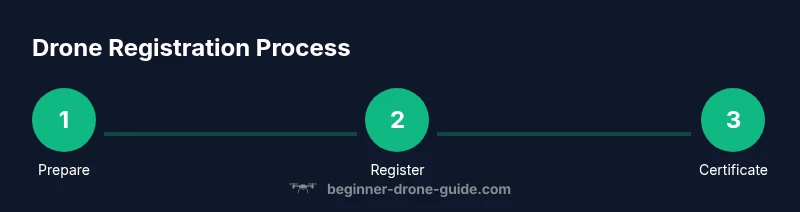
How to Prepare Before You Register
Good preparation includes understanding both the requirements and the process. Start by visiting the FAA DroneZone help pages to read the latest guidelines; print or save a quick checklist for your offline reference. You should know your drone’s precise weight and its flight category (recreational or commercial) because some categories have different rules. Prepare a digital method for payment and a backup email address if your primary inbox is unstable. It’s also wise to set up a note with your drone’s serial number or a registration ID once you receive it. In short, plan ahead so the online submission goes smoothly and you can complete it in one sitting. The goal is to move from preparation to a completed certificate without friction.
The Registration Process Explained
Registration is a multi-step online process that is designed to be approachable for beginners. You’ll identify your DroneZone account or create a new one, then fill in fields for drone specifics (weight, make, model) and owner contact information. After double-checking accuracy, you submit the data and proceed to payment if required. You will receive a confirmation email with a registration certificate or number. Save both digital and physical copies in a safe place. Throughout the process, verify that all data exactly matches your official records to avoid issues during flight or audits. The FAA aims for a straightforward experience, with clear prompts guiding you from start to finish. Remember to keep your registration up to date as rules and drone configurations change over time.
Common Pitfalls and How to Avoid Them
Even with a simple process, beginners can stumble. Common mistakes include entering wrong drone weight, mislabeling the drone make or model, using an outdated email address, or failing to pay the required fee. Another frequent issue is attempting to register a drone that weighs less than the threshold or forgetting to renew registrations when required. To avoid these pitfalls, double-check every field before submission, confirm the weight using the manufacturer’s specifications, and keep your contact details current in the DroneZone account. If you’re unsure about any step, pause and re-read the FAA guidance before continuing. A careful, deliberate approach reduces the risk of delays and ensures you have proper documentation ready for flight day.
After Registration: Keeping Your Certificate Current
Registration is not a one-and-done task. You should store your certificate where you can access it easily and keep an eye on renewal dates or changes in drone rules. If you move or change your contact information, update your DroneZone profile promptly to stay informed about notices or safety advisories. Regularly review the FAA’s guidance for any updates that affect your drone, including required re-registrations, if applicable. By staying proactive, you simplify future renewals and maintain your legal standing for flight. The Beginner Drone Guide team emphasizes a proactive approach to compliance to minimize risk and keep your flying experiences enjoyable.
Additional Resources and Next Steps
For further guidance, visit the FAA DroneZone portal, which hosts all official forms and instructions. Use trusted sources and avoid third-party sites that may provide outdated information. Consider joining reputable online communities or local clubs to share tips on registrations, airspace rules, and flight safety. Always verify that your registration is valid for the correct drone and that you understand the regulations that apply to your location and flight type. The FAA’s official resources provide the most up-to-date requirements, while Beginner Drone Guide offers practical walkthroughs and safety-first guidance to help new pilots start confidently.
Tools & Materials
- Internet-connected device (computer, tablet, or smartphone)(Access to the FAA DroneZone website and email for confirmations)
- Active email address(Valid email for registration confirmation and certificate delivery)
- Drone details (make, model, weight)(Weight must be 0.55 pounds (250 g) or more for standard registration)
- Payment method(Pay the registration fee if applicable; have a card or payment option ready)
- Owner information(Full name and current address for the certificate and notices)
- Proof of prior registration (optional)(If registering multiple drones under one account, optional but helpful)
Steps
Estimated time: 30-60 minutes
- 1
Create or sign in to the FAA DroneZone account
Open the DroneZone portal and either sign in to an existing account or create a new one. Verify your email, set up security questions, and ensure you can access the dashboard for a smooth registration flow.
Tip: Have your email ready for verification and your device charged to avoid interruptions. - 2
Enter drone details (make, model, weight)
Input the drone’s manufacturer, model name, and exact weight as specified by the factory. Accurate weights matter because they determine your registration category and any applicable exemptions.
Tip: Double-check weight against the manufacturer’s spec to prevent mismatches. - 3
Provide ownership and contact information
Enter the owner’s full name, postal address, and a valid email. This data links the certificate to you and ensures you receive notices about renewals or updates.
Tip: Use a current address; otherwise you may miss important FAA communications. - 4
Review and submit the registration
Carefully review all entries for accuracy and completeness. Submit the form to proceed to the payment step if required by your drone’s category.
Tip: Take a final look at the drone details; it’s easy to fix one line and save time later. - 5
Pay the registration fee and receive confirmation
If a fee applies, complete the payment and wait for the FAA to issue your registration certificate or number. You’ll typically receive a confirmation email with your certificate.
Tip: Save the payment receipt and certificate number in a secure place. - 6
Print or save your certificate of registration
Download and print a copy of your certificate or save it digitally. Carry a copy when you fly, and keep a backup version accessible in case you need it during flights.
Tip: Store digital copies in cloud storage or a dedicated folder for quick access.
Frequently Asked Questions
Is FAA drone registration mandatory for all drones?
Registration is required for drones that weigh at least 0.55 pounds. Always verify current FAA guidance, as exemptions may exist or rules may change. If in doubt, consult official FAA resources.
Yes, for drones over the weight threshold. Check FAA guidance if you’re unsure.
What information do I need to register my drone?
You’ll need the drone’s make, model, and weight, plus your name, address, and a valid email. Use official information to ensure your certificate matches the drone and owner.
You’ll need basic drone details and owner contact info.
How long does FAA drone registration last?
FAA registration is valid for a defined period and must be renewed as required. Check your certificate for the expiration date and renew on time to avoid penalties.
Registration lasts for the period shown on your certificate; renew when needed.
Do I need to register if my drone weighs less than 0.55 pounds?
Drones under the threshold typically do not require registration, but always verify current FAA guidance. Rules can change, so check before flying.
If your drone is lighter than 0.55 pounds, it usually doesn’t need registration, but check current FAA guidance.
Can I register multiple drones under one account?
Yes, you can register multiple drones under one FAA DroneZone account by repeating the required fields for each drone.
You can register more than one drone in the same account.
What if I move or change my contact information?
Update your contact details in your DroneZone account to ensure you receive notices and official correspondence.
Update your address and contact info in DroneZone when you move.
Watch Video
Quick Summary
- Register via FAA DroneZone before flying
- Gather drone and owner details upfront
- Keep certificates accessible during flights
- Renew registration as required by FAA
- Follow airspace rules in your area