How to Check Drone Fly Zones: A Beginner's Guide
Learn how to check drone fly zones safely with step-by-step checks, official maps, and practical planning tips for beginners. Understand airspace classifications, apps like Know Before You Fly and B4UFLY, and how to plan flights that stay compliant and stress-free.


If you're wondering how to check drone fly zone before a flight, this quick guide shows the essential steps. You'll identify airspace classifications, verify current zones, and determine whether authorization is required. We’ll point you to official maps and apps you can trust, explain how to read NOTAMs and weather, and outline a safe, compliant planning process.
Understanding Why Checking Drone Fly Zones Matters
Checking drone fly zones is a foundational safety practice. In essence, you are confirming where you can legally fly, what airspace you must avoid, and whether you need authorization for your planned operation. For beginners, this means looking up current airspace data, reading the latest notices, and factoring in local rules. According to Beginner Drone Guide, taking a methodical approach to zone awareness reduces the risk of violations and keeps flights safe for people and property. The Beginner Drone Guide team found that most incidents arise from complacency or outdated information, not from bad weather or defective equipment. In practice, you should treat airspace checks as a non-negotiable preflight step, just as you would check batteries or GPS signals. By learning how to check drone fly zone status before each flight, you build a habit that pays off through safer operations and less stress during training.
Core Data Sources for Zone Information
The most reliable way to determine where you may fly is to consult official airspace datasets and trusted safety resources. Start with the FAA's airspace maps and the Know Before You Fly site to understand restrictions around airports, military bases, and temporary flight rules. These sources are designed to be current and location-specific, which helps beginners avoid guessing and accidental violations. Based on Beginner Drone Guide analysis, using at least two independent sources is a smart habit for new pilots to build confidence and minimize surprises during a weekend practice flight. Remember that maps, notices, and data can change, so re-check close to your flight time and before you power on your drone.
Real-Time vs Planned Flights: When to Check
For a planned weekend practice, you can study the zone ahead of time and print or save a map. Real-time flights, on the other hand, demand a fresh check moments before takeoff because airspace can change with closures or events. Beginners should integrate a quick check into their preflight routine—ideally, within 30 minutes of takeoff. This practice avoids flying into a temporary restriction and helps you choose a safe altitude and route. The key is consistency: check at least two sources, confirm the zone type (uncontrolled, controlled, or restricted), and document the result as part of your flight log.
Tools and Apps You Can Trust
A growing number of apps and websites help pilots verify drone fly zones. Common options include official FAA maps, B4UFLY, and Know Before You Fly, which aggregate airspace data and present it in beginner-friendly formats. Use these tools to cross-check the zone status, altitude limits, and proximity to airports. Keep in mind that some apps rely on crowdsourced data or periodically updated databases, so always corroborate with official sources. The safety-first approach endorsed by Beginner Drone Guide emphasizes that apps are decision-support tools, not substitutes for your own verification and judgement.
Step-by-Step: How to Check a Zone Before You Fly
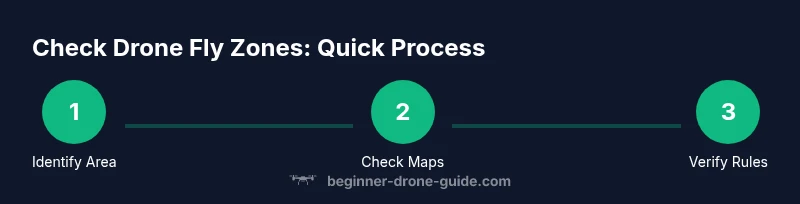
This section outlines a practical approach to verifying airspace before takeoff. It combines official sources with a disciplined preflight routine:
- Determine your exact takeoff location and approximate flight path.
- Open the FAA airspace map or Know Before You Fly and search for your location.
- Identify the airspace class and any active restrictions or temporary flight rules.
- Check NOTAMs and current weather for wind, visibility, and precipitation.
- If authorization is required, apply through LAANC or the appropriate process.
- Record the result and plan an escape or alternate route if needed. Tip: Save a screenshot or offline map for areas with poor connectivity to ensure you can reference it during flight.
Understanding The Different Airspace Classes and Their Rules
Airspace around the United States is categorized into classes A through G, with most hobbyist flights happening in Class G or near controlled airports. For drone pilots, the most relevant are Class B, Class C, Class D, and Class E airspace. In practice, you need to know which class surrounds your flight area to determine whether you can fly without authorization, or whether you must obtain LAANC access, waivers, or special permissions. Beginners should aim to stay in Class G when possible, avoid entering controlled airspace, and always verify the altitude and proximity to airports before takeoff. Remember that airspace boundaries can change with weather or special events, so re-checking is essential.
How to Read a Zone Map: Practical Tips
Airspace maps use color coding and labels to indicate class, restriction, and altitude limits. When you search for your location, look for the following cues: controlled airspace (solid colored boundaries), temporary flight restrictions (pink outlines or notices), and special use airspace (low-altitude triggers). The first thing to do is confirm the class and floor/ceiling of the airspace. Then compare this with your planned altitude. If you can't safely remain clear of restricted airspace, choose a different location or time. A small practice area just outside a busy corridor often provides more predictable airspace for beginners.
Practical Scenarios: Urban, Suburban, and Rural Checklists
Urban environments pose the most complex airspace, with multiple zones in close proximity and higher potential for restricted areas. Suburban areas typically feature fewer restrictions, but you must still beware of near-airports and stadiums. Rural locations may offer more freedom but can also have special use airspace (like military or research zones). In each scenario, start by pulling the official maps, confirm the class and altitude, check weather, and have a safe alternative plan if the zone status changes unexpectedly. A concise checklist keeps you on track and reduces the risk of missing a step.
Weather, Timing, and Visual Observations: Safe Flight Planning
Weather is a key factor when checking drone fly zones. Wind speed, gusts, precipitation, and visibility can all influence where you decide to fly. Low visibility or strong crosswinds can prompt you to choose a lower altitude or different route that stays within safe airspace. Light conditions matter as well: many pilots lose visual contact in low-light conditions, increasing the risk of deviating into a restricted zone. Always pair zone checks with weather checks and daylight planning to maximize safety and compliance.
Common Mistakes and Quick Fixes
Common mistakes include relying on a single source, ignoring temporary restrictions, and assuming zones are static. Quick fixes are to cross-check at least two sources, re-check right before takeoff, and keep your flight plan flexible. Another frequent error is attempting to fly while connected to a weak data signal; always save offline maps for critical flights and confirm the latest status when you have service. Finally, build a personal preflight ritual that includes zone checks and a weather read, then stick to it every time.
Putting It All Together: A Pre-Flight Checklist for Beginners
The final stage of learning how to check drone fly zone is turning knowledge into a repeatable routine. Before every flight, complete a preflight checklist that includes confirming the airspace status, checking weather and wind, validating your flight path, and ensuring you have authorization if required. Keep your logs updated and review any incidents to improve future planning. By using official maps and trusted safety resources, you build confidence and reduce risk over time. The Beginner Drone Guide team's approach emphasizes practical, repeatable steps that help new pilots stay compliant and fly with confidence.
Tools & Materials
- Drone with updated firmware(Ensure GPS lock and compass calibration before each flight)
- Smartphone or tablet with internet access(Install FAA apps like B4UFLY and Know Before You Fly)
- Official zone data apps or websites(Use multiple sources for cross-checks)
- Local weather forecast(Check wind, gusts, visibility, and precipitation)
- Offline airspace map (PDF or image)(Useful where internet is unreliable)
- Pilot paperwork and identification(Keep handy in case of inspections)
Steps
Estimated time: 25-40 minutes
- 1
Identify Your Flight Area
Pinpoint the exact takeoff location and intended flight path. This clarity prevents misreading maps and ensures you check the right zone.
Tip: Double-check property boundaries and nearby sensitive areas. - 2
Open Official Data Sources
Launch your chosen map or app and search for your area. Compare at least two sources for accuracy.
Tip: Use the most precise data available for your exact location. - 3
Assess Airspace Class and Restrictions
Read the airspace class and any active restrictions. Note altitude limits and proximity to airports.
Tip: If you see a red or pink boundary, treat it as potentially restricted. - 4
Check NOTAMs and Weather
Review NOTAMs and current weather, especially wind and visibility. Poor conditions can alter safe flight windows.
Tip: If weather or NOTAMs are uncertain, postpone the flight. - 5
Determine Authorization Needs
If authorization is required, initiate LAANC or other approved processes early.
Tip: Plan for processing time; some approvals take minutes, others longer. - 6
Finalize Plan and Log
Record your zone checks and flight plan, including altitudes and potential alternates.
Tip: Keep your log for accountability and future improvements.
Frequently Asked Questions
What counts as a 'fly zone' for drones?
Airspace around airports and controlled areas; temporary restrictions can apply. Rules vary by location.
Fly zones include airports and controlled airspace where drones may need permission.
Can I fly in restricted zones with authorization?
Yes, with authorization through FAA processes like LAANC or waivers.
Yes, but you must obtain FAA authorization before entering restricted airspace.
Which sources should I rely on for zone data?
Use FAA maps, Know Before You Fly, and B4UFLY to cross-check zone status.
Rely on FAA maps and Know Before You Fly to verify zones, then cross-check with B4UFLY.
What if I can't access the internet?
Plan offline when possible, use saved maps, and check local signage.
If you can't access online data, fall back to offline maps and local signs.
Are there daily or NOTAM-based restrictions?
Yes; temporary restrictions may be published as NOTAMs or notices—check before flight.
Temporary NOTAMs can limit where you fly; always verify before takeoff.
Is this different for commercial vs hobbyist flights?
Airspace rules apply to both; authorization needs may differ in some zones.
The rules are generally the same, but commercial operations may require more stringent authorization.
Watch Video
Quick Summary
- Check airspace status before every flight.
- Use official maps and apps for accuracy.
- Confirm authorization needs before entering controlled zones.
- Factor weather and daylight into your plan.
- Keep a pre-flight checklist to stay compliant.