DJI Mavic 3 Pro Drone Review: A Practical Guide for Beginners
A comprehensive, beginner-friendly review of the DJI Mavic 3 Pro drone, covering buying considerations, safety features, camera performance, and real-world use cases.


The DJI Mavic 3 Pro drone stands out for its upgraded camera system and all-around flight performance, making it a compelling choice for beginners stepping up from entry-level models. It offers strong image quality, obstacle sensing, and reliable stability in a familiar DJI ecosystem. Overall, it’s a balanced upgrade for practical aerial photography and learning pilots.
What the dji mavic 3 pro drone means for new pilots
For beginners, the dji mavic 3 pro drone may appear daunting at first glance, but it is designed to ease the learning curve while delivering pro-level results. In practice, this model sits toward the upper end of DJI's consumer lineup, offering a high-quality camera, improved obstacle sensing, and a more forgiving flight footprint than earlier pro-level models. According to Beginner Drone Guide, this is a meaningful step up that remains approachable for enthusiasts who want serious image quality without sacrificing intuitive controls. The balance between automated flight aids, stable handling, and a robust software ecosystem is central to its appeal. In this section, we unpack what you get out of the box, how the drone behaves in the air, and how to set expectations for someone new to aerial photography. We’ll also touch on licensing basics and safety habits that matter most when you’re still learning.
Design, weight, and portability
The Mavic 3 Pro balances portability with performance. Its foldable design makes it easier to carry in a compact backpack or sling bag, an important consideration for beginners who travel to shoot locations. The chassis uses durable materials that can withstand routine bumps during field work, and the gimbal system is mounted to minimize shake when you’re adjusting angles in wind. While it isn’t the lightest model DJI has released, the weight feels manageable for most users who are accustomed to consumer drones. Setup is straightforward, with the folded package snapping into place quickly and the controller pairing process being relatively intuitive. For new pilots, the combination of compactness and steady flight helps reduce fatigue and supports longer practice sessions without constant discomfort.
Camera capabilities and image quality
Camera performance is central to the Mavic 3 Pro’s appeal for beginners who want meaningful results without complex post-processing. The drone’s camera system is designed to capture detailed landscapes and portraits with natural color science that translates well to social media and client work. In practice, you’ll find improved dynamic range and color depth relative to older DJI models, which translates to fewer aggressive edits in post. Beginners can rely on automatic exposure, smart tracking, and quick stabilization to produce consistent shots, while more advanced users have access to manual controls and LUTs for creative pipelines. While not every field requires ultra‑professional gear, for many hobbyists, the Mavic 3 Pro’s camera strikes a balance between image quality and ease of use.
Flight performance and handling
Flight performance is a strong point for learners who still want confidence in the air. The Mavic 3 Pro provides smooth throttle control, predictable acceleration, and reliable GPS-based stability. In practice, you’ll notice steady hover in moderate winds, clean takeoffs, and stable landings when you follow basic preflight checks. The flight envelope remains forgiving, with automatic return-to-home features that help when you lose sight of the aircraft. New pilots can focus on framing and composition rather than manually managing micro-awkward corrections, which makes it easier to build core piloting skills without becoming overwhelmed by the hardware.
Safety features and obstacle avoidance
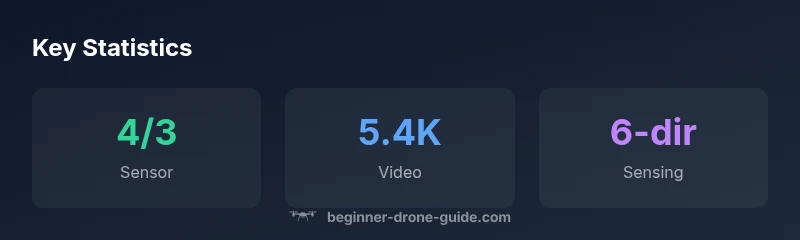
Safety features are one of the most practical reasons to consider the Mavic 3 Pro as a learning platform. The drone offers multiple obstacle senses across a three-dimensional space, assisting with path planning and collision avoidance. This means fewer risky moments when you’re not yet fluent in the finer points of spatial awareness. Additionally, the drone’s geofencing and automatic flight modes can guide beginners through a safe flight plan, reducing the chance of accidental incursions into restricted airspace. While safety aids are valuable, beginners should still maintain visual line of sight and complete familiarization flights before attempting complex maneuvers. The combination of proactive sensing and smart flight planning makes this model a reasonable stepping stone for those growing their skills.
Battery life and charging practicality
Battery life remains a practical factor for beginners who want longer practice sessions between charges. The Mavic 3 Pro supports relatively long flight times on a single charged pack, which helps you accumulate more flying hours during a single session. Real-world conditions—like wind, weight of accessories, and air traffic—will influence actual endurance. Planning for extra batteries and a portable charger can dramatically extend learning sessions, allowing you to practice maneuvers, photo captures, and timed shoots without frequent interruptions. Keep in mind that storage and charging temperature can also impact performance, so it’s wise to have a cool, ventilated charging setup when you’re in the field.
Software, apps, and workflow
DJI’s software ecosystem is one of the most important reasons the Mavic 3 Pro feels approachable to beginners. The app provides a clean interface for flight planning, camera settings, and quick exports. It integrates well with common editing workflows, enabling you to shoot in RAW for higher post-processing flexibility or to rely on in-camera profiles for faster results. The learning curve tends to flatten quickly as you become familiar with the main menus, presets, and the quick edit tools. For those who plan to use drones professionally or semi-professionally, the software’s organizational features and cloud-sync options can help you manage multiple shoots efficiently from the moment you purchase the drone.
Comparing to peers: Mavic 3 Classic, Air 2S, and Autel Evo Pro
In the current market, the Mavic 3 Pro sits between the classic pro-grade options and more affordable alternatives. The Mavic 3 Classic offers a slightly simpler feature set at a lower price, which can be attractive for absolute beginners who want to validate their interest before stepping up. The Air 2S remains a strong value with a compact form factor and excellent image quality, making it a practical rival for learners on tighter budgets. Autel’s Evo Pro line provides a different control philosophy and feature set, offering a compelling alternative depending on your preferred ecosystem and flight experience. For learners, the takeaway is to assess whether you value image quality, safety features, or flight simplicity most—and then weigh price against your long-term goals.
Real-world use cases and best practices
Real-world use cases for beginners often include landscape photography, urban exploration to build composition skills, and occasional real estate work for friends or clients. Start with wide, stable shots before attempting dynamic maneuvers like pendulum sweeps or complex follow-me shots. Practice planning your flight routes in advance, identify potential wind corridors, and ensure you have enough battery reserves for safe return. Regularly review flight logs to identify patterns in how you fly, such as preferred speeds or headwind tolerance, and adjust your practice accordingly. By keeping sessions focused on core skills and combining them with thoughtful shot planning, you’ll maximize learning and reduce the risk of accidents, loss, or damage.
Buying considerations: licensing, storage, and accessories
When budgeting for the Mavic 3 Pro, consider not just the purchase price but the ongoing costs of licensing, storage, spare parts, and accessories. Licensing requirements vary by country and can impact how you operate the drone professionally. In practice, beginners often find value in procuring an ND filter set to optimize exposure in bright conditions, extra batteries for extended shoots, a protective case, and propeller guards for indoor practice. Check local registration requirements and insurance options to avoid surprises. Bundles that include a carry case and essential extras can offer better long-term value, but compare prices carefully to avoid paying for features you won’t use initially.
First flight setup and maintenance: a practical checklist
Before your first flight, complete a thorough preflight, including software updates, propeller checks, and calibration if required by the app. Create a simple flight plan and a short, safe area for the initial test. Post-flight, inspect the drone and its accessories for wear, clean the gimbal and camera lens, and charge all batteries to full before storage. Establish a routine for firmware updates, ensuring you maintain the drone’s safety features and compatibility with your devices. By developing a concise maintenance habit, you extend the lifespan of the drone and keep it reliable for future sessions.
Benefits
- High image quality with flexible shooting options
- Strong safety features like obstacle sensing
- Solid stability and ease of use for learners
- Reliable software ecosystem supports quick learning
Weaknesses
- Higher price point than entry-level drones
- Longer setup may be intimidating for absolute beginners
- Accessory bundles add to total cost
- Some features require compatible controllers or apps
Best overall upgrade for beginner-to-intermediate pilots
The DJI Mavic 3 Pro delivers strong image quality with approachable safety and flight stability. While it costs more than basic models, the long-term value and learning opportunities justify the investment for dedicated beginners.
Frequently Asked Questions
Is the dji mavic 3 pro drone suitable for beginners?
Yes. It offers guided flight modes, solid safety features, and a forgiving flight envelope that helps new pilots build confidence while still delivering professional-grade imagery.
Yes, it’s beginner-friendly with safety features and guided modes that help you learn while producing quality shots.
Do I need a license to fly in my area?
Regulations vary by country. In many places you must follow local airspace rules, register the drone if required, and avoid commercial use until you’re certified where applicable.
Rules differ by country, so check local airspace rules and licensing requirements before flying commercially.
How does the Mavic 3 Pro compare to the Mavic 3 Classic?
The Pro version generally offers an upgraded camera system and enhanced sensors, with a higher price tag. The Classic remains a strong, more affordable option for learners who don’t need the latest pro features.
The Pro is a step up in camera quality and sensing, while the Classic is a great value option for learners.
What accessories are essential for beginners?
ND filters, extra batteries, a rugged carry case, prop guards for indoor practice, and a clean microSD card to manage footage.
ND filters, extra batteries, and a case are key to getting started and practicing safely.
Can it be used for real estate photography?
Yes, its camera quality is well-suited for wide architectural shots and interior tours, provided you plan shots carefully and comply with local regulations.
Great for real estate with clear, cinematic shots; plan your routes and shot lists first.
What should I budget for after purchase?
Expect to budget for ND filters, spare batteries, storage devices, insurance options, and occasional accessories to extend your usage scenarios.
Plan for a bit more to cover batteries, storage, and protection gear.
Quick Summary
- Assess your budget against long-term value
- Expect pro-grade camera quality with user-friendly controls
- Invest in essential accessories for learning and safety
- Leverage DJI software to streamline editing and workflow