How to Clean Drone Motors: A Practical Guide for Beginners
Learn how to safely clean drone motors to maintain performance and extend life. This beginner-friendly guide covers tools, step-by-step methods, safety tips, and common mistakes.


You will learn how to safely clean drone motors, remove debris, and restore performance without damaging electronics. This guide covers safety steps, the right tools, step-by-step cleaning for brushless and brushed motors, and how to verify that bearings and seals are still solid. Follow these steps to keep your drone flying smoothly and extend motor life.
Why clean drone motors matters
Regular maintenance, including cleaning drone motors, matters because it helps maintain peak performance, reduces overheating, and extends motor life. Clean motors spin more smoothly, draw consistent current, and are less prone to debris-induced failures after long flights. The Beginner Drone Guide team emphasizes that motor cleanliness is not a luxury; it’s part of a practical maintenance routine for new pilots who want reliable hops and predictable ESC responses. In this section we’ll outline why debris is a problem, how to identify when a cleaning is due, and how to approach the job safely without risking damage to the drone’s electronics. You’ll learn about differences between brushless and brushed motors, common debris sources (dust, grass, sand), and how a simple wipe-down can prevent more expensive repairs. By prioritizing cleanliness, you’ll minimize vibrations, extend bearing life, and preserve battery efficiency, which translates to better flight times and fewer mid-air surprises.
Safety first: prepare your workspace and power down
Before touching any moving parts, power off the aircraft and disconnect the battery or power source. Work on a clean, uncluttered surface away from water and metal scraps. Keep a small container for screws and a magnetized tray if available. For safety, avoid cleaning while the drone is powered or attached to a charger. If you’re using a brushless motor system, take extra care around the electronic speed controllers (ESCs) and avoid contact with connectors. According to Beginner Drone Guide, always wear eye protection when handling tiny parts and keep a spare set of propellers on hand. A well-lit workspace reduces the risk of misplacing tiny screws and helps you spot grease or grime before it causes trouble.
Understanding debris and how it affects performance
Dust, pollen, sand, grass fibers, and other small particles can accumulate around motor housings and bearings. Even a thin film can create drag, increase heat, and shorten motor life by raising friction inside the can. Brushless motors are generally sealed, but seals can wear, and dirt can work its way into the bearing area over time. Brush-type motors are more exposed to grime and can suffer early commutation wear if debris gets between the windings and magnets. The Beginner Drone Guide analysis shows that pilots who perform regular visual inspections and occasional cleaning notice fewer vibrations and steadier RPM control. If you hear unusual grinding or feel roughness when you rotate the rotor by hand, that’s a clear sign the bearing deserves attention.
How often to clean and what to look for
After dusty flights, a quick wipe-down is a good idea to keep grime at bay. In sandy environments or near construction sites, you’ll want to inspect and clean motors more frequently. Look for visible dust on the exterior can, around the rotor tips, and inside any cooling intakes. Persistent buildup around the motor can leads to increased friction, hotter operation, and potential insulation damage if moisture enters. Scheduling a deeper clean every few weeks—especially for hobbyists who fly multiple times a week—helps reduce risk of creeping debris. The aim is to preserve windings, magnets, and bearings so your drone maintains smooth throttle response and stable hover performance.
Tools and cleaning materials you'll need
Before you start, gather the right tools to avoid mid-task interruptions. Essential items include a soft-bristled brush, lint-free wipes, cotton swabs, isopropyl alcohol (at least 70%) applied on a non-conductive surface, a small screwdriver for removing props, and a clean, dry work mat. Optional but helpful tools are a magnetic parts tray, a microfiber cloth, canned air or a gentle blower, and a pair of nitrile gloves for grip and moisture protection. Avoid water, solvents, or oils that could seep into windings or bearings. If your drone uses fragile, manufacturer-specific fasteners, have the correct driver size on hand to prevent stripping.
Step-by-step overview
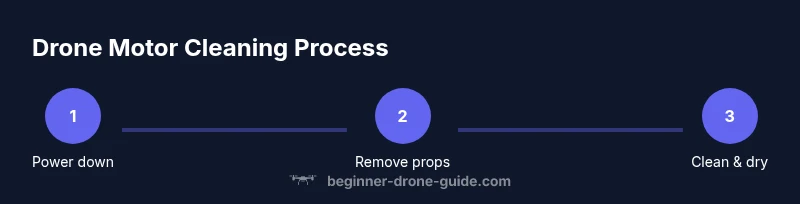
This overview gives you the broad sequence you’ll follow, with the detailed steps appearing in the next section. It’s designed to ensure you have the right mindset, space, and materials before you begin. Plan to: power down and remove the battery, carefully detach propellers, access the motor housing, perform a light dusting, carry out a deeper clean with alcohol on non-electrical surfaces, allow everything to dry fully, then reassemble and test. The emphasis is safety, minimal disassembly, and preserving components. These steps fit most consumer drones with brushless motors, though always consult your manual for model-specific instructions.
Step 1: Power down and remove the battery
Power down the drone and unplug the battery before you touch any moving parts. This step is non-negotiable for safety; it prevents short circuits and accidental motor engagement. After removing the battery, place it in a safe location away from liquids and metals and allow any residual energy in capacitors to dissipate. If your controller has a hold function or check, disable it. Keep the drone on a non-conductive surface to minimize static risk. Confirm that the motors are completely at rest before proceeding.
Step 2: Remove propellers and motor guards
Using the correct screwdriver, carefully remove propellers and any motor guards or guards. Place screws in labeled containers and keep hardware organized. Removing props reduces the risk of injury and makes it easier to access the motor can without prying against cables. If your drone uses color-coded or keyed nuts, note orientation for reattachment. Pro tip: taking a quick photo of blade orientation and guard placement simplifies reassembly and prevents misalignment.
Step 3: Expose motors and inspect for debris
Gently peel back any protective covers to expose the motor can and nearby bearings. Look for visible debris, loose screws, torn seals, or oil residues. Check if the bearing race spins smoothly when you rotate the rotor by hand (only if safe to do so with the drone secured). Any unusual wobble, grinding, or resistance indicates contamination or wear that needs addressing. If you notice water intrusion or signs of corrosion, stop and consult the manufacturer before proceeding further. A thorough inspection prevents you from cleaning in the wrong area or accidentally dislodging components.
Step 4: Clean the exterior housing and rotor tips
Brush away loose dust from the exterior housing with a soft brush. Dampen a lint-free wipe with isopropyl alcohol and carefully wipe the exterior, avoiding contact with windings and connectors. For tight crevices, use a cotton swab lightly moistened with alcohol. Do not soak or spray directly onto any electrical parts. If you encounter stubborn grime, a nylon tool or wooden toothpick can lift residue without scratching metal surfaces. Let all surfaces dry completely before continuing.
Step 5: Deep-clean and inspect bearings (where applicable)
For brushless motors, focus on accessible bearing areas near the can ends. If you suspect dried lubricant, consult the manufacturer’s instructions about applying a small amount of approved lubricant—use sparingly. Avoid heavy oils that can attract more dust or migrate into windings. After cleaning, rotate the rotor slowly to confirm smooth motion and listen for grinding or roughness. If there is persistent roughness after cleaning, the bearings may need professional service or replacement.
Step 6: Reassemble, test, and calibrate
Reattach propellers and guards in their original orientation and secure all screws. Reconnect the battery and power on in a safe, open space. Observe a short, low-altitude hover to check for smooth motor operation and balance. If you detect vibration, stop, recheck screw tightness and prop balance. Finally, follow your drone’s ESC calibration and flight controller setup steps to ensure accurate motor response and predictable behavior in flight.
Authority sources and further reading
To support this guide, refer to official safety resources and academic guidance. The FAA’s UAS information center and dronesafety.gov provide policy and testing standards for safe operation. NASA’s robotics and safety pages offer additional context on maintaining autonomous systems in real-world environments. Always cross-reference with your drone manufacturer’s manual for model-specific guidance.
Tools & Materials
- Soft-bristled brush(Use for sweeping away loose dust from motor housing and blades.)
- Lint-free wipes(Moisten with isopropyl alcohol; avoid leaving fibers behind.)
- Cotton swabs(For crevices and tight gaps near bearings.)
- Isopropyl alcohol (70-90%)(Non-conductive cleaning solvent; avoid dripping onto windings.)
- Small screwdriver(For removing props and guards; use correct bit size.)
- Magnetic parts tray (optional)(Keeps screws organized during disassembly.)
- Microfiber cloth (optional)(Quick dry and polish exterior surfaces.)
- Nitrile gloves (optional)(For grip and skin protection.)
Steps
Estimated time: 40-60 minutes
- 1
Power down and secure the drone
Power off the drone and remove the battery to prevent any chance of motor activation during cleaning. Place all safety measures in place and ensure you are on a dry, stable surface. This reduces risk of electric shock and component damage as you proceed.
Tip: Always start with a fully powered-down system and a cleared workspace. - 2
Remove propellers and guards
Carefully detach propellers and motor guards using the proper screwdriver. Store screws in a labeled container to avoid mix-ups. Removing these parts gives you full access to the motor can and reduces the chance of injury from moving blades.
Tip: Snap a quick photo of blade orientation before removal. - 3
Expose motors and inspect for debris
Gently remove any protective covers to expose the motor can. Look for visible debris, loose screws, or signs of wear. Rotate the rotor by hand if safe; listen for grinding or feel for roughness indicating bearing contamination.
Tip: If you hear grinding, stop and assess before proceeding. - 4
Wipe and clean exterior surfaces
Use a soft brush to remove loose dust, then wipe the exterior with isopropyl-alcohol-dampened wipes. For crevices, use a moistened cotton swab. Avoid soaking windings or seals and allow surfaces to dry completely.
Tip: Don’t oversaturate; moisture near electronics can cause damage. - 5
Deep-clean bearings (if applicable)
If you can access bearings, apply a tiny amount of approved lubricant sparingly after cleaning. Avoid heavy oils that attract dust. Rotate the rotor to verify smooth motion and check for residual grit.
Tip: Follow manufacturer guidance for lubrication to avoid voiding warranty. - 6
Reassemble and test
Reattach propellers and guards in their original orientation. Reconnect the battery and perform a cautious test hover in a safe area. If you notice vibration, recheck screws and balance before returning to flight.
Tip: Calibrate ESCs and controller per the manufacturer’s instructions.
Frequently Asked Questions
Can I use water to clean drone motors?
No. Water can seep into windings and connectors, causing short circuits or corrosion. Use isopropyl alcohol and a dry method to remove grime. If water exposure occurs, dry thoroughly and inspect for moisture.
Avoid water. Use alcohol and dry methods, and recheck components for moisture.
Should I remove the battery during cleaning?
Yes. Always disconnect the battery before starting any cleaning to prevent accidental motor engagement and short circuits.
Yes—disconnect the battery first for safety.
Can I lubricate the motors after cleaning?
Lubrication is usually unnecessary for many hobby drones and can attract dust if overused. Only apply manufacturer-approved lubricant to bearings if required by your manual.
Lubricate only if the manual says so, and use the right product in small amounts.
How often should I clean drone motors?
Frequency depends on use and environment. Dusty, sandy, or grassy conditions call for more frequent checks and cleaning.
Frequency depends on conditions; dusty environments need more frequent cleaning.
What if I still hear grinding after cleaning?
If grinding persists, bearings may be worn or contaminated. Stop and consult the manufacturer or a professional technician for service.
Persistent grinding likely means bearing wear; seek professional help.
Are brushless motors easier to clean than brushed motors?
Both can be cleaned safely, but brushless motors are generally sealed better. Brushed motors tend to expose more windings and bearings to debris.
Brushless motors are usually easier to keep clean due to better sealing.
Watch Video
Quick Summary
- Power down before cleaning
- Use gentle tools and isopropyl alcohol
- Dry completely before reassembly
- Regular cleaning reduces vibrations and extends motor life
- Always follow the manufacturer’s maintenance guidance